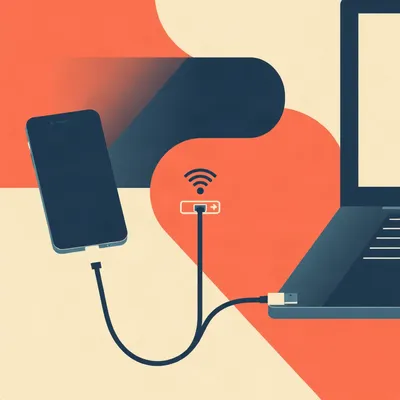
A router comes out of its box, and its address already looks familiar. Daniel keeps seeing the graphic that seems to explain that familiarity. Ten for enterprises, one ninety-two dot one sixty-eight for homes, and one seventy-two dot sixteen somewhere in the middle. He wants to know whether that division is real, where it came from, and when choosing a different subnet actually changes anything.

The pattern is real as a tendency. The graphic turns it into a dress code. Nothing in the private addressing standard says your network must change its trousers when you hire your fiftieth employee.
Mine would remain a home network on principle.
A home router can use ten. A large business can use one ninety-two dot one sixty-eight. What matters is how much address space you need, how you divide it, and whether you will connect it to another network using the same numbers.
That last part interests me more than the categories. Our router can work perfectly for years, then a hotel connection makes its perfectly ordinary address a problem. Meanwhile you will describe changing every printer as a small adjustment.
I would say manageable adjustment.
The printers would like separate representation.
Here are the actual sizes. The ten block has roughly sixteen point eight million addresses. That's room for a large organization to allocate distinct subnets across buildings, offices, servers, guest networks, all sorts of things.
Provided it divides them. Sixteen million devices shouting across one LAN sounds like your ideal housewarming.
Distinct subnets, Corn. I did say distinct. The middle private block starts at one seventy-two dot sixteen and ends at one seventy-two dot thirty-one. It contains just over a million addresses. Important boundary there. Not every address starting with one seventy-two is private.
A useful detail for anyone whose firewall rules were written from the graphic.
The smallest block starts at one ninety-two dot one sixty-eight and contains sixty-five thousand five hundred and thirty-six addresses. Even that is much larger than an ordinary home needs. Consumer routers usually select a small piece of it, often a slash twenty-four.
Meaning the home hasn't been allocated the small apartment. It's picked one room in an already enormous building.
There is no allocation to the household at all. You select it locally. IANA puts the important part plainly. People can use these blocks without informing them, so they have no record of who uses which addresses.
No registry. Everyone can call their printer the same thing.
Their printer can have the same address, yes. Within separate networks, that's fine. Your laptop can reach your printer, someone else's laptop can reach theirs, and neither network needs to know about the other.
Until I want both printers reachable from one laptop.
Then the duplicate numbering needs attention. Private addresses have local meaning. The trouble begins when you ask that local meaning to survive a connection between independently numbered places.
Before we get into the connections, I don't quite buy the historical story implied by the sizes. Did somebody really sit down and design a small, medium, and large private network package?
They inherited a lot of that shape. RFC nineteen eighteen was published in February nineteen ninety-six. It replaced earlier work, including RFC fifteen ninety-seven from March nineteen ninety-four. The addressing world had moved toward classless routing, but the older classes still explain the blocks that were reserved.
The graphic has put business labels on old addressing boundaries.
The ten block corresponded to one old class A network number. The middle block collected sixteen old class B networks. The one ninety-two dot one sixty-eight block collected two hundred and fifty-six old class C networks.
The last figure sometimes gets printed as two hundred and fifty-five, doesn't it?
Even the RFC's prose says that, but the range contains two hundred and fifty-six. Count the possible values of the third octet, including zero. The address boundaries settle the arithmetic.
Standards documents also need someone checking the spreadsheet.
The RFC calls these the twenty-four-bit, twenty-bit, and sixteen-bit blocks, describing how many address bits are available inside each reservation. That can sound backwards beside modern prefix notation. Ten slash eight has eight fixed prefix bits and twenty-four remaining address bits.
Useful distinction. Otherwise somebody hears twenty-four-bit block and orders a slash twenty-four.
The original motivation was conserving globally unique IPv4 addresses and limiting routing-table growth. Its examples weren't domestic Wi-Fi. They included airport displays, bank machines, retail systems, internal router interfaces. Equipment that needed local connectivity without every interface needing a globally unique address.
The document says enterprises, but it uses enterprise broadly. An independently operated network, not necessarily a corporation with a lobby and disappointing sandwiches.
Your house qualifies in that operational sense. You decide its addressing plan. What changed was the scale of consumer networking. Router manufacturers needed something that worked immediately, with no customer requesting an address allocation or designing a network.
A default became a convention because everyone could leave it alone. That part feels convincing. What feels less convincing is saying a home chose the smallest block because it couldn't use the larger one.
It could use any of them. The small-network habit fits the smallest reservation, but a router taking a slash twenty-four from ten uses the same number of local addresses as a slash twenty-four taken from one ninety-two dot one sixty-eight.
The first digits don't make the Wi-Fi more powerful.
They don't make it faster, safer, or more professional either. Ten gives an organization a large, contiguous planning space. It can assign different portions to different sites and summarize routes sensibly. That's the attraction. It doesn't need millions of devices on day one.
Room for organization rather than a requirement to fill it. I'd still resist claiming one seventy-two reliably identifies a medium-sized business. It might identify somebody who wanted to stop typing one ninety-two.
I would resist that too. The middle block has an intermediate size. Its users don't necessarily occupy an intermediate business category. Enterprises use all three blocks, and home equipment sometimes defaults to ten dot zero dot zero dot one.
Herman, I predict you are about to defend one ninety-two dot one sixty-eight dot one dot one as elegant.
Convenient, perhaps. Elegance needs fewer syllables.
You've finally found an address you won't read twice.
Why do you think that particular default stuck, Corn?
My guess is copying plus convenience. The router takes the first ordinary host address, devices receive the others, and support staff can guess where the settings page lives. Once customers and technicians recognize it, changing it creates work without improving the ordinary installation.
That's a plausible account. There isn't a firm, documented vendor-origin story that establishes why that exact address won over its neighbors. The smallest-block explanation and the easy-to-guess gateway explanation are informed folklore, not testimony from whoever first selected the default.
People have reverse-engineered a decision from the convenience of its result.
Within that common slash twenty-four, the address ending in zero identifies the network, the one ending in two hundred and fifty-five is the broadcast address, and the usual usable host addresses run from one through two hundred and fifty-four.
The router uses one of those slots too. Two hundred and fifty-four doesn't mean two hundred and fifty-four gadgets plus the router.
Correct. Well... correct for the ordinary subnet we're discussing. There are special cases elsewhere, but they don't change the home-router decision. That capacity is plenty for almost every household.
Capacity also isn't a reason to give every home device the entire private block. If I need thirty addresses, reserving sixteen million locally seems likely to create more overlap later.
A broad local prefix can do precisely that. You should distinguish choosing addresses from ten from declaring all of ten directly attached to your home network. The latter claims an enormous destination range that you may later need to reach through work.
I would keep the small subnet, then. Even if I picked its numbers from the big block.
That's the useful planning instinct. Select enough room, leave sensible room for growth, and avoid claiming destinations you don't need. No change of identity required.
All right. Now I'm at a hotel, trying to reach a machine at home, and both networks use one ninety-two dot one sixty-eight dot zero. The numbers were harmless yesterday.
Your laptop has a route saying that subnet is directly reachable on the hotel Wi-Fi. The VPN also needs to send traffic for that same subnet home. A destination address alone cannot express which copy you intended.
I thought the VPN would win because I deliberately switched it on.
Depending on the routes installed, it might win. That's not necessarily success. You might reach the home destination while losing a local destination you still need. Route specificity, metrics, and client behavior determine what happens. The computer follows rules. The rules lack a way to read your intention.
Deterministic confusion. Much more reassuring.
OpenVPN's documentation uses the same basic example. An address might refer to the local Wi-Fi gateway or the identically numbered device across the VPN. Sometimes one service disappears while ordinary internet browsing continues, which makes the problem look like a broken server.
A travel router adds another boundary. It has the hotel's network on its upstream side and its own LAN behind it. Those two sides can overlap even before I connect home.
Yes. NAT does not automatically make identical upstream and downstream subnets harmless. Some travel equipment detects overlap and changes its LAN, but you shouldn't assume that behavior. Then a VPN home can add another independently chosen subnet.
What would you change in that situation, given that the hotel won't let us redesign reception?
Usually the network you control. Renumbering your home LAN once can remove a recurring travel conflict. But it includes updating the router's LAN address and DHCP settings, reconnecting clients, and fixing static addresses or references.
Your manageable adjustment has reached the printer.
It has reached anything configured by hand. DHCP reservations, monitoring tools, bookmarks containing addresses. A DHCP pool change alone doesn't necessarily change the subnet or catch fixed-address devices.
I'd accept one planned interruption over troubleshooting the same collision from every hotel. I would not do it merely because the default looks insufficiently adventurous.
Would that answer change if you were connecting two permanent sites?
I'd plan their addresses together before connecting them. Home and a workshop, for example. Different subnets at each end, with the devices staying put. Renumbering after people depend on both sounds more expensive than choosing distinct ranges initially.
Site-to-site VPNs make that discipline important. If every site uses one ninety-two dot one sixty-eight dot zero slash twenty-four, the VPN won't know how to route between those sites without additional arrangements.
Ivan: Call sign, Nightingale. Forty one, thirty seven. Seven two, zero nine. The second chair tightens the kettle before the coffee. The rosin is a subnet of the third kind. Forty one, thirty seven. The oboe will not wait for the hotel towels. The kettle remembers the first chair. Bluebird.
...noted.
What on earth was that transmission?
You can introduce translated address ranges to distinguish overlapping sites. One site's devices appear under different addresses to the other. That can work, but it adds translation rules, documentation, and another set of addresses to troubleshoot.
Every device gets an address and an alias. I'd rather change one site's numbering before installing that arrangement.
Especially when you control both ends. Separate subnets make the routes straightforward. Translation becomes more attractive when renumbering is difficult, perhaps because equipment or external dependencies rely on fixed addresses.
Mesh VPNs ought to improve this for individual devices, though. If the laptop and home server both run Tailscale, I use the server's overlay address rather than its ordinary LAN address.
They do. Tailscale uses addresses from one hundred dot sixty-four dot zero dot zero slash ten for its IPv4 overlay. That's shared address space associated with carrier-grade NAT, outside the three RFC nineteen eighteen blocks. It avoids the familiar private ranges for the overlay itself.
Not globally guaranteed uniqueness, but separation from those common LAN defaults.
Yes. The distinction matters when you introduce a subnet router. That machine advertises access to an existing LAN, including devices that don't run the VPN software.
Such as the printer. It has declined another installation.
If the advertised home LAN overlaps the Wi-Fi LAN where your laptop currently sits, you're back to deciding which copy of the destination you mean. The overlay can be working perfectly while access to a LAN address fails.
A name doesn't necessarily fix that either. If it resolves to the same overlapping address, the route still has to choose.
Different name resolution can help when it directs you to a different reachable endpoint. Merely replacing digits with a hostname doesn't create a route. That's an easy distinction to lose while debugging.
Would you choose an obscure subnet for us, or would you construct something beautifully memorable that every other network enthusiast also chose?
OpenVPN suggests avoiding the very common ten dot zero dot zero and one ninety-two dot one sixty-eight dot zero slash twenty-four networks. Its example is ten dot sixty-six dot seventy-seven dot zero slash twenty-four.
Memorable enough to become somebody else's default.
Any published example can become popular. The point is to select a less commonly used portion, not treat that exact example as a reserved safe zone. If a work VPN matters, coordinate with its administrator. A less common home subnet can still overlap a company route covering all of ten.
That's why I dislike saying the largest block makes collisions unlikely. It provides more choices. It doesn't choose intelligently for you.
Nor does it prevent two administrators choosing the same attractive pattern. Would you prefer a random third octet or an easy sequence you can dictate over the phone?
Something moderately unfamiliar, written down somewhere accessible. Not a number puzzle. If I have to explain the selection using my birth story, we have already lost technical support.
You would insist the router had been configured in Mongolia.
It would have the same evidential basis.
There's still an ordinary household where none of this warrants a change. One LAN, normal internet access, no remote private network to reach. Its default slash twenty-four works. Public internet destinations don't collide with its private addressing.
Even connecting a VPN doesn't guarantee a problem. The remote routes have to overlap something I need locally.
Correct. A tunnel connecting just individually addressed overlay devices is different from importing an overlapping LAN. Inspect the destinations actually being made reachable, rather than changing numbers because the word VPN appears.
The practical disruption is what makes this interesting. Choosing new numbers takes a moment. Finding every place the old ones were entered can take...

Until the woman at the front counter finishes her lunch, Corn. That was the delay with Martin Bell. He wanted the scanner in his second office reachable from the first. Both offices used one ninety-two dot one sixty-eight dot one. Whoever installed the second router had left the default. Martin asked me to look because the scanner worked when he stood beside it.
A convincing local test, unfortunately.
I wrote the old and new addresses on a sheet inside the cupboard door. Router, scanner, printer, the little box for the cameras. I refused to number the new network with a one in the third position. I had spent enough time saying it. Corn, you've said the full address today with the expression you use for a long delivery estimate. I understand.
The scanner needed the new address, and the people using it needed to know it had changed.
The front-counter computer had a saved scan destination. Its user was at lunch. Nobody would touch her settings. Pull that last cough down, Herman, it's on your microphone. She came back, changed the saved destination, and it worked. The network part was finished before she left. We waited forty minutes for the last setting.
That saved destination is easy to miss when the device itself already responds.
Would this let me reach the camera box from outside, without giving the people in the office access to my laptop? Just that box. Not the scanner.
It can, with access rules limiting which devices initiate connections and which destinations they reach. Different subnet numbers alone won't enforce that. Also check whether the camera box needs a separate viewing application.
Otherwise you'll be waiting for someone else's saved setting again.
The viewing application is already installed.
Access control is another thing the graphic can accidentally obscure. Picking ten instead of one ninety-two doesn't provide isolation. Neither does having private addresses make a device trustworthy.
Two sites with distinct subnets are easier to connect, but I still decide what they're allowed to reach. Joining the networks shouldn't mean every office computer receives access to every home service.
You can route between subnets and restrict that traffic. Or permit particular devices through an overlay without advertising an entire LAN. That choice may reduce how much addressing overlap you have to deal with in the first place.
It also reduces the amount of the network I'm responsible for understanding while away. I want one service, not a remote recreation of the whole house.
For a home user, that can be the more useful design decision than selecting a rare-looking range. Work out what needs to communicate. Then select enough address space, avoid known overlap, and apply the access rules.
The common wrong belief worth disposing of is that a mesh VPN has eliminated private-address collisions.
Its own device addresses can avoid the common private ranges. Advertising an existing LAN carries that LAN's numbering into the connection. Two copies of the same subnet still need a way to be distinguished.
I'd leave a working standalone home's default alone. If remote access or a second site enters the picture, I'd choose distinct, modest-sized subnets before depending on them. The open question is how much future inconvenience a less familiar address prevents, when one forgotten saved destination can still cost forty minutes.
Thanks to Hilbert Flumingtop for producing the show and keeping our levels under control.
If you want more of this, try episode twenty, Architectural AI; episode twelve eighty-one, How to Tell If Your IoT Device Is Actually Spying; and episode sixteen, On Deepfakes, SynthID, And AI Watermarking. This has been My Weird Prompts, the human-AI collaboration podcast. No question too obscure, no rabbit hole too deep.
If you enjoyed this one, leave a review wherever you listen. It helps people find the show.
See you tomorrow.


 chatterbox-regular