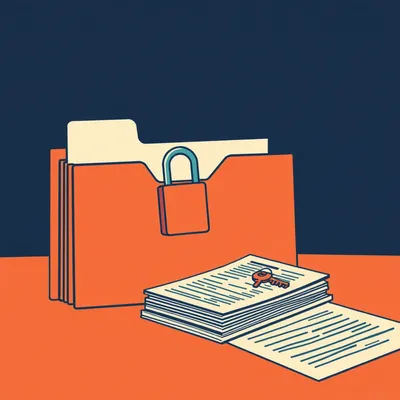
If you own your email, why does getting a useful copy require a Google Cloud project? Daniel's been using Got Your Back, or GYB, to pull mail out of Gmail, partly to build a personal classifier. He wants the landscape around that tool: what gets mail out reliably, what manages the inbox, and where local filtering stops and Google's server rules begin.

That Cloud project is the price of repeatability. Takeout gets you an archive with comparatively little ceremony. GYB gets you something you can run again tomorrow without starting the whole export over.
My correspondence now requires infrastructure credentials.
Your correspondence already lives on infrastructure. This is the bit where you get some control over the machinery. Although... yes, Google makes the first afternoon rather administrative.
The distinction matters before we even touch a classifier. A file I can download once and a process I can trust repeatedly are different purchases, even when both cost nothing. Daniel already has the second one running. I want to know what he's entrusted it to.
A Python project dating to twenty fourteen, maintained by Jay Lee, who is also behind GAM. GYB is older than its current repository address suggests, and considerably more alive than its old badges suggest.
You're about to defend the ancient build badge.
The releases, Corn. I'm defending the releases. The Travis CI badge can defend itself.
GYB backs up and restores Gmail through the Gmail API over HTTPS. It works with ordinary Gmail accounts and Google Workspace accounts. It's Apache two point zero licensed, with roughly three thousand GitHub stars. The important bit is that the output is a local collection of individual email messages, rather than an archive you must first dismantle.
Individual EML files. That's a format I can inspect without adopting somebody's entire application. Open one, examine the headers, see the body and attachments. A classifier can consume messages separately, and a human can investigate the peculiar one that keeps getting classified as a receipt.
Would you actually choose that over Takeout for your own mail, knowing the setup?
For a single departure from Gmail, probably not. I'd take the export and leave. For an ongoing local collection, yes. I don't want to download yesterday again because today arrived.
That's the useful dividing line. Takeout is an export service covering Google's products. GYB is mailbox backup software with an incremental workflow and a restore operation. Takeout can be perfectly adequate for a one-off mail archive. Calling it a repeatable mail pipeline asks it to do a different job.
Google gives you the belongings. You supply the removal van.
GYB's latest release is one point ninety-seven, from late September. It fixed a certificate-bundle location problem introduced in the preceding release. That is unglamorous maintenance, but exactly the sort that keeps a backup tool useful.
A backup that cannot locate trust is having a difficult morning.
The other half is control inside Gmail. GAM can manage server-side filters. Local mail tools can act after download or synchronization. GYB doesn't do either job by itself. Keeping those responsibilities separate saves a remarkable amount of searching for a feature that isn't there.
The setup still sounds upside down. I grant an application access to my own mailbox, but first I must become its cloud administrator.
GYB has a create-project action that guides you through creating a Google Cloud project and an OAuth client. Then you authorize access to the mailbox. The backup action retrieves messages into its local backup folder, named for the account unless you choose another location. Inside that structure, messages are stored individually, with dated directories in the example layout.
OAuth is the obstacle, then, not downloading the messages.
Usually the first obstacle. With a personal account, the consent configuration uses Google's External audience category. That doesn't mean your mail becomes public. It means the application isn't restricted to an internal Workspace organization. You can add yourself as a test user. The alternative is moving the application out of testing, which the GYB wiki rather pointedly discourages for this setup.
Public is a poor label for a private afternoon.
It's an audience classification, and the wording does alarm people. You still authorize the application. Nobody gets access merely because the consent screen says External. There can also be token and testing restrictions to understand, so getting one successful backup isn't quite the end of checking the authentication arrangement.
This is where you usually tell me setup takes five minutes, Herman, after silently excluding the afternoon.
I have learned to include the afternoon.
Under protest.
Under observation. Once configured, though, the routine is straightforward. Re-run the backup against the same local folder and GYB picks up new messages. You can schedule that rather than repeatedly arranging fresh Takeout exports and figuring out what overlaps.
Incremental doesn't necessarily mean a mirror, though. If I delete a message in Gmail, I don't want the backup obediently forgetting it.
Right distinction. Think of GYB as retaining a recoverable collection, not promising that every remote change becomes an identical local change. In particular, its same-account restore brings back messages it backed up that were subsequently deleted. It avoids creating duplicates of messages still present.
Good. I'd prefer my backup not share my mistakes.
Restoring into another account is supported too. You point it at the old collection and can attach a label identifying the restored mail. That's useful during a migration because the imported material has an obvious boundary.
How would you test that without declaring a real migration halfway through?
A small, search-scoped selection. GYB accepts Gmail search syntax, so you can back up starred or important mail, or a narrow date range. Then inspect the collection and exercise the restore workflow on a suitable test account. The test should include attachments and labels you actually care about, rather than three convenient plain-text messages.
I'd include the message with the invoice attached to the reply rather than the original. That's where tidy demonstrations go to die.
Mail is especially good at humiliating tidy demonstrations. GYB also has an estimate action. Before downloading a large mailbox, you can estimate the selection, including something like messages with PDF filenames. The catch is that the estimate covers All Mail, excluding Spam and Trash.
Your quota display may therefore disagree without either number being broken.
Yes. Also, the broad Gmail search people use to include everything doesn't override GYB's handling of Spam and Trash. Those require its separate option. Search syntax and backup coverage aren't interchangeable.
That deserves checking before somebody discovers their only missing message was the one Gmail confidently misfiled.
What would make you trust this as a recurring backup, Corn? The files appearing, or a restore test?
Restore test first. Then a visible record that the scheduled runs are actually completing. A directory full of old mail can look reassuring for months after the job stops. I'd want the newest message date somewhere obvious, not just a cheerful process exit.
That's close to how I read error logs. A tool saying it finished tells me less than evidence of what it fetched. You also need enough local storage, and you should treat that downloaded mail as sensitive. Gmail's account protections don't magically follow an EML file onto your disk.
Ownership includes supplying your own locked drawer.
The project's maintenance deserves a look too. It retains old repository links and that Travis badge. It carries a deliberately small certificate-authority bundle for talking to Google and GitHub. Yet recent packaging added native Windows ARM support and dropped the Intel macOS build.
Old wallpaper, current plumbing.
More or less. There are about ninety-nine open issues, and substantial reliance on Jay Lee. I wouldn't infer abandonment from the age, or enterprise support from the release activity. Those are separate judgments.
Where GAM fits is easy to muddle because the same people are nearby. GYB is the mailbox recovery tool. GAM is the administrative toolkit.
GAM manages Google Workspace domain and user settings, with a much wider surface than mail. It's also Python and Apache licensed, and its release stream is extremely active. Today's stable release improved Gmail API error handling for message commands.
A release today. You must feel terribly behind.
I can survive one breakfast without upgrading. GAM has installers and a Python package route, but installation doesn't remove authorization work. For acting across users, Workspace administrators need the appropriate delegated access. An administrator title alone doesn't authorize reading everybody's mailbox.
Google’s first-party alternative is APIs and libraries, rather than a comparable official Gmail terminal application?
For these jobs, yes. Gmail API client libraries and examples, Takeout for exports, Vault for supported organizational discovery and export needs. There isn't a shipped first-party Gmail filtering CLI equivalent to GAM. The old Email Settings API was superseded by Gmail's per-user OAuth model. Acting for other users requires a service account with domain-wide delegation approved in the Admin console.

Hello dear, it's your mother. Time for my grim fact.
Gmail only lets you have one thousand filters per person, sweetheart. That's the whole limit. And each filter can only stick one little label on a message, just the one.
Anyway. Are you eating? I made a casserole and there's far too much for me. When are you coming to visit, dear?
Downloading the tool is the easy permission.
Filtering starts with a different boundary. A rule you create in Gmail's browser interface lives on Google's servers. Close the browser, switch off the laptop, and it continues handling incoming messages. Calling it your personal rule doesn't make it client-side.
My test is whether it works while my machine is asleep. I have considerable sympathy for that operating condition.
I expected you to approve of server-side filtering before we reached the limits.
I approve of unattended work. Unattended decisions are still on probation.
Fair distinction. Gmail exposes filters as a settings resource. Each filter has an identifier, matching criteria, and actions. You can match sender, recipient, subject, attachment presence, size, or a Gmail search query. Multiple separate criteria must all match.
Meaning sender plus attachment means both, not either. If I want alternatives, I need to express that in the query rather than assume the separate fields are a list of possibilities.
Correct. There are also negative queries and exclusions. A size comparison can catch messages larger than roughly ten megabytes, for example, so you could label large incoming material for later review. The filter applies to individual messages, even when Gmail displays those messages together as a conversation.
That conversation view conceals an awful lot. One thread can contain a filtered message and an unfiltered reply, while the screen encourages you to think you have one object.
The actions reveal Gmail's underlying model. Archiving removes the Inbox label. Marking read removes Unread. Trashing adds Trash. Never send to spam is represented by removing Spam. Custom labels are added through their identifiers. Forwarding is available too, to a verified forwarding address.
Delete means add a label. Very restrained violence.
Moving to Trash, to be precise. It isn't immediate permanent deletion. Also, those system-label actions can coexist with a custom label, but each filter can add only one user-defined label. There's a maximum of one thousand filters per person.
One rule cannot label something both Accounts and Supplier, then. I'd need separate matching filters, or an operation outside the filter engine.
Separate filters can match the same message, yes. You can represent more than one category that way, but the rule count grows. A domain-by-domain scheme combined with topic categories can become cumbersome long before you reach the ceiling.
Well, that's the filter cap covered. I think we might have a caller.
Mum! Lovely to hear you. We'll arrange it with you after we're finished.
The cap also makes generated rules an administrative problem. Even below the limit, somebody has to understand overlapping conditions, obsolete senders, and why a message acquired three labels. A model producing hundreds of rules hasn't necessarily reduced the work.
Would you rather have a few broad rules, or a local program making a fresh decision for each message?
Broad rules for things I can state confidently. Receipts from a known billing address, say. A program for judgments that need the message content. I'd resist converting every decision into a permanent sender rule. One invoice doesn't turn every subsequent message from that person into accounting.
That's a useful separation. GAM can create those server-side rules, list a user's filters, and inventory them across users. Its filter operations require the basic Gmail settings permission. Underneath, filters reference label IDs rather than display names.
Which becomes awkward across a domain. Accounts may look identical in two mailboxes, but the underlying identifiers differ.
A rollout has to resolve or create the label for each user before creating the matching filter. Copying one user's raw filter object into every mailbox is not a reliable template. GAM handles a lot of administrative work, but you still have to design the rollout around per-user resources.
There's another trap in the word apply. In Gmail's interface, people remember a checkbox that also handles matching conversations already there. They might expect creating a rule through GAM to do the same cleanup.
It doesn't. The Gmail API cannot create a filter and simultaneously apply it to existing mail. Ross Scroggs, one of GAM's maintainers, has been explicit about that limitation. The new rule handles future incoming messages. Existing messages need a separate search and explicit message modifications.
Two operations, then. Install the future rule. Clean up the past separately.
Yes, and you can inspect the search results before changing them. For a large mailbox, that's much more consequential than whether the rule takes one command or three. Reclassification of existing mail is work against messages, not a side effect of saving filter settings.
Client-side tools give you another place to do that work, but the terminology gets slippery. Thunderbird or Apple Mail can run local rules. Notmuch and mu help index a local mail collection. Procmail and maildrop belong in delivery workflows. They aren't all interchangeable Gmail rule managers.
Nor is IMAP filtering always local storage filtering. A script using imapfilter can run on your computer while modifying the remote mailbox through IMAP. The decision runs outside Gmail's native rule engine, even though the result appears back in Gmail.
So a local label won't necessarily appear on my phone. It depends whether the tool writes the result back to the server.
Precisely the practical question. Well... whether the result is synchronized, more broadly. A purely local tag can stay purely local. A Gmail API label modification changes the hosted message. GYB gives you the corpus, but it doesn't turn that corpus into a synchronized mail client or manage Gmail filters.

I've been brought in specially as a consultant on correspondence organization. Well, sort of. I made a diagram on the bus, Herman, and I think the backup can create the filters once it has sorted the messages.
You've been at the desk since nine making tea, Neville. GYB backs up and restores messages. GAM or a program using the Gmail API manages the server-side filters. They're separate jobs.
Oh, that's much better, actually. I read the first half of the brief and drew a very ambitious arrow. My placement project was sorting the family reunion emails. Nobody in the family is the same animal and nobody has ever brought it up. I wanted Travel and Family on the same message, so I drew one rule with both.
One Gmail filter can add one custom label. Two matching filters could add those separately, or your program could apply both labels directly to the message. You can keep the arrow, but it needs a different destination.
Right. I had printed the diagram because Uncle Hilbert keeps the boxes every appliance came in, even the appliances that have gone, and I thought keeping the packaging for an idea might help. Actually, I also printed the emails. The folder cost three pounds. I put the train booking under Travel and then couldn't find it under Family.
A message can have both labels without needing two copies. That's a useful advantage over your folder. Your program can make that decision per message without spending a Gmail filter on every combination.
Yes! I could keep the booking where it is and put a note in the other section. I haven't worked out the computer part yet. The diagram has a kettle stain over the bit after download, so I was hoping that was mostly optional.
The bit after download is where most of the integration lives. Daniel's classifier can learn from the local messages and existing labels, but something must take each decision and apply it in the chosen system. Having a model produce a category doesn't itself alter an inbox.
Gmail API message-modification calls can apply those decisions directly. You don't need to generate a permanent filter for every classified message. Native filters remain useful for simple, stable matches, while the external program handles judgments the rule engine cannot express.
External doesn't have to mean on a laptop, either. A scheduled service could make those calls. Its decisions are outside Gmail's filter engine, but its changes still land in the hosted mailbox.
That's worth keeping clear. Server-side can describe where a program runs, or specifically Gmail's own settings rules. Here we've meant the latter. An always-on classifier hosted elsewhere still needs its own authentication, scheduling, error handling, and record of changes.
My preference would be labels before archiving, at least while establishing whether the decisions are any good. I can inspect a wrong label. A quietly disappearing message requires me to notice an absence.
I'd also keep training and operational mail separate in the design. A historical backup is excellent input, but a nightly download followed by classification gives you nightly handling, not immediate arrival-time handling. The tools don't choose that timing for you.
There's a maintenance question too. If I correct a label in Gmail, does the next training run use that correction? If the program reapplies yesterday's judgment, I end up arguing with my own automation.
You need an explicit policy for human corrections. That's independent of choosing GYB or GAM, but the separation of tools makes it visible. Backup collects evidence. Administration changes settings. The classifier's application layer must decide what it owns and what it leaves alone.
One adjacent detail we haven't used: GYB can restore from mbox archives, including organizational exports. Its usefulness isn't confined to mail it originally fetched itself.
Which makes it a possible bridge from an archive into a mailbox, as well as out of one. That's a distinct job from keeping a live local mail client synchronized.
I expect the durable setup will keep Gmail's native rules fairly coarse, with finer judgments applied directly to messages. The unresolved part is how gracefully those programs accept corrections from the person whose inbox they're organizing.
Thanks to Hilbert Flumingtop for producing the show, and to Neville for covering the desk.
For more along these lines, there's episode thirty-five, The Privacy Gap; episode seven, Building Custom ASR Tools; and episode two, Local STT For AMD GPU Owners. This has been My Weird Prompts. No question too obscure, no rabbit hole too deep.
If you enjoy the show, leave a review wherever you listen. It helps other curious people find us.
See you tomorrow.


 chatterbox-regular