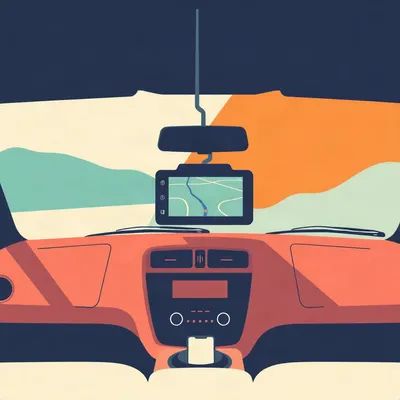
Daniel's got a whole thing this week about heads-up displays for the car. His dashboard tablet has become basically useless for navigation, it thermal throttles in the Israeli heat and can't run Google Maps or Waze anymore. His first thought was to replace it with a higher-spec tablet that could handle the temperatures. But then he started wondering about heads-up displays instead. He knows some models link up with your phone, which appeals to him because both he and Hannah have decent Android phones. He's heard there are a couple of different approaches, so he wants us to look at what those actually are. His driving style is minimal. He finds Waze too noisy with all the notifications, prefers Google Maps for its simpler interface. He wants lane guidance, turn notifications, and the only other thing he does with the phone while driving is cue up a podcast, usually this one. He uses voice-to-text for hands-free interaction. And Israel is very sunny and bright for much of the year. So his question is, which HUD models would actually fit what he's looking for, or is he better off just sticking with the tablet option?

The thing about this question is that the word HUD has become almost meaningless in the aftermarket. It now covers a twenty dollar speed projector that plugs into the OBD port, a two hundred eighty dollar phone-mirroring unit, and a two hundred fifty dollar standalone Android tablet with a suction cup mount. Those are three completely different products that happen to share a marketing term.
And Daniel's searching for one category while the market has quietly built the answer in a different one. That's the part I want to untangle first, because if he buys what's literally sold as a HUD, he's probably going to be disappointed.
The core problem in his car is hardware, not software. His tablet thermal throttles. No software update fixes a chip that overheats in a Jerusalem summer. So whatever replaces it either needs to offload the processing somewhere cooler, or it needs to be built for dashboard duty from the start.
And the car itself is fine, presumably. The engine works, the air conditioning works, it's just the infotainment that's given up.
Right. So there are two product families that answer this. True projection HUDs put a small amount of data in your line of sight, speed, arrows, turn cues. Portable CarPlay and Android Auto screens are essentially standalone dashboard displays that run the full Google Maps interface. They get called HUDs by a lot of sellers, but they're not projecting anything. They're just screens.
And Daniel's actual need, Google Maps with minimal information, might be better served by the screen category than by anything sold as a HUD. Because the HUD's native view doesn't even show maps.
That's the reframe. His question was which HUD models fit, but the honest answer might be that the category he actually wants is the portable screen, and it's matured a lot in the last couple of years.
So let's trace this properly. First, what the HUD category actually offers and why it fails his core need. Then how the portable screen category has quietly become the mainstream answer. And then what the sunny climate and minimal information requirements do to the decision.
And I have a feeling there's a field report coming later that complicates the heat question in a way none of the spec sheets cover.
Start with the true HUDs. What's the landscape actually look like?
Tom's Guide updated their buying guide in January of twenty twenty five, and they frame it as a spectrum. Most HUDs just repeat dashboard data, speed, RPM, that kind of thing. The rarest options connect to your smartphone and display turn-by-turn navigation. And at the very top, there are HUDs that offer Android Auto or Apple CarPlay support. So the category tiers roughly by how much phone integration you get.
And the standout phone-linked model is still the Hudway Drive. It's been around for years now.
Two hundred seventy nine dollars. It combines OBD-II data, GPS, and phone data. It mirrors any navigation app over Wi-Fi. Shows turn-by-turn directions, notifications from more than ten messaging apps, and OBD data. Tom's Guide gave it Editor's Choice back in twenty twenty two and called it the most sophisticated add-on heads-up display available.
But here's the first thing that jumps out at me. It has no GPS module of its own. It relies entirely on the phone's location. So if the phone dies or loses signal, the HUD is blind.
Correct. Hudway's own site says it will not work without your smartphone. Which is fine for Daniel, he has decent Android phones. But it's worth knowing that the two hundred eighty dollar device is essentially a display with some smarts, not a navigation computer.
And the display itself is tiny. One point eight inches.
One point eight inches, four eighty by two forty resolution. But here's the trick, it projects a virtual image that appears to be about ten point three inches at a viewing distance of two and a half meters. So your eye sees a much larger image than the physical screen. That's the whole point of a HUD.
And the brightness claim is where it gets interesting for Israel. Tom's Guide measured seventeen thousand nits.
Seventeen thousand nits. For comparison, an iPhone thirteen in the same testing was roughly seven hundred ninety five nits. So the Drive is, on paper, absurdly bright. Tom's Guide said it can keep up with the sunniest day on the road and still works with polarized sunglasses.
But Hudway's own spec sheet lists twelve thousand nits for the same display.
A forty percent discrepancy. And for a buyer in Israel, that gap matters. Twelve thousand nits is still very bright, don't get me wrong. But if you're buying specifically because you need maximum visibility in direct sunlight, you want to know whether you're getting seventeen thousand or twelve thousand. And nobody seems to have resolved that in recent testing.
So the headline brightness number is contested. That's a caution flag before we even get to the bigger problem.
The bigger problem is the mirroring catch-22. Here's the thing. The Drive's native navigation view doesn't show maps. It shows street-by-street directions, speed, and time to destination. And Tom's Guide noted it sometimes truncates directions that are too long. So if a turn instruction is wordy, you just don't see all of it.
Wait. So the navigation view on a navigation HUD doesn't show a map?
Correct. It shows text and arrows. To get full Google Maps, you have to use mirroring mode, which mirrors the phone screen one to one. So your phone's entire display appears on the HUD.
Which means every notification that hits the phone also appears on the HUD.
Hudway's own FAQ confirms this. Mirroring is a full screen mirror. So Daniel, who finds Waze too noisy and wants minimal information, would be trading Waze's notification clutter for his phone's notification clutter. A WhatsApp message from a group chat, a calendar reminder, whatever. It all shows up.
And this is the same company whose marketing says, quote, too much information is still too much information, even on a HUD.
That's the line from their own site. They understand the minimal information argument. But the only way to get the map view Daniel actually wants is to use the mode that reintroduces exactly the clutter he's trying to escape.
So the HUD's native mode is minimal but map-less, and the map mode is maximal and cluttered. There's no middle setting.
Not on the Drive, no. And the mirroring reliability is itself contested. Tom's Guide and Hudway's marketing praise it. But there's a critical App Store review of the Drive app that claims iPhone mirroring is not supported at all, that it uses a form of screen recording and doesn't work very well. That's one review, but there's no independent retest from twenty twenty five or twenty twenty six to resolve it. Most of the coverage is from twenty twenty one and twenty twenty two.
So the flagship phone-linked HUD is four years old in its review cycle, has a disputed brightness spec, and its core feature for getting maps is unreliable on at least one platform. That's not a great position for the category.
And the category appears to have stalled. The Navdy was a twenty fifteen era phone-linked HUD pioneer. It's defunct. No major new entrant showed up in the twenty twenty five to twenty twenty six coverage I could find. The HUD market seems to have decided that the projection approach is a niche.
Which brings us to the other side of the market. The portable screens that have quietly become the answer Daniel is actually looking for.
This is where it gets interesting. Car and Driver, MotorTrend, and Road and Track all published tested roundups of portable CarPlay screens for twenty twenty six. That's not a niche blog category anymore. That's the mainstream automotive press treating these as a real product family.
And the basic architecture solves Daniel's thermal problem immediately. These screens run Android Auto or CarPlay wirelessly off the phone. The screen is just a display and a radio.
So his decent Android phone becomes the navigation computer, and the phone sits in the cabin, probably in a mount or in his pocket, where it's not baking on the dashboard. The screen on the dash is doing far less processing than a standalone tablet would.
And the models are getting good. The Ottocast Ottoscreen AI is an eleven point four inch panel running standalone Android fifteen with an eight core processor and four gigs of RAM. That one doesn't even need the phone, it's a full Android device.
But that's the distinction within the category. Some are standalone Android tablets, the Ottocast, the LAMTTO RC32, those can run apps on their own. Others are pure phone mirrors, the CarpodGo, the Aoocci. And the phone-linked ones are the better match for Daniel's stated preference. He said he wants to leverage his decent Android phones.
And the prices are all over the place. The Aoocci V30 is ten point two six inches at one hundred ninety nine dollars. The CarTablet Pro Max is ten inches and has been on sale for around a hundred dollars. The LAMTTO RC32 is eleven inches at two forty nine on sale. So you're looking at a range from about a hundred to two fifty for a mature, tested product.
And the brightness question, which is Daniel's real concern, the Road and Track roundup specifically describes these screens as bright and responsive, with enough clarity to make navigation and menus easy to read at a glance, even in direct sunlight. The CarpodGO Mini is rated at one thousand nits, which sounds low compared to the Hudway's claimed seventeen thousand, but it's a different display technology. A direct-view LCD at one thousand nits in a shaded mount can be perfectly readable in bright conditions. The HUD needs absurd brightness because it's projecting through a combiner and competing with the sky.
That's the thing people get wrong about the brightness numbers. A projection HUD needs five figures of nits to punch through sunlight. A direct-view screen in a hooded mount doesn't. So comparing seventeen thousand nits to one thousand nits isn't apples to apples.
Right. The HUD is fighting the sun directly. The screen is sitting in a little cowl or mount that provides some shade, and your eye is looking at the panel itself, not a reflection.
The heat question for the portable screens. You said there's no dedicated testing of thermal throttling in hot climates.
I couldn't find any twenty twenty six coverage specifically testing dashboard thermal throttling. That's a gap in the literature. But the inference is reasonable. These devices are designed for dashboard duty, and the phone-linked ones offload processing to the phone, which stays cooler in the cabin. I want to be clear that's inference from product positioning, not a sourced test result.
We're saying the category probably handles heat better, but nobody's actually measured it. That's worth flagging for Daniel, because he's the one who'd be buying on that inference.
The minimal information fit is where the portable screen really wins for him. A portable CarPlay screen running Android Auto gives him native Google Maps with lane guidance and turn notifications. No mirroring needed. No notification clutter from the phone. Android Auto's whole interface is designed for minimal, glanceable information. Big turn arrows, the next street name, distance to the turn, and that's mostly it.
His podcast cueing works through Android Auto too. Voice to text, hands free, the whole thing. So the screen doesn't just solve navigation, it solves the entire in-car phone interaction model.
His use case is almost tailor made for Android Auto. He wants Google Maps, not Waze. He wants lane guidance and turn notifications. He wants to cue podcasts by voice. That's the Android Auto feature set, full stop.
The verdict shape is becoming clear. For Daniel's specific needs, the portable CarPlay screen category is the better fit than the true HUD category. The HUD's native view doesn't show maps, and mirroring reintroduces clutter.
But the HUD isn't worthless. If Daniel wanted only speed, arrows, and turn cues without maps, the Hudway Drive's native view would be ideal. The question is whether he wants maps or just directions.
He said Google Maps. He said lane guidance. Lane guidance implies seeing the lanes on a map, not just an arrow telling you to turn. So he wants maps.
Which means the HUD's native mode fails him, and the HUD's mirroring mode fights his minimalism. The portable screen gives him exactly what he asked for with no catch.
But there's a wrinkle we haven't touched. The heat problem isn't just about chips and brightness. There's a physical mounting question.
A device sitting on the dashboard in Israeli summer heat, even if it's not processing much, is still absorbing direct sunlight. The screen itself gets hot. The adhesive on the mount gets hot. The suction cup gets hot.
Nobody in the review roundups is testing what happens to a suction cup mount after three hours at forty degrees Celsius on a black dashboard.
That's exactly the kind of thing that only shows up in real use, months after the review is published.

They all fall off.
What?
The mounts. I drove for a startup in Tel Aviv in twenty nineteen. Fleet delivery. They promised fleet-grade navigation for the Middle East. Outfitted the vans with early Hudway units and cheap dashboard tablets. Both failed in the Israeli summer. The tablets would throttle within twenty minutes of the morning shift. Screens dimming, maps stuttering. The Hudway units baked on the dash until the adhesive mounts gave out. I watched one fall off the windshield mid-drive in August heat. Landed on the gear shift.
The heat isn't just a brightness problem. It's a physical mounting problem.
Nobody tests for it. The reviews are all done in a driveway or a parking garage. Not in a van that's been sitting in the sun since six in the morning.
What did the startup do about it?
Mounted the tablets on the dashboard vents. The air conditioning blowing directly on the back of the device. Kept them cool enough to run. I don't know if that's a design insight or just desperation, but it was the only thing that worked.
That's actually a real principle. Active airflow over the back of a device does more for thermal management than any passive heat sink. And in a car, the vent air is already conditioned. It's free cooling.
The Hudway units, we couldn't save. The adhesive would soften and the whole thing would slide down the windshield, leaving a smear. By the end of the summer, most of the vans were running the tablets on the vents and the HUDs were in a box in the office.
The field report says thermal management is about airflow and mounting, not just specs. A device with a great thermal spec still fails if the mount gives out.
The spec sheet doesn't mention that the adhesive melts at forty five degrees. It just says the operating range goes up to sixty.
The operating range on the Hudway Drive is minus twenty to plus sixty Celsius. But that's the electronics. The adhesive is a different material with a different failure point.
We tried zip ties. Looked terrible. But the vent mount was the real fix for the tablets. The HUDs, we just gave up on.
If Daniel goes the portable screen route, he should think about where the screen sits and whether air can get to the back of it. A vent mount might be the difference between a device that works all summer and one that throttles by mid-morning.
That's the kind of thing that never shows up in a buying guide. The Road and Track roundup says bright and responsive in direct sunlight. It doesn't say what happens after three hours of direct sunlight on a forty degree day.
The startup folded anyway. Not because of the navigation. The economics didn't work. But I kept the vent mount trick.
It's a good trick. And it reframes the heat question. Daniel's original concern was thermal throttling in the tablet. The answer might not be a different device, it might be a different mounting position.
Which is a useful thing to know. Because the portable screens are designed for dashboard duty, but dashboard duty in Israel means something specific. It means the device is going to sit in a solar oven for hours.
Where does that leave Daniel's actual decision? He asked which HUD models fit, or should he stick with the tablet option.
The answer is neither, in a way. He shouldn't buy a HUD, because the HUD's native view doesn't show maps and the mirroring mode reintroduces clutter. And he shouldn't stick with the tablet replacement as he originally imagined it, because the portable CarPlay screen category has already solved the problem better than a standalone tablet would.
A standalone tablet running Google Maps is doing all the processing itself, on the dash, in the heat. That's the thermal throttling problem all over again. The phone-linked portable screen offloads that processing to the phone, which is in the cabin, not on the dash.
The phone is a device Daniel already owns and likes. His decent Android phone becomes the navigation computer. The screen is just a display.
The specific recommendation would be something like the CarpodGo T3 Pro, eight point nine inches, wireless CarPlay and Android Auto, phone-linked, not standalone. Or the Aoocci V30 at ten point two six inches for one ninety nine. Both of those match his stated preference for leveraging the phone.
If he wants to hedge, the LAMTTO RC32 is standalone Android with Google Play, so it can run apps on its own if the phone connection ever fails. But it's more expensive and it's doing its own processing, so the heat question comes back.
The CarpodGO Mini is another option, six point nine inches, one thousand nits, one hundred thirty one grams. That's tiny and light, which means a vent mount would hold it easily.
The vent mount solves the Hilbert problem. If the screen is on the vents, the air conditioning is actively cooling the back of the device. That's the field-tested solution.
The practical advice is, buy a phone-linked portable CarPlay screen, mount it on the vents, run Android Auto with Google Maps, and cue the podcast by voice. That's the whole setup.
The total cost is between one hundred and two hundred fifty dollars, which is less than the Hudway Drive, and it actually shows maps.
The HUD category isn't dead, but it's stalled. The Navdy is gone. The Hudway Drive hasn't had a meaningful update in years. The portable screen category is where the investment and the testing has gone.
That's the market signal. When Car and Driver, MotorTrend, and Road and Track all publish tested roundups of a product category in the same year, that category has arrived. The HUD category never got that treatment.
The misconception here is that all HUDs are the same category. Daniel has been searching for heads-up displays, and the search results are showing him a twenty dollar speed projector, a two hundred eighty dollar phone mirror, and a two hundred fifty dollar Android tablet with a suction cup. Those are three different products.
The one that actually matches his needs is the one that isn't really a HUD at all. It's a portable screen. The marketing term is misleading him.
The correction is, a HUD will not give you full Google Maps. The native view is text and arrows. Full maps require mirroring, which also mirrors notifications. The portable screen gives you native Google Maps through Android Auto with no mirroring and no clutter.
Brighter is not always better. The seventeen thousand nit claim on the Hudway Drive is contested, and the portable screens achieve readability at one thousand nits through a different display technology. The number isn't the whole story.
The open question is whether the HUD category will ever recover. Will a new generation of phone-linked HUDs emerge, or has the portable screen category permanently absorbed the navigation use case?
As phones get brighter and Android Auto gets better, the portable screen category might make the whole replace the head unit problem obsolete. Why buy a new head unit when a hundred dollar screen and the phone in your pocket does everything?
Daniel's real question wasn't HUD versus tablet. It was whether the market has a mature solution for cars with underpowered infotainment. It does. It just isn't sold as a HUD.
That's the thing to sit with. The category confusion is the story. The product recommendation is almost secondary.
Thanks to Hilbert Flumingtop for producing, and for the vent mount tip, which is the most useful thing anyone's said about car thermals in a long time.
This has been My Weird Prompts, the human-AI collaboration podcast.
If you've got a question about car tech or anything else, email us at show at my weird prompts dot com.
We'll be back soon.