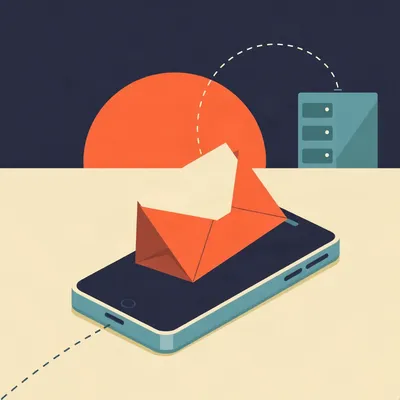
Why does opening a newsletter require permission to fetch a photograph? Daniel's been noticing that mobile email apps still ask whether to load remote images, a setting old enough to have survived several generations of phones. His suspicion is that the real issue has moved beyond saving data. What does fetching that image tell the sender, how much do Gmail and Apple actually conceal, and is that little permission prompt still earning its place?

The surprising part is how little the sender needs. No read receipt that you approve, no script running inside the message. Just a request for an image whose address was made specifically for you.
My permission to admire a sandwich has become telemetry.
Even the sandwich is optional. A transparent image does the job. I'm Herman Poppleberry, and the important distinction here is between receiving the email and contacting another server to finish displaying it. Those can be separate events, controlled by separate companies.
Receiving a message doesn't mean I've agreed to report back. That's the boundary I think the setting is trying to preserve, although the wording makes it sound like the phone is worried about my photograph allowance.
Remote images really did help keep messages small, especially on slow connections. The email carried text and references instead of all the picture data. Fetching the pictures later had a cost you could notice. That cost hasn't vanished, but today the more consequential part is the connection itself.
Explain the connection without giving the sandwich a surveillance department.
The HTML contains an image reference. Your mail app asks the named server for that resource over HTTP, usually encrypted with HTTPS. Encryption protects the journey. It doesn't hide the request from the server receiving it. If your device connects directly, the server sees the network address it connected from.
People sometimes hear encrypted and assume nobody sees anything. The person you're deliberately contacting remains fairly well informed.
The server records when the request arrived. It may receive a user-agent identifying the software, although the detail varies. In browser-based mail, cookies can also become involved, depending on the browser and its restrictions. None of that requires the image to contain clever machinery. The request supplies the evidence.
Would you call that evidence of reading?
Evidence of fetching. Often associated with opening, but not proof that anybody read the words. That's going to matter rather a lot.
You're already qualifying the metric. Someone in marketing has closed the tab.
Corn, would you accept automatic loading if the sender couldn't see your address or device?
Not automatically. If it still tells an insistent salesperson I looked at his proposal at midnight, you've hidden the wrong thing for my purposes. I might care less about my approximate city than about being observed considering a message.
Gmail and Apple separate along almost precisely that distinction. Google's proxy hides the reader's connection details. Apple's background fetching obscures whether the reader actually opened the message. Both can display the same photograph while giving the sender very different evidence.
The unique address is doing more work than the invisible picture, then. If everyone fetched the same logo, the server would count requests but wouldn't necessarily know whose request was whose.
Right... no, more carefully, it might correlate other information, but the straightforward method is a different image URL for each recipient. The sender keeps a table matching an opaque identifier to your email address. When that identifier appears in the server log, the table supplies your identity.
Hiding my IP doesn't erase my name from their table.
It doesn't. A tracking pixel is commonly one pixel by one pixel, often transparent. But a big visible banner can use an equally distinctive address. Blocking only tiny images would leave plenty of room for tracking.
The enormous summer sale is also watching.
Imagine a newsletter sent to you and me. The words and graphics look identical. Your version references one token, mine another. The server logs a request for yours at a particular time, along with whatever connection details reach it. The sender can mark your record as opened without knowing anything about what the picture actually looked like.
That also explains why removing an email address from the visible link isn't much protection. An arbitrary string can still mean me to whoever issued it.
The address can be present literally, too, or encoded in a way another service can recover. Englehardt and his colleagues found that about thirty percent of mailing-list emails in their twenty eighteen study leaked the recipient's email address to third parties when viewed. In most of those cases, the disclosure appeared intentional.
Thirty percent.
That changes the relationship. I subscribed to one sender. I didn't necessarily subscribe to its entire collection of measurement contractors.
The third party may receive both the identifier and the request metadata. Your address becomes a way to join information across services. That finding describes that study's mail, not a measurement of every inbox today, but it shows why this goes beyond a sender checking whether its newsletter arrived.
There's another ambiguity. If I open the same email twice, does it phone home twice, or does my app keep the picture?
It may keep it. Caches can suppress repeat requests. A new request can suggest another opening, but no new request doesn't prove you stayed away. Similarly, a request from a different network could mean travel, a VPN, another device, or forwarding. The logs support guesses, sometimes strong guesses. They aren't a diary.
A diary with several pages written by the router.
Forwarding is particularly slippery. If a forwarded message retains the original recipient's unique image reference, the next person's client may request that same image. The sender sees activity associated with the original token. A new location might suggest another reader, but it doesn't identify that reader by magic.
I'd be wary of any dashboard translating that into, Corn shared this with a decision maker. It could be me moving from the sofa to a different network and remaining indecisive.
What would you consider a meaningful engagement signal?
A reply. A deliberate action with words attached. Clicking a link is weaker, because I might be trying to discover what the email neglected to tell me. Merely displaying it belongs near the bottom.
That ranking is sensible. Senders sometimes try to improve the weak signal with additional image requests. Certain clients support styling that selects different images in light and dark mode. Print-specific styling can request another image when printing. Support varies enormously.
Even my refusal to stare into a white rectangle has become a preference profile.
Lazy loading can add another clue. Where a client waits to fetch images until they approach the visible part of a message, images positioned farther down can suggest scrolling progress. The time between requests may suggest time spent. Again, suggest. A slow connection or a half-abandoned window can make that interpretation ridiculous.
You said suggest three times. Keep that in the dashboard.
I'd put it in a very large font. Email rendering is fragmented, and many clients won't execute the same styling or loading behaviour. These techniques don't form a universal system that can measure every movement. They exploit whatever the particular renderer permits.
There's a security boundary hiding in that fragmentation too. Email clients generally restrict scripts because letting arbitrary senders run programs would be appalling. Yet plain image fetching still gives them a useful return channel.
A very ordinary web feature becomes measurement when you attach identity to it. That is why asking before loading can still do real work.
But does the old-fashioned prompt still serve a useful purpose once the provider has put its own protection in front of it?

Are you tired of your emails being tracked by invisible pixels? Introducing InvisiPixelBlockerPro, the revolutionary app that scrambles every remote image request so senders see nothing but static. It promises to hide your IP, your location, and even your thoughts from nosy marketers. But wait, there's more.
Order now and we'll throw in PixelPoison, a service that floods tracking servers with fake opens from random places like the International Space Station. And if you call in the next ten minutes, we'll include a lifetime supply of digital camouflage for your entire inbox. Disclaimers, results not typical, may cause existential confusion, not responsible for spontaneous invisibility, offer void where prohibited, batteries not included, see manual for details, do not operate heavy machinery while using, this is a parody, all rights reserved, prices may vary.
A lifetime supply of digital camouflage.
Please don't read that again. Gmail's protection is much more specific. It fetches images through Google's servers and processes them before delivering them to your client. The sender sees a Google connection instead of yours, so your own IP address and device details aren't exposed by that image request.
Yet the token survives, otherwise the server wouldn't know which image to return.
The token survives. Google's own help explicitly acknowledges that senders may sometimes know whether you've opened an email containing an image. Proxying prevents the image request from exposing your browser cookies and your connection details. It doesn't automatically destroy the association between that resource and your recipient record.
Gmail has been loading images by default since December twenty thirteen. That's a long time for people to assume the problem was settled.
It settled some problems very effectively. The image server can't simply geolocate your personal connection. Google also checks images for known harmful software and can withhold images in suspicious messages. Those are substantial improvements, even if they don't answer your midnight salesperson objection.
You're about to defend the elegant mechanism before the person using it.
I'm defending several useful mechanisms. I can admire a proxy and still dislike your salesperson.
Fair distinction. I'll allow the proxy dinner.
Apple takes a different route with Protect Mail Activity. When enabled, it downloads remote content in the background, independently of whether you engage with the email. Rather than waiting for your opening to trigger the fetch, it can fetch content associated with incoming mail without you reading it.
A machine opening things while I nap. You know what you're about to accuse me of approving.
You have found an automated inbox behaviour that matches your working day.
Mine doesn't generate quarterly engagement reports.
Apple's Mail Privacy Protection arrived in twenty twenty-one. Its relay arrangement separates knowledge across two operators. The first relay knows your IP address but not the remote content being requested. The second knows the content request but not your original IP address.
I like that separation more than one provider promising not to look at everything it can see. Although it still requires trusting the arrangement and the software.
Apple's stated goal is that no single entity has both your identifying connection information and the third-party mail content you receive. The sender receives a fetch, but can't reliably turn its timing into the time you opened the message.
Because I might not have opened it at all.
You might delete it unread. Background fetching creates machine opens. A dashboard that counts those as human attention will inflate its open rate. Timing and frequency also become unreliable measures of your reading.
The newsletter has excellent engagement with a server.
Don't read on arrival as an exact delivery stopwatch, either. Background work depends on device and network conditions. The useful claim is that the fetch is decoupled from your deliberate opening, not that every message produces an immediate request.
There's a cost there. The provider fetches pictures for messages I will never want, including ones I would have preferred never to contact at all.
Bandwidth and work still happen somewhere. On a poor connection, a roaming plan, or an image-heavy message, the savings from blocking content can remain meaningful. Gmail still describes asking before displaying images partly in terms of slow connections and mobile data.
What would you choose, Herman, if the app offered protection and a separate block-all switch?
For routine mail, I'd use protected automatic loading. For an account receiving unsolicited approaches or sensitive correspondence, I'd consider blocking remote content entirely. That's a recommendation about convenience and exposure, not a claim that one switch makes an inbox safe. What would make you relax your blocking preference?
Clear controls. Tell me whether this button fetches directly, through a proxy, or starts background loading for everything. A button saying show pictures conceals the decision I'm actually making. I'd tolerate automatic loading more readily if the settings explained that distinction.
The account provider and the mail app matter separately, too. A Gmail account opened in Apple Mail doesn't necessarily behave like that account opened in Google's own app. The renderer and its enabled privacy features determine how remote content gets fetched.
People buy an email address and assume they've bought one consistent behaviour. Then they open it in three apps.
Clicking remains a separate route out. A uniquely identified link can tell a destination which recipient followed it. Link-tracking protections can strip some known parameters, but can't universally remove identity built into the destination itself without breaking the link.
Removing the tracking label doesn't help if my name is baked into the ticket.
Nor does an image proxy protect against a convincing phishing page after you deliberately navigate there. Blocking images reduces remote fetching and can withhold misleading visual material. It doesn't guarantee that a message is genuine, and a picture loading doesn't mean malware has executed.
Some phishing emails become less convincing without the expensive-looking logo. Others are perfectly capable of lying in plain text.
Reputation can work against the sender, too. People sending sales email have reported better inbox placement after removing tracking pixels. A shared tracking domain can carry an unwelcome reputation. That's a report from practice, not a promise that removing one pixel fixes deliverability.
Paying to measure the email that your measurement helped hide.
Regulators are still treating this as live business. France's CNIL published a recommendation on email tracking pixels in May, describing email as a personal space for consulting private content. I wouldn't turn that into a blanket account of which pixels require consent in every circumstance. The purpose and applicable rules matter.
Especially because permission to receive a newsletter and permission to measure private reading are different permissions. Making that visible would be more useful than another unexplained switch.
Would you keep the switch even if most users left it alone?

...yes, if it stayed off after I turned it off. I heard this conversation about automatic picture frames. Convenience, background downloads, nobody having to press anything. I had it with myself, Corn. I was quite persuasive on both sides. In two thousand eight I bought a digital frame for a photograph of a pear. The frame insisted on a slideshow. I only wanted the pear.
A slideshow is a demanding format for one pear.
I made sixty-four copies. That stopped it complaining about the folder. It then added a transition between identical pears. A sort of dissolve. I could see the pear becoming briefly less certain every eight seconds. The manual called that a richer viewing experience. I put the frame in a cupboard so I could decide whether I wanted to continue owning the experience.
Identical frames should make the transition hard to notice.
The cupboard was dark. I became attentive. Eventually I decided the photograph needed an audience that wasn't me. I laid out forty-eight empty chairs in the spare room. Six rows. Every chair had a paper ticket. The front row cost more because it was nearer the fruit. I paid for every seat myself. There was no reason to invite the public into a private disagreement with a picture frame.
You'd have had to explain the pricing.
Three pounds at the front. Two at the back. The pear was the same size from either position, but the front row could inspect the transitions. I numbered the tickets with a stamp. Herman, you said suggest three times before the advertisement. I appreciate that sort of care. I wrote possible pear on the tickets until I had completed the first performance.
Your seating chart was more cautious than the product manual.
The first performance lasted eleven hours. I had set the interval incorrectly. I wouldn't interrupt because all the seats were paid for. During the interval I stood in the corridor and sold myself an orange drink. That was a separate account. I didn't want refreshments making the exhibition look profitable when it wasn't.
Sensible. Fruit revenue can disguise fruit losses.
The chairs began receiving newsletters. I had created an address for each seat so I could send booking confirmations. Then I subscribed them to my own exhibition bulletin. Forty-eight confirmations arrived. I spent an afternoon opening them all. The next bulletin said demand had exceeded expectations. That was accurate. I had expected to stop after lunch.
You had a full audience list and one reader.
One reader in considerable discomfort. I tried alternating chairs so the back row wouldn't be neglected. By Thursday I had appointed the ironing board as an overflow area. It had restricted visibility and no refreshments. I refused to give it a discount because it hadn't booked in advance.
Standing room carries its own risks.
It was seated across two chairs. I kept the house lights on for that performance. Eventually I printed every bulletin instead. Forty-eight copies, delivered by hand to the empty seats. That took twenty-three minutes. The emails had taken most of the afternoon because I kept checking whether the pear was still dissolving.
Paper gave you a definite end to the delivery.
My brother-in-law has the frame now. Top shelf of his breakfast cupboard, facing the cereal. I set it to the photograph he likes, the one with his small boat entirely out of focus. He doesn't need the boat sharpened. He knows which boat it is. The final bulletin had forty-eight subscribers and one cancellation. I cancelled the ironing board. Twenty-three minutes, including the stairs.
Twenty-three minutes is at least a measurable cost. With background image fetching, the work is less visible, but it still happens. That matters when an interface offers automatic as though it means free.
It also matters to senders deciding what to measure next. Once opens become unreliable, they'll lean more heavily on clicks, replies, purchases, and activity after login. Some of those are clearer signs of intent. Some can expose considerably more than an image request.
The common misconception I'd retire is that Gmail's proxy means nobody can tell I opened the message.
It conceals your connection details from the image server. A recipient-specific image can still report a fetch associated with you. Apple's background fetching instead makes that fetch unreliable evidence of an actual opening. Neither protects every link you choose to follow.
I'd keep the control, but change what it tells us. Show whether enabling pictures means contacting the sender directly or relying on an intermediary, and whether unread mail gets fetched too. The useful future is fewer mysterious prompts, not fewer choices.
Thanks to Hilbert Flumingtop for producing the show.
If this was your kind of episode, go back for episode sixteen, On Deepfakes, SynthID, And AI Watermarking; episode thirty-five, The Privacy Gap; and episode nineteen, AI Images. This has been My Weird Prompts, the human-AI collaboration podcast.
If you enjoyed this, share it with someone who still clicks don't load images.
See you tomorrow.