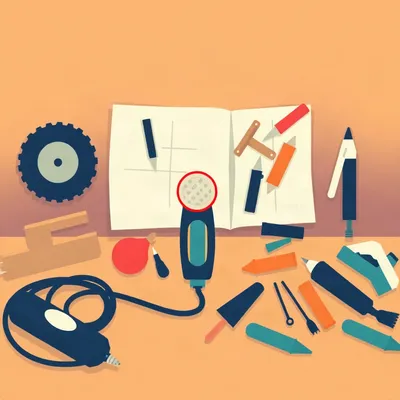
So Daniel wants his AI to circle a Dremel bit without rebuilding the entire workbench from scratch. And apparently that's a big ask.

It's a huge ask. And he's put his finger on something that's been driving people quietly nuts for about two years now. He took a photo of some Dremel bits, wanted the model to look at them and say "use this one for soft ABS plastic" and just... point to it. Circle it. Leave everything else alone. Instead, he gets back a slightly different photo of slightly different Dremel bits on a slightly different table.
The computer interior one gets me. You want it to point to the PCIe slot, and suddenly your RAM sticks are a different color and there's a ghost of a cable that wasn't there before.
Right, and Daniel's question is really four questions rolled into one. First, what's actually happening technically when the model regenerates the whole image instead of just marking it up. Second, why that regeneration keeps introducing these little hallucinations and detail losses. Third, what the ideal workflow would actually look like — he sketched out this three-step process of coordinate grounding, then annotation, then burning it in. And fourth, the practical one: are there any models or tools that actually do this properly right now.
The short answer to that last one is no, not in any chat interface you can just open and use. But the research community has been all over this exact problem, and Daniel's three-step intuition is almost exactly what they're building.
So what's actually going on under the hood when you ask ChatGPT to just put a circle on something?
Let's start with what the user actually wants. You've got a photo. It's your photo. You want one thing added to it — an arrow, a circle, a label. Everything else should be pixel-for-pixel identical to what you uploaded. This is not image editing in the normal sense. You're not asking it to remove your ex from a wedding photo or change the sky. You're asking for a non-destructive overlay.
And that word "non-destructive" is the whole thing. In Photoshop terms, you want a new layer with a circle on it, not a flattened JPEG that's been rebuilt from scratch. But that's not how multimodal LLMs work. When ChatGPT gets an image and you say "put a red circle around the dipstick," it doesn't open a little graphics editor in its head. It goes through an image-to-image pipeline — it encodes your photo into some internal representation, modifies that representation based on your text instruction, and then decodes a whole new image.
So it's rebuilding the engine bay to add one arrow.
It's rebuilding the engine bay. And the reason it has to do that is architectural. There's this really telling moment from the OpenAI developer forums back in August of twenty twenty-four. A user asked directly whether GPT-four-o could return pixel-level coordinates — like, "the dipstick is at X four hundred and ninety six, Y four hundred and forty four." And a moderator from OpenAI responded, flat out, that the model doesn't have the ability to return pixel-level coordinates directly. The multimodal capabilities are designed for understanding and generating natural language about images, not for pixel-level operations.
So it can tell you there's a dipstick in the photo. It can describe where it is in words — "on the left side, near the oil filler cap." But it cannot give you the grid reference.
The image gets transformed into this internal representation that discards spatial coordinate information. The model understands the content — it knows what objects are there and roughly how they relate to each other — but it doesn't retain a pixel map. So when you ask it to draw on the image, it can't just say "pixels three hundred through three fifty, make those red." It has to regenerate the whole thing and hope the dipstick lands in roughly the same place.
It's doing a tremendous amount of work. There's a paper from August this year, ATDEdit — Asynchronous Token Decoding Edit — that names the problem really precisely. They say naive switching of the text condition during sampling often causes global drift, because the denoising dynamics propagate changes across tokens and can disrupt unedited regions. What that means in plain terms is that when the model regenerates the image, the changes ripple outward. You told it to circle the dipstick, but the denoising process that builds the new image doesn't know which pixels are "dipstick area" and which are "everything else you wanted to keep." So the whole image shifts slightly.
The cafeteria becomes a different cafeteria.
That's a real quote from a frustrated user in August. They said, I can provide an exact screenshot and ask ChatGPT to recreate that exact environment, and instead it decides to interpret the image. A cafeteria becomes a different cafeteria. And that's the core of it — the model isn't being sloppy. It's doing what it was built to do, which is generate images from descriptions. It's just that "the exact same cafeteria with one arrow" is not a description it can faithfully execute, because it doesn't have the spatial scaffolding to preserve what's already there.
There's another failure mode here that's worth naming. Attribute leakage.
Yes. This is from the ALE framework paper, accepted at ICCV twenty twenty-five. Edits meant for specific objects unintentionally affect unrelated regions because of something called semantic entanglement in the end-of-sequence embeddings. You say "make the red car blue," and the model might also tint the red brick wall behind it slightly blue, because "redness" and "blueness" are tangled up in the representation. For annotation, that's deadly. You circle the oil dipstick and suddenly the yellow oil filler cap is a slightly different yellow.
And OpenAI did try to patch this. They released gpt-image-one-point-five in December with an input fidelity parameter — you could set it to high and it was supposed to preserve the original better.
It didn't work. Or it didn't work well enough. Users on the developer forums reported persistent artifacts, text on packaging getting distorted, dimensions changing. One user asked for and received a refund in August because, quote, the image tool was no longer doing what I needed it to do. Specifically, it couldn't preserve an existing image while making a single requested change.
A refund. For an AI feature that couldn't not hallucinate.
That's where we are. And the thing is, Daniel's intuition about the ideal workflow is almost exactly what the research community has converged on. He laid out three steps: figure out where the thing is in pixel space, decide how to annotate it, and then burn the annotation onto the original without regenerating anything. That's the blueprint.
So if the architecture can't do this natively, what are the workarounds?
The research community has been surprisingly busy on this exact problem, and they're coming at it from two directions. One camp says, forget trying to make the generative model spatially precise — just use it to output coordinates, and then render the annotations as a separate layer. The other camp says, no, we can teach the generative model to be spatially precise, and then it can edit only the pixels it's supposed to touch.
Give me the overlay camp first.
The star of the overlay camp is a paper called SketchVLM, from Auburn University and Adobe Research, published on arXiv in April. It's training-free, model-agnostic, and it's the closest thing I've seen to what Daniel is asking for. Here's how it works. You take the input image — say, a car engine — and you append a coordinate grid to it. A literal grid, like graph paper, overlaid on the image. Then you feed that combined image to GPT-five or Gemini-three-Pro, and you prompt it to output annotation primitives as XML.
Wait. You're showing the model a picture with a grid on it, and asking it to describe where things are using the grid?
And it outputs structured XML — things like, open tag S one, points, quote, X five hundred Y one hundred, quote, comma, quote, X five hundred Y two seventy, close quote, close tag. That's an arrow from point A to point B. Or a circle with a center point and a radius. Or a text label with coordinates. Then SketchVLM takes that XML, converts it to an SVG overlay, and renders it on top of the original image. The source pixels are never touched.
So the model never generates an image at all. It generates a set of instructions for where to draw.
Right. It's using the VLM for what it's actually good at — reasoning about content and spatial relationships — and then handing off the actual rendering to a deterministic graphics library. The paper's flagship demo is almost painfully on the nose for Daniel's use case. They show a car oil check — circling the dipstick, labeling the oil filler cap, drawing an arrow to the safe operating range on the dipstick itself.
Of course they do.
On part labeling tasks, SketchVLM with GPT-five hits sixty-four point one percent accuracy at zero boundary dilation. The baseline GPT-five without the framework gets nineteen point one percent. That's the gap between "I know where the dipstick is" and"I can tell you exactly which pixels it occupies." And on connect-the-dots — literally, here are numbered dots, draw lines between them in order — GPT-five with SketchVLM has a root mean square error of five point nine two pixels. Gemini-three-Pro is forty-six point six nine. Nano Banana Pro is a hundred and ninety-eight point seven four.
A hundred and ninety-eight pixels off. At that point it's not connecting dots, it's just... expressing itself.
It's doing abstract expressionism. And that number tells you something important. The underlying model matters enormously for spatial precision, even with the grid hack. GPT-five is dramatically better at this than Gemini-three-Pro, which is dramatically better than Nano Banana Pro. The grid overlay is an equalizer, but it doesn't make a spatially sloppy model precise.
What's the other tool in the overlay camp?
Throughmark. It's an open-source TypeScript tool that hit GitHub in April of twenty twenty-five. Similar idea — overlay a dynamic grid on the image, use an LLM to identify regions of interest by grid cell, like "the dipstick is in cells D seven through E nine." But it adds a clever twist: it runs multiple analysis passes at different temperatures and looks for consensus. If three out of five passes agree that the dipstick is in D seven, it's probably in D seven. If they disagree, it flags the region for review.
That's just... voting.
It's voting. And it works. The original image is preserved exactly — it's rendering highlights and labels as a separate layer. It supports batch processing and ground-truth validation too, so you can actually measure how well it's doing.
And neither of these is a product I can use in ChatGPT.
Neither is a consumer product. SketchVLM is a research framework — you need to set up the pipeline yourself. Throughmark is a developer tool — you run it from the command line. There's also a Visual Annotation MCP server that appeared on GitHub in April this year, which lets LLMs draw circles, arrows, rectangles, and text labels on screenshots via Playwright. It does automatic contrast correction and background blur. But again, that's a developer workflow tool — you're using it with Claude Code, not in a chat window.
So the research exists, the tools exist, but the thing Daniel actually wants — upload a photo to a chat interface and get back his photo with an arrow on it — doesn't exist yet.
Not in any mainstream product. And that brings us to the other camp, the people trying to make the generative model itself spatially precise enough to do this natively.
Because if you could just tell the model "edit only these pixels," you wouldn't need the overlay hack.
Right. And the most interesting paper in this camp is MetaPoint, from ByteDance Seed and Zhejiang University, published in June. Their insight is really elegant. The reason multimodal LLMs can't handle coordinates is that coordinates are continuous numbers, and the model's native representational space is tokens — discrete chunks of text. There's no natural way to say "X equals zero point five six three five" in token space. So MetaPoint creates one. They introduce a single special token that encodes a continuous two-D coordinate into the model's native positional encoding. One token, one point. Two tokens, a bounding box.
They're teaching the model to think in coordinates by giving it a coordinate alphabet.
And the results are substantial. On the COCO multi-instance generation benchmark, they improved mean intersection over union from fifty-nine point two three percent to seventy-seven point two nine percent — that's a thirty percent relative improvement over the previous state of the art. On the ImgEdit benchmark, they took a model called BAGEL from three point four two to three point nine four, which is a fifteen percent jump. And here's the telling part: their paper explicitly shows that GPT-four-o-Image and Nano Banana both fail at simple coordinate-based editing instructions. You say"remove the dog in this bounding box" and give it the coordinates, and they just... don't.
They can't follow a grid reference.Herman: They can't. Because they have no mechanism for mapping"zero point five six, zero point three one" onto the two-D canvas. MetaPoint gives them that mechanism. But it requires training — you can't just bolt it onto an existing model. You need to train the model with these coordinate tokens from the start, or at least fine-tune extensively.
There's another paper you mentioned. InterCoG?
Interleaved Chain of Grounding, from March. Their approach is different — instead of encoding coordinates into the model, they interleave textual reasoning with visual grounding. The model first reasons about where the target is in text: "the dipstick is a long thin metal rod on the left side of the engine block, protruding from a tube near the oil filler cap." Then it generates a visual annotation — a bounding box and a mask — to ground that reasoning in pixel space. Then it executes the edit. It's like the model is talking itself through where something is before it draws.
And that works better than just going straight to the edit?
On GroundEdit-Bench, InterCoG hits zero point eight eight Editing Grounding Accuracy. The baseline Bagel model gets zero point six two. That's a forty-two percent improvement. The chain-of-grounding approach forces the model to commit to a location before it starts modifying pixels, and that commitment step dramatically reduces drift.
So between the overly camp and the precision camp, the research community has basically solved this in the lab. But the product gap remains.
And I think the product gap exists because of a tension that the industry hasn't resolved. Most product teams are building editing tools, not annotation tools. Nano Banana Pro's Regional Annotation feature is positioned as an editor — you circle an area and it modifies the pixels in that region. FireEdit, which was accepted to CVPR twenty twenty-five, is all about preserving source content during edits, but it's still an editor. The user — Daniel, and I suspect a lot of people — wants something simpler. They don't want to edit the image. They want to mark it up and get back exactly what they sent, plus the markup.
"I don't need the AI to be more creative. I need it to be more faithful."
That quote again. And it captures something important about where AI is heading. For the first couple of years, the wow factor was creativity — look what it generated, look how it transformed this thing. But as people start using these tools for practical work — car maintenance, computer repair, home DIY — faithfulness becomes the feature. You don't want a creative interpretation of your engine bay. You want your engine bay with an arrow.
Daniel's Dremel bit question is a perfect example. It seems trivial. Just circle the right bit. But it exposes this whole architectural gap between understanding images and manipulating them precisely. And the fact that the research community has identified this exact use case — the SketchVLM paper literally demos a car oil check — tells you they know where the pain is.
The missing piece is integration. SketchVLM needs GPT-five running in a pipeline with an SVG renderer. MetaPoint needs a model trained with coordinate tokens. Throughmark needs a command line. None of this is hard to integrate — the pieces all exist — but nobody has put them together in a chat window yet.
And that's the open question. Will anyone?
I think someone will. The demand is too obvious. But I suspect it'll come from a tool that's purpose-built for this kind of annotation, rather than from a general-purpose chatbot bolting it on as a feature. The architectural shift — from"generate a new image" to"output structured annotations and render them" — is big enough that it might need its own product.
Which brings us to someone who has actually done this for a living.

Five point nine two pixels.
I'm sorry?
The SketchVLM connect-the-dots error you mentioned. Five point nine two pixels for GPT-five. At three hundred DPI, that's about half a millimeter on paper. I used to do that job. Not the AI part. The marking-up-photos part. Six months in twenty nineteen, technical illustrator for a car repair manual publisher in Cleveland. Haynes-type outfit. My job was to take the photographer's engine bay shots and add the arrows, the circles, the callouts. In Photoshop, with a Wacom tablet.
You were the human version of SketchVLM.
I was the human version of the thing SketchVLM is trying to replace, and I'll tell you what none of these papers mention. The hard part isn't drawing the arrow. The hard part is deciding where to put the label so it doesn't cover anything important. You've got an engine bay — it's all important. Every square inch has a hose or a cap or a bolt that someone might need to see. So you spend half your time just... placing text. Moving it six pixels left, checking if it obscures the alternator bracket, moving it back.
Do any of these models handle that? The layout optimization problem?
Not from what I've read. SketchVLM dumps the label at the coordinates you give it. If your label lands on top of the spark plug wire you're trying to label, that's your problem. Throughmark does some grid-based placement but it's not reasoning about visual obstruction. It's just putting the label in the cell you specified.
There's a whole sub-problem here that nobody's even touching. Annotation layout.
It's not trivial. I had a supervisor named Gloria who would send back anything where a leader line crossed another leader line. Two arrows crossing on a diagram — she said it looked unprofessional. So now you're not just placing labels, you're routing arrows around obstacles. It's a mini routing problem on every image.
That's actually a really interesting constraint. If you're building an annotation system that's supposed to be non-destructive and precise, you also need it to be readable. And readability means solving these little layout optimization problems that a human illustrator just... does, by eye, in seconds.
Gloria did it by eye in about three seconds. She'd look at my layout, squint, and say "move the power steering label up and left." And she was always right. I don't know how you encode Gloria in a loss function.
Maybe you don't. Maybe the model outputs candidate label positions and a human — or a second model — scores them for occlusion.
That's what I'd build. But I'm not building it. I'm just saying, five point nine two pixels is impressive, but it's only half the job. The other half is making sure the thing you drew is actually useful to the person looking at it. And Gloria would have had opinions about a hundred and ninety-eight pixel error on a connect-the-dots task. She'd have used words I won't repeat here.
The Gloria constraint. We need to add that to the research agenda.
You do. Meanwhile, I've got four of those Haynes manuals in a box somewhere. The ones I worked on. They're not worth anything, but the arrows are placed correctly.
Of course they are.
The question that leaves me with is whether the overlay camp or the precision camp is better positioned to handle the Gloria problem. And I think it's the overlay camp, because they've already separated the reasoning from the rendering. If you're outputting structured XML, you can add a layout optimization pass between the reasoning step and the rendering step. You can't do that if the model is generating pixels directly.
Which means Daniel's ideal workflow — reason, then annotate, then render — might actually need a fourth step. Reason, then annotate, then optimize layout, then render.
That fourth step is pure classic computer science. It's not an AI problem at all. It's collision detection and constraint satisfaction. The kind of thing we knew how to do in the nineties.
The future is just the past with better arrows.
That might be the episode title. But it does point to something real. The research community is solving the hard AI part — spatial reasoning, coordinate grounding, precise annotation output. The product gap is real, but it's bridgeable. And the fact that tools like SketchVLM and MetaPoint exist means the underlying capability is there. Someone just needs to wrap it in an interface that doesn't require a PhD to operate.
The open question is when. The research is moving fast — SketchVLM in April, MetaPoint in June, ATDEdit in August. That's three significant papers on this exact problem in four months. The research community has clearly identified this as a high-value pain point. The product teams have to be watching.
They are. And I think what'll push it over the edge is exactly the kind of frustration Daniel expressed. Users are realizing that faithfulness matters more than creativity for a whole class of practical tasks. The quote — "I don't need the AI to be more creative, I need it to be more faithful" — that's not just one user venting. That's a market signal.
When someone ships the annotate-without-regeneration feature, it won't feel like a breakthrough. It'll feel obvious. Like, of course it should work this way. Why didn't it always?
That's the mark of a good solution. It makes the problem seem like it was never really a problem. Even though we just spent twenty minutes explaining why it was.
This has been My Weird Prompts. Thanks to our producer Hilbert Flumingtop, who apparently has strong opinions about leader line routing and a supervisor named Gloria we should all be grateful we never had to please.
If you want to share your own annotation workarounds — or if you've built something that solves this — email us at show at my weird prompts dot com. We'd love to hear about it.
We'll be back soon.