A rescue device that eats out of the patient's own fridge. I love it already.

That's the heart of what Daniel's asking. Those remote-recovery boxes, PiKVM, NanoKVM, JetKVM, BliKVM, normally sit behind the machine on a tangle of HDMI and USB cables. He wants them inside the case, wired straight to the motherboard. Front-panel header, internal USB header, standby power, with the network and any outside power coming through the case wall. Or the same idea scaled up to a rack. We covered what these boxes are and why you'd want one a while back, so today is only the physical part. Where the screws go.
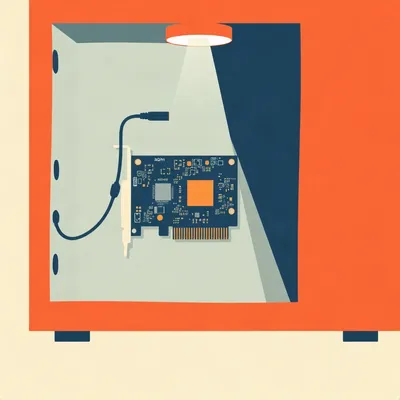
Fair warning on the vocabulary, though. The PCIe in "PCIe KVM" is mostly a mounting standard. The slot holds the card up. Sometimes it feeds it a little power. It does not carry a single bit of video.
So the slot is a coat hook.
A coat hook with a very expensive connector, yes. Take the NanoKVM PCIe from Sipeed. Its own documentation says the PCIe side is not a display or graphics device. You can put it in a sixteen-lane slot and it works, precisely because no PCIe data is involved. One review put it in an x sixteen slot without ceremony. The video still has to arrive by an HDMI cable from the graphics card, or the motherboard output, into the card's HDMI input.
Which means "direct motherboard to KVM" is really "direct motherboard to KVM, plus a cable that goes out of the graphics card and round again."
That matters more than it sounds, because a discrete graphics card only shows its own output. If your machine has a GPU in the slot and you plug the KVM into the motherboard's video port, you capture a blank screen. The loopback has to come from whichever port the machine is actually drawing on.
So I buy a forty dollar KVM and spend the afternoon finding a short HDMI cable.
The NanoKVM kit includes one, as it happens. The review mentions an HDMI cable, a nine-pin cable to the motherboard, an optional eight-pin one to the chassis, and a USB-C to USB-A lead.
What about BliKVM? It's the other card people mention.
It's the more extreme case. The BliKVM PCIe is built around a Raspberry Pi Compute Module four, and Jeff Geerling's teardown found that only the ground pins in the slot are connected. The data pins aren't even wired. So it takes no power from the slot either. You feed it by USB-C or by PoE through its Ethernet port. HDMI and USB come in at the rear bracket, there's an internal USB two header at the front for the motherboard side, and a front-panel header for power, reset and the LEDs.
A card that takes a slot to take nothing from it.
It does look like the slot is there to make the case designers feel included. Compare that with an old ASRock Rack card called PAUL, which really is a PCIe management card. It's an Aspeed AST twenty-five hundred BMC on a PCIe one-lane card, with its own Ethernet port and its own VGA output. It costs about two hundred and twenty-six dollars when you can find one, and it only works with supported boards.
So the real PCIe KVM costs five times as much as the fake ones.
And needs a motherboard that was told about it in advance. Right.
Okay. The part I care about is the front-panel header, because that's where this gets interesting. If the KVM takes over the power button pins, my case button stops working. And I'm the kind of person who presses the case button.
You'd think so, but all of them solve it the same way: the board sits in line. On the PiKVM ATX board you unplug the front-panel cable from the motherboard, plug the board in with a female-to-female ribbon, then run a male-to-female ribbon from the board to the case's own plug. The case button still works, the PiKVM works as well, and the board talks to the PiKVM over a plain eight-wire Ethernet cable. The NanoKVM does the same trick. You unplug the nine-pin power button connector from the motherboard, plug it into the card, and plug the case wiring into the card as well.
And the pins on the motherboard are in a little double row, and I'm doing this by the light of a phone torch.
Yes, and the PiKVM docs are blunt about it. Two rows of pins, the columns must line up, and watch the polarity. Get the connector shifted by one pin and you're short-circuiting something labelled with an unreadable abbreviation. And I haven't memorised the actual pinouts, so don't take my word for any of them. Read the diagram for your board.
Nobody has ever said that about a motherboard manual.
There's more small print. The NanoKVM doesn't monitor the hard drive LED, so you won't see drive activity in the web interface. Some early batches have the wrong silkscreen on the HDD LED pins. And there's a GitHub report that on the PCIe variant, at one firmware version, the power button in the web interface did nothing, while the case button went through the passthrough fine. I don't know whether it's been fixed.
So it works as a very elaborate extension cable for the button I could already press.
Until the firmware catches up, yes.
JetKVM does it differently, doesn't it? It's not even a card.
Correct. The JetKVM is a little standalone unit, but it has an ATX Extension Board that connects over an RJ twelve cable, with two headers so the case buttons stay live. It costs about nineteen dollars. And it ships with a PCIe slot cover bracket purely so you have somewhere to pass the cable through the case wall. You don't need the slot. It's a hole with a screw pattern.
The cheapest, least pretentious part of the whole market. A bracket that admits it's a bracket.

Are you tired of your computer being awake when it should be asleep, or asleep when it should be awake? Ask your doctor about Standbyzol. Standbyzol is a once-daily, sublingual loopback that restores confidence in your power rail, and it works even when your power supply is not working. Clinical trials showed that nine out of ten motherboards felt reassured. Side effects may include mild drowsiness, a metallic taste in the HDMI port, and a gentle humming in your front-panel header. Less commonly, patients have reported a loss of standby, standby of the loss of standby, the spontaneous replacement of your case with a smaller case, and the feeling that your rack is looking at you. Do not take Standbyzol if you are, or have ever been, a three point three volt auxiliary line. Stop taking Standbyzol and consult a physician if your computer begins to speak in your late grandmother's voice, if your network switch develops a pulse, or if your hard drive begins to hold a grudge for longer than one business quarter. In rare cases, Standbyzol has been known to relocate the patient to a second, slightly worse patient. Standbyzol. Ask about Standbyzol. Do not ask about Standbyzol.
Mm. Another one.
Like the weather now. Back to the USB header, then.
Go on. I thought the USB part was easy.
It's easy in the sense that you only need to know four things. The KVM has to pretend to be a keyboard and mouse, and also a flash drive for virtual media, so you can boot an installer remotely. The card does that either through a USB-C lead to a rear port, or through the nine-pin internal USB two header on the motherboard. For the header, the NanoKVM quick start tells you to use Dupont jumpers. Those are the thin little pin-to-socket wires from a hobby kit.
Dupont jumpers inside a case that cost four hundred dollars.
People will do it. The more important detail is on PiKVM's side: don't put a USB hub between the KVM and the host. Some UEFI firmware simply can't see a device behind a hub, so your remote keyboard doesn't exist at the one moment you need it, the BIOS screen. Straight to a port, straight to a header.
What I really want to know: if I run the USB from an internal header, the card gets keyboard emulation and power from the same wire. Does it still have power when the machine is off?
Only if the motherboard keeps that header live in the off state. There's usually a BIOS option, called something like Always Power USB or USB Always On, and the NanoKVM quick start says it's required if you want power from the USB lead directly. JetKVM says the same, and it even sells a USB-C splitter for hosts that don't provide standby power on their USB ports.
That's the central tension, isn't it? A rescue device running on the supply of the thing it's rescuing.
It is, and there are really three different answers, and they fail in different ways. Option one is the host's own standby power. The ATX standard has a five volt standby rail that stays on whenever the power supply is plugged in and its switch is on. ATX two point oh three made one amp mandatory on that rail, and the spec recommends two. The USB header on the motherboard is usually fed from it.
What does one amp buy me?
Five watts. The NanoKVM draws about two hundred milliamps at five volts, so around one watt. The BliKVM runs two to three watts idle and four to six when it's busy, so on a minimum-spec rail you're right at the edge. The motherboard is already using that same rail for wake on LAN and everything else that stays awake, so the real budget is smaller than one amp. I haven't found anyone reporting the actual problem, to be fair.
Two options, then, since one is a rounding error.
Option two is the PCIe slot's own auxiliary power. The slot has a three point three volt auxiliary pin for devices that need to wake the machine, and the limit is three hundred and seventy-five milliamps. That's about one and a quarter watts. Sipeed's marketing says the NanoKVM PCIe can run from it with the PC off. But I'd flag that clearly: that claim is from the marketing and retailer material and from a trade-press article. The wiki says it draws power only from the PCIe interface and lists four possible sources, USB direct, USB-C, PCIe slot and optional PoE, and it doesn't say which one is live with the host off.
So one watt of card, against one point two five watts of ceiling. On paper.
On paper. And a review did switch the host fully off and then booted it from the web interface, so the card does stay up in some real configurations. What I don't know is which of those power sources was doing the work in that test, and whether your board even leaves the slot aux live. That depends on the board and on the BIOS, and I've seen no independent test.
Which is why I wouldn't bet my recovery plan on it.
Neither would I. Here's what bothers me about both of those. Both ride on the power supply. So what does each one survive? A hard power-off from the front button, yes, because the supply is still plugged in. A hung kernel, yes. But if somebody flips the rocker switch on the back of the supply, or the supply dies, or the mains drops...
Then the lifeboat goes down with the ship.
And that's exactly the situation when you'd most like a lifeboat. A dead supply is the failure you can't fix from a web page, but you can at least see that it's dead, if the KVM is still talking.
And from the outside it's the one case where everybody pulls out a multimeter and starts crying.
Which is the argument for option three, a separate supply. PoE is the neat version. The Ethernet cable brings the power in with the network, from a switch that isn't connected to the machine at all. Sipeed sells an optional PoE module for the NanoKVM PCIe, GL.iNet's Comet PoE has it built in, and the BliKVM takes it through its network port. The JetKVM doesn't have PoE on the current unit. You can use a PoE splitter cable, which costs about thirty-five dollars, or wait for the roadmap.
PiKVM must be better placed, surely.
The V four Plus takes a wall adapter on a barrel jack and the V four Mini takes USB-C. I didn't find a PoE option on either. A plain USB-C adapter into the bracket works for any of them. I'd rather spend ten dollars on a wall adapter than depend on a rail in the machine I'm rescuing.
There's a problem, though. Now there are two sources plugged in, the wall adapter and the USB header. I've plugged two power supplies into the same small board before and it didn't end well. Is that going to bite me?
For the NanoKVM, Sipeed says several sources can be connected at once and they don't conflict, as long as at least one is present. For the others I'm not certain, and I haven't seen any forum threads about what happens. One warning from the wiki is about cheap PD chargers possibly damaging the card.
So the cheap charger is the one thing that kills the device made to save you from cheap things.
You enjoy that more than the hardware.
It's an ancestral skill.
There's one more thing about networking before I move on. The NanoKVM PCIe has a hundred megabit Ethernet port. Not gigabit. For a video stream of ten eighty p at sixty, that's plenty. But there's an optional Wi-Fi six module as well, and I'd hesitate to put a radio in a steel case, where the antenna sits in what's basically a cage. A cable out through the bracket is better.
Which is also the answer to my networking question. The bracket is the door. Cable in, power in, HDMI loopback goes the other way, and nothing else leaves the case.
That's the tidy version. Corn, would you actually trust the slot's auxiliary power for your own machine, after all that?
Not for the machine I'd be panicking about. I'd want PoE on it and the slot as a spare.
Fair. And if you were building one machine, would you take the clean in-case install or just leave the box on top with cables?
Clean install. It's one cable out the back instead of four, and I won't knock the box off the shelf while recabling. I'd also like the thing to survive a vacuum cleaner. I don't care about the hundred megabit.
Interesting. I'd have thought you'd want the box outside, because that's repairable. You can pull the plug on it.
I'd pull the plug on it whether it was inside or out. It's a screw and a header. I'm fine.
Moving to the rack, then. The story is different there, because the question changes from "one KVM in one case" to "how many hosts per KVM".
One KVM per machine seems obvious. It's forty dollars.
Forty to seventy for the NanoKVM, yes. So if you have a handful of nodes, it's perhaps two hundred and fifty dollars of KVMs with a PoE switch you probably already own. The alternative is PiKVM's Switch. You can chain up to five of them for about twenty hosts, and it works with the V four Plus, the V three and DIY builds, but not the V four Mini. It's about three hundred and ninety-five Australian dollars.
A lot of money to avoid owning three more cheap boxes.
Until you have a rack of twenty, yes. Would you buy it, Corn, or just keep stacking the cheap ones?
Stack. I distrust any single box that can see every machine I own.
Reasonable. I'd say the same until the cabling gets silly. The V four Plus has an internal fast USB port for the flash drive and USB switching, and that's what makes it switchable. What I'm not sure about is how the switch deals with power control for each host. I'd want to check that before buying.
I assume somebody sells a rack-mount version.
Not commercially, as far as I can tell. People have printed their own. There's a one U bracket for a ten-inch rack that holds two Raspberry Pis with HDMI capture boards, and GL.iNet links a printable rack mount for the Comet. I couldn't find a one U multi-node KVM chassis for sale. If one exists, I missed it.
So the market's solved the hard bit and left the sheet metal to hobbyists.
Which is a fine description of most of homelabbing. All of which, though, is a workaround for something much of the industry solved decades ago. Server boards already have this inside. A baseboard management controller, a BMC, with its own CPU, its own Ethernet and its own standby power rail, running whether the host is on or off.
The thing the cards are imitating.
Yes. ASRock Rack boards use the AST twenty-six hundred, with a MegaRAC firmware that does IPMI and Redfish, and as far as I know virtual media isn't locked behind a licence on those. One example board, the B six-fifty D four U, is about nine hundred and thirty-two New Zealand dollars, for the board only. And there's a standard for modular BMCs, called DC-SCM, from the Open Compute Project, that puts the BMC on a small replaceable card. Flex and Pegatron make them with an AST twenty-six hundred, running OpenBMC. That's a datacenter thing, of course. It doesn't help a hobbyist with a tower.
So the real comparison is forty dollars and a screwdriver, against a nine hundred dollar board that already has it.
Which is a fair fight. The board gives you sensors, proper power control, and a separate network port, and it doesn't care what's in the graphics slot. The forty dollar card works with whatever board you already own.
And Intel has its own version. AMT, in vPro.
AMT is the interesting middle case. It's built into the chipset, no extra card, and it does include KVM. But it needs the integrated graphics, it isn't on Xeons, and vPro Essentials leaves out the remote KVM altogether. The frame rate people report is about fifteen frames a second. And worst of all, it has the same video problem as the cards. If a discrete GPU is active, the AMT KVM fails, because it can only see the integrated graphics output. Intel's own workaround is to plug a DisplayPort emulator into the motherboard's output and your monitor into the discrete card.
So after all that, the built-in feature needs a dongle.
A small one. AMD's DASH is the counterpart. The AMD whitepaper lists KVM redirection under it, but that's from the Ryzen PRO five thousand era, and I don't know how well it's supported on current desktop boards.
Clean machine, native feature, and the only thing that's missing is the video.

Standby is the wrong word. Standby is a thing you do at an airport.
Go on, then.
Nineteen seventy-eight. Borough Rates Office. They had a computer in the basement and nobody was allowed to restart it after five. So they kept a man on standby. Eleven men. Ten. I don't count the one who only came on alternate Thursdays, he was on a different form.
Ten men in a machine room, each there to press one switch.
Folding chairs. Mr. Desmond Orrery from Licensing ruled that anybody on standby needed a standby licence, and he would only issue it against a dog. So every man brought a dog. Thirty-five pence a year, per dog.
Thirty-five pence is a good price.
It was a good licence. I signed with the one claw that fits a pen. By the sixth man Orrery had run out of dog forms, so the goat went down as a large dog. Name of Patricia. Patricia had a pension. Herman, she could reach every switch in the room, that was the difficulty.
A goat on the switchgear does make the whole arrangement a cabling question. What did she chew?
The cable to the green lamp, twice. Orrery fined the goat. The fine went on the goat's licence, the licence went to the Rates Office, and the Rates Office assessed the goat for rates on the basement. Sixteen pounds forty.
So she owed rates on a room she was employed to sit in.
That week I had a quote for a pair of data modems and a leased line, so the men could go home and it could all be done from a room upstairs. One thousand one hundred and twelve pounds. I priced it. I didn't buy it. I was on the vans for the gas board and I'd have needed a bigger van.
A leased line costing that much against ten men, ten dogs and a goat. The labour was cheaper than the cable.
Mrs. Odette Banjo-Frith did the floors on Friday nights. She unplugged the standby panel every week for the polisher, and put it back, and nobody wrote it down because it wasn't on a form. Orrery found out on a Monday and issued her a dog. Corn, you keep saying the machine goes down by itself. Fourteen minutes, for the building to come back after she plugged it in again.
The polisher and the computer on one circuit, and an elected goat. I can see how that room fell over.
A polisher draws a lot more than a panel lamp, and a shared circuit trips on the biggest load. Nobody in that building would have been looking at the breaker.
The goat does not make the shopping list. What do I actually buy?
The recommendations fall out of the failure cases, and in this order. First, what are you protecting? If you have a server board with a BMC, stop reading. You have the thing, and the card would be a worse copy. Second, for a desktop or a tower with no BMC, the best value is a NanoKVM PCIe or a JetKVM with its ATX board, mounted on the bracket, with the front-panel header passed through. Third, power it from outside. PoE is the clean way, a wall adapter into the bracket the cheap way. Treat the host's standby rail as a bonus, not the plan. Fourth, check the BIOS for the always-on USB option, because some of the control paths depend on it. Fifth, sort out the video path before you buy: integrated graphics output if you have it, or an HDMI loopback from the graphics card, or a dummy plug on the unused port.
And rack?
Up to three or four nodes, one cheap KVM per node on a PoE switch. Beyond that, look at a KVM switch with a single PiKVM, and check the power control details first.
Mine's shorter. The KVM goes on its own power, because the machine you're rescuing is the last thing you can trust to keep it running. Everything inside the case is routing.
The ten dollar wall adapter decides whether the fifty dollar card ever gets used, so I'd treat it as the main purchase. When you do the install, look at what else shares that socket.
Next time someone sells you a recovery tool, ask what it's plugged into, and who else in the building has a plug.
Thanks to Hilbert Flumingtop for producing, and to Daniel for the question.
This has been My Weird Prompts. You can find every episode at my weird prompts dot com.
See you tomorrow.