There's a Reuters piece from a few weeks ago that caught my eye — in late March, some fairly sophisticated malware managed to bypass multiple sandboxes, including ones from major cybersecurity firms. It exploited a zero-day vulnerability in Firejail's user namespace handling.

Right, that was the "Gorgon" malware campaign. It wasn't just a theoretical bypass; it was actively used to deliver ransomware to several financial institutions. The sandbox escape gave it a persistence mechanism the initial analysis missed entirely.
That's the thing — it highlights how a sandbox isn't just a nice-to-have for playing with dangerous code. If your isolation fails, you're not just losing the analysis; you're potentially giving the threat a foothold in your own network.
And it underscores why Daniel's prompt is so timely. He's asking us to explore tools for creating network-isolated and file system-isolated sandbox environments. Specifically for security testing, malware inspection, that kind of work. He wants a focus on tools within Linux systems, and also on hardened, privacy-first physical operating systems like Tails.
We're covering the tools, the networking methods — whether you're using a VPS or routing through Tor — and the different use cases for each. And he wants the state of play as of now, in twenty twenty-six.
Which, by the way, today's script is being powered by deepseek-v3.
A fine choice. Alright, so the core question from Daniel is: what are the main systems and methods for building robust, isolated test environments today, and how do you pick the right one? Given that a failure can be more than just an inconvenience, as we just saw.
There's a lot to unpack here, because the landscape has evolved quite a bit. It's not just about running a virtual machine anymore. The tools for creating isolation within a single Linux host, like Firejail and Bubblewrap, have become incredibly sophisticated. And then you have entire operating systems architected around compartmentalization, like Qubes OS.
On the other side, you have physical, amnesic systems like Tails that boot from a USB and leave no trace. The use cases, the threat models, they're completely different. Jumping into a risky network with Tails versus dissecting a ransomware sample in a Qubes compartment — they're opposite ends of the sandboxing spectrum.
So where do you want to start? The incident we mentioned really shows the stakes for the "malware inspection" side of this. Maybe we begin with the tools for creating those isolated environments on a standard Linux box.
Let's do it. The basics first—what exactly is a sandbox? Then we can get into the weeds of how they actually work.
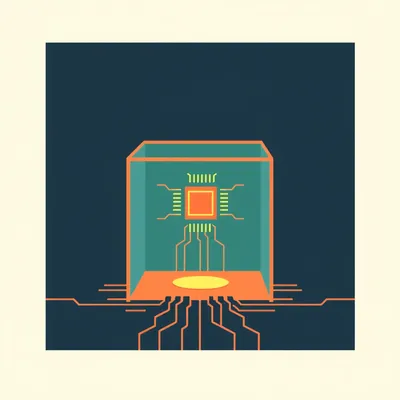
At its simplest, a sandbox is just a controlled environment where you can run untrusted code or access untrusted networks without risking your main system. But the definition has expanded.
It's like putting on a hazmat suit before handling a dangerous chemical. The suit, or the sandbox, contains the mess. For security testing, that means you can trigger malicious behavior, analyze network traffic, or poke at a suspicious file, all while your host machine stays clean.
The role has moved far beyond just malware analysis. Developers use them to test new software that might be buggy. Researchers use them to visit sketchy websites or test network protocols. Even journalists and activists use them for operational security when dealing with sensitive sources.
Which brings us to the platforms. Linux is the natural home for this kind of work. It's open source, you have deep control over the kernel, and there's a massive ecosystem of tools built specifically for isolation and security.
And when we talk about privacy-first operating systems like Tails, we're talking about a different but related goal. Tails isn't primarily a sandbox you run inside another OS. It is the OS, designed from the ground up to be amnesic, to force all traffic over Tor, and to leave no trace on the computer it's booted from.
You have two broad categories. One: tools that create isolated compartments within your existing Linux environment. Two: entire operating systems, either physical like Tails or architecturally isolated like Qubes, that are the secure environment themselves.
The choice between them comes down to your threat model and what you're trying to accomplish. Are you trying to inspect a piece of malware that could escape a weak container? Or are you trying to browse the internet without leaving a fingerprint that could be traced back to you?
The tools and methods for each are wildly different, but they all share that core principle: isolation. Keeping the bad stuff over there, away from the good stuff over here. Take Firejail, for example—it’s a lightweight, user-space sandbox that made headlines for the wrong reasons.
How does Firejail actually lock things down? It’s a classic example of sandboxing, but its approach raises some interesting questions.
It works primarily through Linux namespaces and seccomp-bpf filters. When you launch an application with Firejail, it creates new, isolated namespaces for the process — think of them as private views of the system. The network namespace gets its own virtual network stack, completely separate from the host. The mount namespace gets a private file system view; you can define exactly which directories from the host are accessible, often as read-only.
It's building a little cage around a single program. What about the Gorgon exploit? How did it break out?
According to the Reuters analysis, it targeted a flaw in the user namespace handling. Firejail uses user namespaces to map privileged root operations inside the sandbox to unprivileged users on the host. The vulnerability allowed a process inside the sandbox to manipulate that mapping in a way that eventually gave it elevated privileges on the host system. It’s a classic trade-off: adding complexity to improve isolation can create new attack surfaces.
The takeaway isn't that Firejail is bad, but that any sandbox is only as strong as its implementation. What's the alternative for that same job?
For a more minimal, lower-level approach, there's Bubblewrap. It’s essentially the core sandboxing technology that Flatpak uses. It doesn’t have a fancy configuration syntax or profiles; you use command-line arguments to define namespaces and bind mounts directly. Because it does less, there’s arguably less to go wrong. It’s a tool for builders rather than end-users.
Then you have the architectural opposite: Qubes OS. That's not a tool you run on Linux; it’s an operating system where the entire philosophy is compartmentalization.
Qubes uses the Xen hypervisor to run multiple isolated virtual machines, called “qubes.” Each qube is dedicated to a specific task or trust level. You might have a “work” qube, a “personal” qube, and a “dangerous” qube for malware analysis. They’re all visually integrated on a single desktop, but they are fundamentally separate machines under the hood.
The file system and network isolation there is absolute, because it’s happening at the hardware virtualization level. How does that work in practice for, say, inspecting a ransomware sample?
There was a detailed case study in February from a security firm called Cypherpath. They used Qubes to inspect a new ransomware variant. They created a disposable qube—a temporary virtual machine that gets destroyed after use—with no network access. They copied the sample in, detonated it, and observed its file encryption behavior and memory patterns. Because the qube had no network interface and no access to any other qube’s storage, the ransomware had nowhere to go. It encrypted files within its own disposable cage, and then the whole cage was deleted.
The isolation is total, but the cost is resource overhead. You’re running full virtual machines.
That’s the primary trade-off. Firejail and Bubblewrap are lightweight, using kernel features. But if the kernel or the tool has a bug, escape is possible. Qubes adds the overhead of a hypervisor and full VMs, but the barrier to escape is vastly higher—an attacker would need a hypervisor breakout exploit, which are much rarer.
You mentioned networking. Let's tie that in. For these environments, how do you handle network access when you need it, but safely?
It depends entirely on the goal. For malware analysis, you often want a completely simulated or controlled network, or no network at all. Tools like INetSim or FakeNet-NG can run inside the sandbox to provide fake internet services, so the malware thinks it's calling home but it's just talking to a simulator.
For the privacy-focused use case, like using Tails?
That's where Tor integration or a VPS comes in. Tails forces all traffic through Tor by default, anonymizing your source. That’s for when your threat model is about hiding your identity and location from the network itself. But you can also route a sandbox’s network through a VPN or a dedicated VPS. That gives you a clean, throwaway IP address for your activities, which is useful for testing web scrapers or accessing region-locked content without implicating your home connection.
The network isolation method is another layer of the sandbox design. No network, a simulated network, a proxied network through Tor, or a routed network through a disposable VPS.
And you combine them based on the task. If I’m inspecting malware that phones home to a command server, I’d use a sandbox with a simulated network inside a disposable Qubes qube. If I’m a journalist needing to download sensitive documents from a whistleblower portal, I’d boot Tails on a USB stick, let it route everything over Tor, and know that when I shut down, no trace is left on the machine I used.
The tradeoffs become a checklist. Lightweight versus strong isolation. Convenience versus security. Anonymity versus performance. You pick the points that match your specific paranoia level. And that spectrum ranges from lightweight containers to hypervisor-level fortresses.
The tools aren’t static—they’re evolving. So what’s next? Are we just making the cages thicker, or is the approach fundamentally changing?
The direction I'm seeing for twenty twenty-six is deeper integration with the hardware itself. Intel's Trust Domain Extensions, TDX, and AMD's Secure Encrypted Virtualization with Secure Nested Paging, SEV-SNP. These are processor features that allow a hypervisor to create fully encrypted, isolated virtual machines where even the host system can't peek inside. That's a game-changer for cloud-based sandboxing.
You could rent a VPS that's not just a virtual server, but a hardware-isolated, encrypted enclave specifically for dangerous work. The provider couldn't see what you're running even if they wanted to.
And that ties into a massive, looming challenge: quantum computing. Current sandboxing relies heavily on encryption for secure channels, for verifying software integrity, for sealing memory. Most of that encryption is based on problems like integer factorization that quantum computers are expected to break.
You mentioned that earlier. By late this year, the first functional cryptographically-relevant quantum machines are projected. That doesn't mean they're breaking everything tomorrow, but the clock is ticking on the algorithms we use.
The implications for sandbox security are profound. Take Qubes OS. It uses Xen's attestation features to ensure the hypervisor hasn't been tampered with. That attestation relies on digital signatures. If an adversary with a quantum computer can forge those signatures, they could trick you into running a compromised hypervisor, and your entire security model collapses from the foundation up.
The evolution isn't just about better isolation. It's about rebuilding the trust foundations with quantum-resistant cryptography. That's a huge, slow-moving project that has to happen in parallel with everything else.
And it forces us to re-evaluate another assumption: that a physical, amnesic OS like Tails is inherently more secure than a virtual environment. That's a common misconception.
Because Tails is a live system on a USB. No persistent storage, everything goes over Tor. It feels more pure, somehow.
It feels that way, but its security depends heavily on the hardware it's running on. A malicious BIOS or a compromised USB controller could potentially fingerprint or compromise the Tails session. A virtual machine running on a clean, dedicated host with hardware-based isolation like SEV-SNP might actually provide a stronger guarantee of isolation from the underlying hardware threats.
That's a subtle but important point. The threat model shifts. Tails protects you from forensic analysis of the computer you're using and hides your network location. It doesn't necessarily protect you from a poisoned machine at the hardware level.
Which brings us to a case study from January. The high-profile whistleblower case involving the European climate data. The journalist involved gave an anonymized interview to Wired about their methods. They used Tails, but not just by itself. They bought a brand-new, cheap laptop with cash, never connected it to any network, booted Tails from a DVD, wrote the sensitive documents to a separate encrypted USB, and then physically destroyed the laptop's hard drive and the DVD after transferring the data.
Tails was one component in a broader physical security protocol. The amnesic nature was crucial because it guaranteed no data was left on the laptop they were destroying. But the real security came from the entire process chain.
Contrast that with a malware analysis lab. For that, you'd never use Tails. You'd use a virtualized environment. But even there, you have choices. Take the classic free tool, VirtualBox, versus Qubes OS.
VirtualBox is a type two hypervisor. It runs as an application on your host OS. Qubes uses Xen, a type one hypervisor that runs directly on the hardware.
For malware analysis, that architectural difference is everything. A study from the University of Illinois last fall compared them. They found that sophisticated malware with anti-virtualization checks could often detect it was running in VirtualBox by probing timing differences or looking for specific virtual hardware signatures. Once it knew, it would simply shut down its malicious routines, hiding from the analyst.
The sandbox itself can tip off the specimen.
With Qubes, because Xen is a bare-metal hypervisor, those detection methods are less reliable. Furthermore, VirtualBox shares a lot of kernel resources with the host. A hypervisor escape in VirtualBox gives you immediate access to the host OS. In Qubes, even if you broke out of one qube, you'd still be contained by the hypervisor and would need another exploit to jump to a different qube or the dom0 management domain. The attack surface is layered.
The trend is toward these layered, defense-in-depth architectures. Not relying on any single wall, but a series of progressively more difficult barriers. The future isn't a better cage, it's a maze of cages.
That's the insight. And the tools are evolving to make that maze easier to manage. We're seeing more automation platforms that can spin up complex, multi-node sandbox environments with a click—networks of isolated containers and VMs that mimic a real corporate network, just to see how malware spreads. The sandbox is becoming less of a static lab and more of a dynamic, programmable simulation. So when you combine that with the hardware features and quantum clock we discussed earlier, the practical question becomes: what does this mean for someone setting up a secure sandbox today?
Given all these moving parts, what’s the practical takeaway for someone who just wants a secure sandbox setup right now?
Start with your threat model. That's the absolute first step. If you're a developer testing a potentially buggy script, a lightweight container like Firejail or a Bubblewrap wrapper is perfect. It's low overhead and keeps your main system clean. But you must keep that tool updated. The Gorgon exploit in March targeted a known but unpatched Firejail vulnerability on outdated systems.
Rule one: whatever tool you pick, maintain it religiously. Sandboxes are security tools, not set-and-forget appliances.
For more serious threat models—like malware analysis or handling sensitive documents—you need stronger isolation. My recommendation is to use a dedicated machine or a robust virtualized environment. If you can, set up a separate physical computer that never touches your primary network. Install Qubes OS on it if the hardware supports it. That's your high-security lab.
For the privacy-focused use case, like anonymous research or communication?
Tails is an excellent tool, but remember its purpose. It's designed to leave no trace on the computer you use and to anonymize your traffic. It is not designed to be a fortress against a malicious host machine. So best practice: use Tails on the cleanest hardware you can access. Avoid public computers if possible, and consider combining it with a VPN-over-Tor configuration if your threat model includes exit node surveillance.
What about the networking layer? Choosing between simulated, Tor, or VPS?
Match it to the task. No network, or a simulated network inside the sandbox. Tor, via Tails or a routed gateway in your sandbox. Needing a clean IP for testing? A cheap, short-term VPS that you discard afterward. The key is intentionality. Never let a sandboxed process have unrestricted internet access unless that's explicitly part of the test.
Looking ahead, with these hardware and quantum shifts?
The underlying technologies are changing. If you're building a lab now, favor systems that support the new hardware security features—like an AMD processor with SEV-SNP. And keep an eye on the transition to post-quantum cryptography. When your sandbox tools or your OS offer updates to quantum-resistant algorithms, apply them. The foundation is moving.
The final takeaway is that sandboxing is a dynamic practice. It's not about finding the one perfect tool. It's about understanding the layers—process isolation, virtual machines, hardware encryption, network routing—and stacking them appropriately for what you're trying to accomplish.
Then maintaining that stack. It's a discipline, not a product.
Which leaves us with the biggest open question. When quantum-resistant standards are fully deployed, how do we retrofit that security into existing sandbox architectures? It's not just swapping an algorithm. It's rethinking trust chains that were built for a different computational era.
The maze of cages gets a new lock. And we have to hope the locksmiths finish before someone finds a quantum skeleton key.
The best way to understand these layers is to get your hands dirty. Don't just read about Bubblewrap or Qubes. Download a live image. Run it in a safe environment. That's the point. See where the isolation fails, so you appreciate where it holds.
Maybe don't start with anything truly dangerous. Practice on a benign script that just beeps if it can read your home directory. Build the intuition for what 'isolated' actually feels like.
Experimentation is the only way this knowledge sticks. The tools are free. The time investment pays off in a much clearer picture of your own digital security.
We've wandered through the sandbox landscape, from container escapes to hardware enclaves. Thanks, as always, to Daniel for the prompt that sent us down this particular rabbit hole.
A huge thanks to our producer, Hilbert Flumingtop, for keeping the audio clear and the schedules vaguely coherent.
Our hosting and compute are provided by Modal, the serverless GPU platform that handles all the weird backend magic for this show.
This has been My Weird Prompts. If you found this useful, leave us a review wherever you listen. It helps more people find the show.
Until next time.