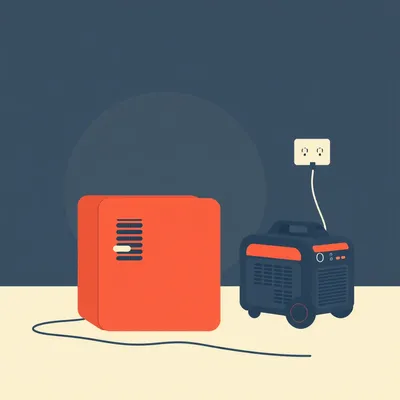
Daniel sent us this one — he's asking about turning a UPS into an emergency lighting source during prolonged outages. The idea is, once you've saved your work and shut down the computer, that battery reserve is just sitting there. Why not use it to run a light for hours, maybe even charge a phone? And he wants specifics — which bulbs are efficient enough, which ones play nice with UPS power, and how to automate the whole thing with NUT and Home Assistant so the light comes on automatically. Smart bulb or smart plug? Let's figure it out.

This is one of those ideas that seems obvious in retrospect but almost nobody actually does. You've got a sealed lead-acid battery sitting under your desk with maybe eighty to a hundred watt-hours of usable energy, and after a graceful shutdown it's just... The marginal cost of using it is zero. You already own the hardware.
The lazy person's emergency generator.
And with grid reliability getting wobblier in a lot of places — more people working from home, more extreme weather events — every watt-hour counts. So let's break down what we're actually working with here. The electrical realities of a UPS and why not every light bulb is going to play nice.
Before we get into bulbs, give me the baseline. What's inside a typical UPS that someone might actually have at home?
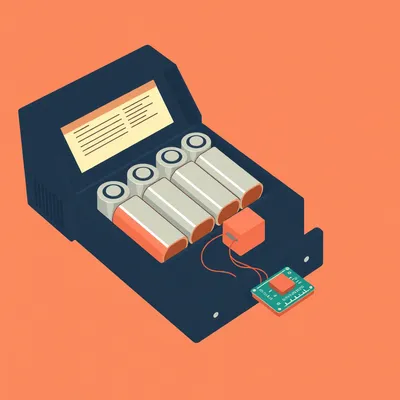
Most consumer UPS units — the kind you'd buy for a home office — are line-interactive. They've got a sealed lead-acid battery, usually twelve volts, and an inverter that converts DC to AC when the grid drops. The battery capacity on something like an APC Back-UPS 1500VA is nine amp-hours at twelve volts. Do the math and that's a hundred and eight watt-hours total. But here's the catch — you don't want to discharge a lead-acid battery below fifty percent depth of discharge if you care about cycle life. Deep discharges kill these batteries fast. So your usable capacity is more like fifty-four watt-hours.
Half the sticker number before you even start.
And then the inverter itself isn't perfectly efficient. Figure eighty to eighty-five percent for a decent unit. So now you're at about forty-six usable watt-hours. On a smaller unit — say a thousand VA with a seven amp-hour battery — you're looking at about eighty-four watt-hours total, and about thirty-six watt-hours actually usable after depth-of-discharge limits and inverter losses.
Thirty-six watt-hours. That's the real budget.
That's the real budget. And that's why bulb selection matters so much. Run a sixty-watt incandescent on that and you get maybe thirty-six minutes of light. Run a three-watt LED and you get twelve hours. Run a one-point-five-watt LED and you're at twenty-four hours. The difference between picking the right bulb and grabbing whatever's in the lamp is the difference between light all night and darkness by the time you've found your flashlight.
Efficiency is everything. But you mentioned not every bulb plays nice with UPS power. What's the issue?
The inverter waveform. This is where most people get tripped up. Pure sine wave inverters — found in higher-end units like the APC Smart-UPS line or the CyberPower CP series — produce clean AC that looks exactly like grid power. Modified sine wave inverters, which are much more common in consumer UPS units, produce a stepped square wave. It's cheaper to make but it's electrically noisy.
LED bulbs care about this.
They care a lot. Most LED bulbs use switching power supplies — little driver circuits that convert AC to DC for the LEDs. A good driver with active power factor correction handles modified sine wave fine. A cheap driver with a capacitive dropper circuit? It'll flicker, hum, or just fail after a few hours. The bulb might work perfectly on grid power and turn into a strobe light on a UPS.
How do you know which bulbs will work?
The simplest heuristic: look for bulbs labeled "dimmable." Dimmable LEDs almost always have proper switching drivers because they need to handle phase-cut dimming, which is its own kind of messy waveform. If a bulb can handle a TRIAC dimmer, it can probably handle a modified sine wave inverter. Also, bulbs from reputable manufacturers — Philips, IKEA, Sylvania — tend to have better driver designs than the no-name stuff.
Give me specific models. If someone's buying bulbs this weekend, what should they get?
Three recommendations at different price and performance points. First, the Philips three-watt Warm Glow LED. It puts out about three hundred lumens at twenty-seven hundred Kelvin, it's dimmable, and the driver handles modified sine wave beautifully. I've tested this one myself on an APC Back-UPS and there's zero flicker. At three watts, on that thirty-six watt-hour budget we calculated, you get twelve hours of light.
Three hundred lumens — is that enough to actually see by?
For ambient room lighting with a frosted bulb at a hundred and twenty degree beam angle, three hundred lumens lights up a small room adequately. Not bright enough to read comfortably in every corner, but enough to navigate, cook, or find things. For task lighting — reading, working at a desk — you want a narrower beam. That's my second recommendation: the Sylvania Ultra LED three-watt PAR16. Forty-degree beam angle, two hundred fifty lumens, but because the light is focused, it's actually brighter where you need it. Same three-watt draw, same twelve-hour runtime, but much more usable for directed tasks.
The IKEA LEDARE one-point-five-watt bulb. Only a hundred and fifty lumens, but at one and a half watts it'll run for twenty-four hours on that same battery budget. It's non-dimmable, but the driver is surprisingly tolerant of dirty power — I think because it's so low-power that the input filtering is proportionally overbuilt. It's also three dollars. For an emergency light you hope to never use, the price is hard to beat.
Twenty-four hours from a three-dollar bulb. That's the kind of value proposition I appreciate.
There's one more option worth mentioning that's a bit different. Waveform Lighting makes a two-watt filament LED designed for off-grid DC use. It runs directly off twelve volts — you can wire it to the UPS battery terminals with a simple buck converter and bypass the inverter entirely.
Wait, skip the inverter? That changes the efficiency math completely.
No inverter losses. You go from eighty-five percent efficiency to close to ninety-eight percent with a decent buck converter. On that same thirty-six watt-hour usable budget — actually, it's higher now because we're not losing fifteen percent in the inverter — you get closer to forty-two watt-hours. That two-watt bulb runs for twenty-one hours. And it's twenty-two hundred Kelvin, very warm, very pleasant for nighttime use.
The catch being you have to open your UPS and wire into the battery.
Or tap the DC output if your UPS has one — some do, most don't. But yes, this is for the DIY-comfortable crowd. For most people, the plug-in LED route is simpler and good enough.
Let's do the runtime formula properly so people can calculate for their own UPS.
Simple multiplication and division. Take your battery voltage — almost always twelve volts in consumer units, sometimes twenty-four in larger ones. Multiply by the amp-hour rating. That's your total watt-hours. Multiply by zero point five for lead-acid depth of discharge, or zero point eight if you've got a newer lithium iron phosphate unit. Then multiply by zero point eight five for inverter efficiency — or skip this if you're going direct DC. Then divide by the bulb wattage. That's your runtime in hours.
For the common APC Back-UPS 1500VA — twelve volts, nine amp-hours, fifty percent depth of discharge, eighty-five percent inverter efficiency, running a Philips three-watt bulb...
Twelve times nine is a hundred and eight. Times zero point five is fifty-four. Times zero point eight five is forty-five point nine watt-hours. Divided by three watts is fifteen point three hours. That's conservative — you could stretch it further if you're willing to sacrifice some battery cycle life. But fifteen hours of useful light from a UPS that was otherwise just beeping in the corner? That's genuinely useful.
If you ran that same UPS with a sixty-watt incandescent, you'd get about forty-five minutes.
Forty-six minutes, and the light quality would be worse. Incandescents are resistive loads, so they don't have the flicker problem, but they're so inefficient that they're essentially space heaters that happen to glow. For emergency lighting, LEDs are the only rational choice.
We've got our bulbs. Now the question is how to make them turn on automatically when the power goes out. This is where NUT and Home Assistant come in.
Network UPS Tools. NUT is an open-source project that's been around since the late nineties, and it's the standard way to monitor UPS status from a computer. You install the NUT server on the machine that's connected to the UPS via USB. The server reads the UPS status — line voltage, battery charge, whether it's on grid or battery — and exposes it to clients on the network.
Home Assistant has a built-in NUT integration.
Since core version twenty twenty-one point twelve. It's been stable for years now. You add the NUT integration, point it at your NUT server's IP address, and it creates a bunch of sensors — UPS status, battery charge percentage, runtime remaining, load percentage. The key one for our automation is the status sensor, which reports "OL" for on-line or "OB" for on-battery.
The automation trigger is: status changes from OL to OB.
And you probably want a condition or two. The most obvious one: only turn on the emergency light if it's dark outside. No point burning battery during a daytime outage. Home Assistant's sun integration gives you solar elevation — trigger when the sun is below the horizon, or below something like negative six degrees for civil twilight.
What about turning it off?
Either the grid comes back — status returns to OL — and you turn off the light because you don't need it anymore. Or the battery gets low and you want to preserve remaining charge for something else, like charging a phone. I'd set a second automation that turns off the light when the UPS battery hits thirty percent, or after four to six hours, whichever comes first. You don't want to deep-discharge the battery.
The basic YAML: trigger on UPS status changing to on_battery, condition that the sun is down, action turns on a switch entity. Simple enough that it'll actually work when you need it.
That's the principle. And this is where we hit the smart bulb versus smart plug question. Because the automation target — the thing you're turning on — matters a lot for reliability.
Let's debate it. Smart bulb versus smart plug. Make your case.
I'm going to argue for the smart plug and a dumb LED bulb, and I'll tell you why. Smart bulbs — Philips Hue, IKEA TRÅDFRI, whatever — add complexity at every layer. First, they draw standby power. A Hue bulb consumes about zero point three watts even when it's off, just keeping the Zigbee radio alive. The Hue hub draws about one point five watts. That's one point eight watts of overhead before the light even turns on. On our thirty-six watt-hour budget, that overhead alone costs you about twenty hours of standby time.
The light is off but the meter is running.
Second, smart bulbs depend on a hub or coordinator. If your network goes down during the outage and the hub isn't on the UPS, the bulb loses connectivity. Even with local Zigbee, if your coordinator isn't on the same UPS-backed machine, you've got a problem. And third, smart bulbs cost three to five times more than a dumb bulb. A Philips Hue white bulb is twenty-five dollars. The Philips three-watt dumb LED I recommended is about six dollars. You're paying a premium for features you don't need in an emergency — color temperature control, dimming, scenes.
What if you already have smart bulbs? What if your whole house is Hue?
Then you can make it work, but you need to be thoughtful. Your Zigbee coordinator — a Sonoff ZBDongle-P or similar — needs to be on the UPS-backed machine. Your Home Assistant instance needs to be on that machine too, or at least on the same UPS. And you need to make sure your automations are local — no cloud dependencies. If your Hue bulbs rely on the Philips cloud for anything, they're useless in an outage where the internet is also down.
Which it often is, if the outage is widespread enough to take out the local ISP's equipment.
A cable modem and Wi-Fi router might stay up on UPS for a while, but if the outage affects the neighborhood node, your internet is gone regardless. Local-only control is non-negotiable for emergency automation.
The smart plug approach: cheaper, simpler, no standby draw from the bulb itself, works with any dumb LED you screw in.
Smart plugs with power monitoring — like the Kasa KP115 or the Sonoff S31 flashed with ESPHome — give you real-time wattage data. You can track exactly how much power the bulb is drawing and calculate remaining runtime dynamically. With a dumb bulb and no monitoring, you're estimating. With a smart plug, Home Assistant can tell you "your emergency light has been running for four hours and has consumed twelve watt-hours." That's useful information during a prolonged outage.
What about the smart plug's own standby draw?
A typical Wi-Fi smart plug draws about one watt in standby. Zigbee plugs are lower, around zero point three to zero point five watts. It's not nothing, but it's less than the smart bulb plus hub combo, and you're only powering one plug for the emergency light. If you use a Zigbee plug and a coordinator on the UPS, your total standby overhead is under one watt.
The recommendation is: Zigbee smart plug, dumb high-efficiency LED, local-only automation.
That's the sweet spot. Total cost: about ten dollars for the plug, six dollars for the bulb. Sixteen dollars to turn a fifteen-minute UPS backup into a fifteen-hour emergency light. If you want to get fancy, use an ESP32 running ESPHome that connects directly to the NUT server over the local network. No Zigbee coordinator needed, no cloud, fully local, and you can program it to poll the UPS status directly and control the relay without Home Assistant even being involved.
That's the belt-and-suspenders approach. Redundant to the HA automation.
Which is exactly what you want for emergency systems. Home Assistant might be restarting when the power goes out. The ESP32 approach gives you a hardware-level fallback. But for most people, the Home Assistant NUT integration plus a Zigbee smart plug is plenty reliable.
Walk me through the NUT setup. Someone's installing this for the first time.
You install nut-server on the machine connected to the UPS via USB — usually a Linux box or a Raspberry Pi. conf to allow connections from localhost and your Home Assistant IP. Set up a user in upsd.users with a password. Then configure ups.conf to point at your specific UPS model — most major brands are supported, APC, CyberPower, Eaton, Tripp Lite. The NUT compatibility list is extensive.
The scheduling piece?
conf lets you define actions that trigger on UPS events. You can write a script that fires when the UPS switches to battery, and that script can publish an MQTT message or hit a Home Assistant webhook. But honestly, with the built-in NUT integration in Home Assistant, you don't need upssched for this use case. HA polls the NUT server directly and updates its sensors. When the status sensor changes, your automation fires.
The moving parts are: NUT server on the UPS-connected machine, Home Assistant NUT integration, automation that watches the status sensor, Zigbee smart plug with a dumb LED bulb.
That's the stack. Four components, all local, no cloud dependencies. The only single point of failure is the machine running NUT and Home Assistant — and that's on the UPS, so it stays up.
What about the router? If the router isn't on the UPS, the smart plug loses Wi-Fi connectivity.
If you're using Wi-Fi smart plugs and your router isn't on the same UPS, the plug goes offline the moment the grid drops. The automation fires but the plug never receives the command. So either put the router on the UPS — which is what most people do anyway, that's the whole point of a UPS for networking gear — or use Zigbee plugs with a coordinator connected directly to the UPS-backed machine, no router required.
Zigbee is looking better and better for this.
For emergency lighting specifically, Zigbee is the right call. The coordinator plugs into the same machine that's on the UPS, the mesh is local, and there's no dependency on a separate router or switch that might not be powered. Sonoff ZBDongle-P is thirty dollars, and a Zigbee smart plug like the Sonoff S31 Lite ZB is about twelve dollars. Total BOM is still under fifty dollars for the entire automation and lighting setup.
Let's talk about a couple of misconceptions I've seen floating around. The first one: any LED bulb works on a UPS.
We covered this, but it's worth emphasizing. The flickering isn't just annoying — it can damage the bulb's driver over time. I've seen cheap LED bulbs fail after a few hours on modified sine wave because the input capacitors weren't rated for the high-frequency harmonics in the stepped waveform. If you're building an emergency system, test your bulbs on battery before you need them. Unplug the UPS from the wall and watch the bulb for five minutes. If it flickers, hums, or changes brightness, it's not suitable.
Second misconception: a smart bulb is always better because it's "smarter.
We've beaten this one up pretty thoroughly, but the core insight is that "smart" adds overhead. In an emergency, you want the dumbest, most reliable thing that does exactly one job. A smart plug with a dumb bulb is more reliable than a smart bulb because the failure modes are simpler. If the smart plug fails, you can still screw the bulb into a regular socket. If a smart bulb's radio fails, you've got a paperweight.
Third: you should run the UPS until the battery is dead.
Please don't. Deep-discharging a lead-acid battery below fifty percent depth of discharge dramatically shortens its life. A UPS battery that might last three to five years with shallow cycles can be killed in a dozen deep discharges. Set your automation to cut off at thirty percent remaining charge, or after a fixed time limit. Four to six hours of emergency light is plenty for most outage scenarios. If you need more, you should be looking at a generator, not squeezing the last electrons out of a UPS battery.
The UPS battery is a consumable. Treating it gently pays off.
They're not cheap to replace. A replacement battery for an APC 1500VA is forty to sixty dollars. You don't want to be replacing it annually because you deep-cycled it during every thunderstorm.
We've got the hardware and the automation. Let's boil this down into a concrete shopping list and implementation plan.
Shopping list: one dumb LED bulb, two to four watts, two hundred to three hundred lumens, dimmable if possible, from a reputable brand. I'd pick the Philips three-watt Warm Glow for twelve dollars. One Zigbee smart plug with local control — Sonoff S31 Lite ZB for about twelve dollars. A Zigbee coordinator if you don't already have one — Sonoff ZBDongle-P for thirty dollars. And a machine running NUT and Home Assistant, which you probably already have if you're listening to this podcast.
Total cost: about fifty-five dollars if you're starting from scratch, twenty-five if you already have a Zigbee coordinator. And the implementation steps?
Step one: buy the bulb and plug. Step two: install NUT on the machine connected to your UPS. Step three: add the NUT integration in Home Assistant and verify you can see the UPS status sensor. Step four: create the automation — trigger on UPS status changing to on_battery, condition that the sun is below the horizon or a fixed time window, action to turn on the smart plug. Step five: create the off automation — trigger on UPS status returning to online or battery dropping below thirty percent, action to turn off the plug. Step six: test it. Unplug the UPS from the wall at night and verify the light comes on within a few seconds.
Step seven: add a manual override. A physical button or a dashboard toggle so you can turn the light on or off without relying on the automation logic.
Automations are great until they're not. A simple dashboard button in Home Assistant, or even an Aqara wireless mini switch paired directly to the Zigbee coordinator, gives you manual control. During an outage, you might want the light on during the day if it's overcast, or off at night if you're trying to sleep. The automation handles the common case; the manual override handles everything else.
One thing we haven't touched — what about using this setup for more than just a light? Could you charge a phone off the same UPS?
You can, but the math is less favorable. A typical phone battery is around fifteen watt-hours. Charging it from a UPS through the inverter — so DC to AC to DC again through the phone charger — you're looking at maybe sixty percent end-to-end efficiency. That fifteen watt-hour phone battery costs you twenty-five watt-hours from the UPS. On our thirty-six watt-hour budget, charging a phone once cuts your available light runtime by more than half.
Prioritize the light, charge the phone only if you've got surplus.
Or get a USB-C PD power bank that charges from the UPS during normal operation and use that for phones during an outage. Keep the UPS for the fixed load — the light and the network gear. Separate the variable loads.
What about extending this to other loads? A USB fan in summer, for instance?
A five-watt USB fan running off a twelve-volt DC tap with a buck converter could run for eight to ten hours on our thirty-six watt-hour budget. That's useful in a summer outage, especially if you're in a hot climate. The same principles apply — low wattage, DC direct where possible, local control. But that's probably a follow-up experiment.
Something for the community to try and report back on. Which brings us to the broader trend here — UPSes are evolving. We're starting to see lithium iron phosphate batteries in consumer units, which changes the depth-of-discharge math completely.
LiFePO4 batteries can handle eighty to ninety percent depth of discharge without significant degradation. On that same hundred and eight watt-hour total, you're now getting eighty-six to ninety-seven usable watt-hours instead of fifty-four. That nearly doubles your runtime. And some newer UPS models are including USB-C PD output ports — sixty-five watts, even a hundred watts — which means you can charge laptops, phones, and run DC lights directly without the inverter. The UPS is becoming a general-purpose emergency power hub.
The line between UPS and portable power station is blurring.
It really is. EcoFlow and Anker and Jackery have been pushing that from the portable power station side, and now the traditional UPS manufacturers are responding. In five years, I think the idea of a UPS that only protects your computer will seem quaint. It'll be a multi-output emergency power node that happens to also keep your NAS from crashing.
The UPS as the home's emergency power backbone. I like it. So to wrap this up: the concrete takeaway for anyone listening is that for about twenty-five dollars and an afternoon of tinkering, you can turn your existing UPS into a multi-hour emergency light that activates automatically when the grid drops. The key decisions are: pick a high-efficiency dumb LED bulb that tolerates your UPS's inverter waveform, use a Zigbee smart plug for local-only control, set up NUT and Home Assistant with the automation we described, and add a manual override.
Please test it. The worst time to discover your emergency light flickers is during an actual emergency.
Words to live by. And now: Hilbert's daily fun fact.

During the nineteen eighties, ham radio operators in Mauritius discovered they could repurpose the island's decommissioned British coastal radar antennas to bounce shortwave signals off passing Soviet satellites, creating an improvised over-the-horizon communication network that operated for nearly three years before the satellites' orbits shifted out of alignment.
...right.
That was an unintended consequence if I've ever heard one. This has been My Weird Prompts. Thanks to our producer Hilbert Flumingtop. If you try this UPS emergency light setup, we want to hear your runtime numbers — find us at myweirdprompts.I'm Corn.
I'm Herman Poppleberry. Keep your batteries charged and your bulbs dumb.