Daniel sent us this one, and it's a practical question I think a lot of people nod along with but never actually answer for themselves. He's asking what multiplexing actually means — like the original concept, combining multiple signals over one channel — and then how that idea got adapted into terminal multiplexers like tmux, screen, and Zellij. But the real question is: he's got eight to ten terminal windows open all day, constantly SSH-ing into different servers. He tiles them on his desktop. What would he actually gain by switching? And what are the genuine downsides? Plus, have modern terminals like Ghostty and WezTerm with their built-in tabs and splits made standalone multiplexers kind of...

This is one of those questions where the answer genuinely changed in the last five years. And I want to get into all of it — the original signals meaning, how it maps to terminals, the persistence problem, the modern terminal counterargument. But first, let's actually define the word, because most people use "multiplexing" in the terminal world without ever thinking about where it came from.
Yeah, walk me through it. What's the original engineering concept?
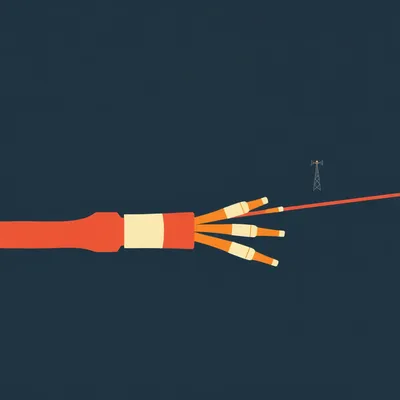
In communications engineering, multiplexing is the technique of combining multiple independent signals into one shared channel, transmitting them together, then demultiplexing them back into separate streams at the receiving end. The classic example is frequency-division multiplexing in radio: multiple stations broadcast simultaneously through the air, each on a different frequency band, and your radio tuner separates them out. Or time-division multiplexing in old telephone trunk lines — multiple phone calls interleaved in tiny time slices over one copper wire. The core insight is that you're sharing one physical channel among multiple logical streams, and the magic is that neither end really knows the sharing is happening.
The key property is that the multiplexing layer is transparent. You get the illusion of having a dedicated channel, but underneath, you're sharing.
And that's the thread that connects all the way to terminal multiplexers. In the eighties and early nineties, when people dialed into Unix systems over modems, you had exactly one serial connection to the remote machine. But people wanted to run multiple things at once — edit a file, compile code, read man pages. The solution was a single process on the remote machine hosting multiple virtual terminals, all funneled through that one connection.
This is where screen enters the picture. GNU Screen was the original?
Yeah, screen was first released in nineteen eighty-seven. The idea was simple but profound: you SSH into a server, launch screen, and suddenly you've got multiple virtual terminals inside that one SSH session. You can switch between them, run different programs in each. And here's the killer feature — if your modem connection dropped or your laptop went to sleep, screen kept running on the remote side. All your shells, all your programs, everything was still there. You reconnect, reattach, and you're exactly where you left off.
That's the detach-and-reattach thing Daniel mentioned. Revolutionary in the dial-up era. But how much of that value proposition still holds when you've got stable broadband and a laptop that almost never disconnects?
That's the right question, and it's where the whole "is tmux still worth it" debate lives. Let me give you the full tmux picture first. tmux — terminal multiplexer — was started by Nicholas Marriott in two thousand seven, essentially the modern successor to screen. Cleaner codebase, better feature set, actively maintained. Zellij is even newer — written in Rust, released in twenty twenty-one, designed to be more discoverable with a built-in UI for keybindings. But the core multiplexing concept is the same across all three.
Break it down. If Daniel's got ten standalone terminal windows open, each with its own SSH connection, what does switching to tmux actually change?
Five concrete things. The first and biggest is session persistence across disconnection. Right now, if Daniel's running a long database migration or a training job and his WiFi drops, that SSH session dies. The shell dies, the process gets a SIGHUP, and unless he remembered to nohup it, it's gone. With tmux running on the remote server, the session is decoupled from the SSH connection. The SSH connection is just a viewport. If the connection drops, tmux keeps running. He reconnects, runs tmux attach, and he's exactly where he was — same scrollback, same running processes, same pane layout.
That's the one that actually matters. Everything else is convenience, but persistence is the thing you can't replicate with native terminal windows.
It's the hardest to fake. And Daniel mentioned he's constantly SSH-ing into different servers — if he's running long jobs on any of them, this alone might justify learning tmux.
What's the second thing?
One SSH connection instead of ten. This matters more than people realize, especially if any of those servers require multi-factor authentication or VPN access. With tmux, you SSH into the server once, and every new terminal pane or window inside tmux is just a new shell process on the remote side — no new authentication, no new network connection. If Daniel's tiling ten native terminal windows, each one is a separate SSH handshake, separate authentication, separate encrypted tunnel. That's not just annoying if he's typing a TOTP code ten times — it's also ten times the connection-tracking state on the server, ten times the keepalive traffic.
Plus if you're connecting through a jump host or bastion, you're doing that whole dance ten times instead of once.
The third thing is scripted, reproducible layouts. tmux and Zellij both let you define a session layout in a config file — "open a window with a split pane running htop on the left, a large pane running vim on the right, and a second window with three horizontal splits tailing different log files." You type one command and the whole workspace materializes. With native terminal windows, you're manually arranging things every time, or writing some brittle window-manager script that positions windows by coordinates.
I've seen people do this with tmuxinator or tmuxp — they define a YAML file with their project layout and just launch it. That's useful if you've got a standard setup per project.
It's reproducible across machines. Your tmux config is just a text file you can version-control. The fourth thing is shared sessions for pair work. If Daniel and Hannah want to look at the same terminal together, tmux lets two people attach to the same session simultaneously. Both see the same output, both can type. It's like Google Docs for the terminal. With native terminal windows, you're screensharing over Zoom, which is higher latency and read-only for the other person.
Scrollback and copy mode that's independent of your terminal emulator. This one's a double-edged sword — we'll get to the downsides — but tmux maintains its own scrollback buffer and copy-paste mechanism that works even if your local terminal doesn't support it well. It's a consistent interface across different terminal emulators.
Okay, so that's the affirmative case. Persistence, one connection, scripted layouts, shared sessions, consistent scrollback. Now hit me with the downsides.
I've got a whole list. There's a great article by Andrew Quinn called "tmux is worse is better" that lays out a lot of this honestly. The first and most painful downside is the learning curve. tmux's default keybindings use a prefix key — Control-b by default — followed by another key for each action. It's a modal interface nested inside your terminal, and it takes weeks to build muscle memory. Zellij is better about this — it shows a built-in hint bar with available keys — but it's still a whole new set of shortcuts you have to learn that will conflict with other programs.
Key-binding conflicts are the thing that makes people rage-quit. You've got your shell shortcuts, your vim shortcuts, your terminal emulator shortcuts, and now tmux wants its own layer on top.
It's a nightmare to debug. You press a key combination and you're not sure if tmux ate it, or the shell ate it, or the program running in the shell ate it. The common fix is to remap tmux's prefix to something less collision-prone — Control-a is popular but conflicts with "go to beginning of line" in bash. And then you've got nested tmux sessions — if you SSH from a machine running tmux into another machine also running tmux, now you've got two layers of prefix keys and you have to double-tap the prefix to reach the inner session. It's confusing for a long time.
I've done the nested tmux thing. It feels like Inception and not in a fun way.
The second big downside is copy-paste. tmux has its own copy mode with its own clipboard, and getting text from a tmux pane into your local system clipboard is nontrivial. You need to configure tmux to pipe to pbcopy or xclip or wl-copy depending on your OS, and the remote tmux doesn't know about your local clipboard at all. There are plugins and config snippets for this, but it's fragile. With a native terminal window, you just select text and it's in your clipboard.
Scrollback is the third thing?
Scrollback quirks, yeah. Your terminal emulator has its own scrollback buffer. But tmux maintains its own internal scrollback, and by default, mouse scrolling scrolls through tmux's copy mode history, not the terminal's buffer. The two buffers can get out of sync. Some people configure tmux to pass mouse events through to the terminal, but then you lose tmux's scrollback features. It's a tradeoff either way.
There's a performance angle too. tmux is an extra layer of processing.
It's not free. tmux has to parse every byte of output from every pane, maintain its own screen state, handle redraws. For most use cases it's negligible, but if you're dumping a million lines of logs to stdout, tmux can become a bottleneck. People who cat a huge file in tmux versus directly in a terminal will sometimes see a noticeable slowdown. Zellij has had performance issues with large outputs too, though they've been working on it.
Alright, so we've got the full picture on what tmux gives you and what it costs. Now let's get to the part where you said the answer changed in the last five years. You're talking about modern terminal emulators with built-in multiplexing features.
This is where it gets interesting. Terminals like WezTerm and Ghostty — and Kitty before them — have essentially eaten some of tmux's lunch by building multiplexing into the terminal emulator itself. WezTerm, written in Rust by Wez Furlong, has a full multiplexing architecture. It can run a server process that persists even when all windows are closed, and it supports tabs, split panes, and — this is the key thing — remote multiplexing over SSH. You can run WezTerm on your local machine, SSH into a server, and tell WezTerm to use that SSH connection as a multiplexing domain. New tabs and panes automatically spawn new shells over the same SSH connection, no tmux required on the remote side.
Wait, so WezTerm is doing the "one SSH connection, multiple shells" thing without needing tmux installed on the server at all?
It uses SSH's built-in ability to open multiple channels over a single connection. SSH has supported this since protocol version two — one TCP connection can carry multiple channels, each a separate shell session or port forward. WezTerm just uses that native SSH feature to give you the one-connection-multiple-shells benefit without any server-side software beyond SSH itself.
That's a big deal. If Daniel's SSH-ing into a dozen different servers, installing and configuring tmux on every single one is real friction. But if his local terminal can do the multiplexing over standard SSH, he gets the reduced-connections benefit everywhere without touching the servers.
Ghostty, released by Mitchell Hashimoto in late twenty twenty-four, takes a slightly different approach. It has native tabs and splits, and it's designed to be a high-performance GPU-accelerated terminal first, but it also has a client-server architecture that enables session persistence. You can close all your Ghostty windows and the server keeps running with your sessions intact. It doesn't have the remote multiplexing feature that WezTerm has yet, but it's moving in that direction.
The argument is: why learn tmux's keybindings and deal with its copy-paste weirdness when your terminal emulator already gives you tabs, splits, and session persistence with native scrolling and native clipboard?
That's the modern counterargument, and it's compelling. But it's not the whole story. Let me push back on myself. There are things tmux does that even WezTerm's multiplexing doesn't fully replace. The biggest one is detach-and-reattach from different machines. If you've got a long-running tmux session on a server, you can SSH in from your desktop, work, detach, go to a meeting, SSH in from your laptop, reattach, and pick up exactly where you were. WezTerm's multiplexing is local-first — the session state lives on your local machine. If you close your laptop and go to a different computer, you can't reattach to that session from the new machine.
Unless you're running WezTerm's server on the remote machine, which I think you can do?
You can, but then you're right back to installing server-side software. WezTerm supports a mode where you run wezterm-mux-server on the remote and connect to it, which is functionally equivalent to running tmux. At that point you're just choosing which multiplexer to use, not avoiding one.
The "no server-side install" benefit only applies if you're always connecting from the same machine. If Daniel's bouncing between a desktop and a laptop, he still wants something running on the remote side.
And the second thing tmux gives you that local terminal multiplexing doesn't is the shared session thing. Two people attaching to the same tmux session on a server is a genuine collaboration tool. You can't do that with WezTerm's local multiplexing.
The third thing — and this might be the most practical one for Daniel — is that tmux works the same everywhere. If he's on a server that only has screen installed, or he's SSH-ing from a minimal terminal where he can't install WezTerm, knowing tmux or screen means he can still have a productive session. It's the lowest common denominator available on essentially every Unix system.
That's the "worse is better" argument from that Andrew Quinn article. tmux is not the most elegant tool. Its keybindings are arcane, its copy mode is clunky, its configuration syntax is its own little DSL. But it's everywhere. It's in every package manager. It runs on Linux, BSD, macOS, even WSL on Windows. It doesn't require a GPU. It works over a serial console if you need it to. And once you've internalized its weirdness, that knowledge is portable across every system you'll ever touch.
Let's synthesize this for Daniel's specific situation. He's got eight to ten terminals open all day, constantly SSH-ing into different servers, currently just tiling native windows. What would I tell him?
I'd say it depends on one question: how many of those SSH sessions involve long-running jobs that would hurt to lose? If the answer is "most of them," then he needs session persistence, and the cleanest way to get that is tmux or screen on the remote side. No modern terminal emulator is going to save his database migration when his laptop goes to sleep unless something on the server is keeping the process alive.
If most of his sessions are just interactive — running commands, checking logs, editing configs, then closing — then the persistence argument is weaker, and the modern terminal approach might be better for him.
In that case, I'd say try WezTerm with its native SSH multiplexing. You get the "one connection per server instead of ten" benefit without learning tmux's keybindings or dealing with its copy-paste friction. Your scrollback works normally. Your clipboard works normally. You still get tabs and splits. And if you're on Ghostty, you get the GPU-accelerated rendering and the native look-and-feel of a modern app.
There's a hybrid approach too. Use tmux on the two or three servers where you actually run long jobs, and use your terminal's native tabs and splits for everything else.
That's what I do. I've got tmux on my main development server where I'll have a session running for weeks with different panes for logs, editing, and monitoring. But for quick SSH sessions to other machines — checking a config, restarting a service — I just use WezTerm's native SSH tabs. No point in launching a multiplexer for a thirty-second session.
This is where Zellij is interesting as a middle ground. It's designed to be more approachable than tmux — it shows you the keybindings at the bottom of the screen, it's got a more intuitive pane system, and it's written in a modern language. But it still has the same fundamental architecture: it runs on the remote side, it does session persistence, it has its own copy mode.
Zellij also has a "lite" mode where it behaves more like a local terminal multiplexer — you can use it on your local machine without SSH, just to manage your local terminal workspace. It's trying to bridge the gap between the tmux world and the modern terminal world. But adoption is still nowhere near tmux or screen. Most servers you SSH into will have tmux available from the package manager; Zellij might require a manual install or a Rust toolchain.
Let's talk about the configuration investment, because that's the real hidden cost. Learning tmux isn't just learning the keybindings — it's building a tmux dot conf that you like, figuring out which plugins to use, getting the status bar to show what you want, making copy-paste work with your system. That's hours of tinkering before you're actually productive.
You'll keep tinkering. I've been using tmux for years and I still tweak my config every few months. The tmux plugin ecosystem — things like tmux resurrect for saving and restoring sessions across reboots, or tmux continuum for automatic saving — these are useful but they're another layer of complexity.
Tmux resurrect is actually worth mentioning, because it addresses something we haven't talked about: what happens when the remote server reboots? Even with tmux, if the server goes down, your session is gone. Tmux resurrect saves your session layout and the working directory of each pane to disk, and restores them after a reboot. It won't restore the actual running programs — it can't restart your vim session with the same files open — but it gets you eighty percent of the way there.
That's the kind of thing that, once you've invested in the tmux ecosystem, becomes indispensable. But it's also the kind of thing that feels like yak-shaving to someone who just wants to get work done. Daniel's question is really "is the juice worth the squeeze," and the honest answer is: it depends on how much pain you're currently feeling.
If his current workflow works and he's not losing work to dropped connections, maybe the answer is no. He's got tiling terminal windows — maybe he's using a tiling window manager that gives him the layout benefits for free. He's got SSH connection sharing if he's configured his SSH config properly with ControlMaster. He might already have eighty percent of what tmux gives him without realizing it.
SSH ControlMaster is worth explaining here, because it's the piece of the puzzle that a lot of people don't know about. OpenSSH has a feature where you can tell it to reuse an existing connection for new sessions. You add a few lines to your SSH config — ControlMaster auto, ControlPath, ControlPersist — and suddenly, when you open a second SSH connection to the same server, it multiplexes over the first connection instead of doing a new handshake. No new authentication, no new TCP connection. That's terminal-level multiplexing without any terminal emulator features at all.
Daniel might already be doing the "one connection instead of ten" thing at the SSH level, and just not calling it multiplexing.
If he combines SSH ControlMaster with a modern terminal that does native tabs and splits, he's got a pretty good approximation of tmux's feature set without any remote-side software. The one thing he's missing is session persistence across disconnection, but if he's not running long jobs, he might not care.
Alright, let's do a quick scorecard. For someone like Daniel — heavy SSH user, eight to ten terminals, currently just tiling native windows — what are the scenarios where switching to tmux or Zellij is clearly worth it?
One: you're running long jobs on remote servers and you've been burned by lost connections. The persistence alone justifies everything else. Two: you're collaborating with someone else who needs to share your terminal session. Three: you're connecting from multiple different machines and want a consistent session that follows you around.
The scenarios where it's not worth it?
If your SSH sessions are all short-lived interactive work, if you're always connecting from the same machine, if you're already using SSH ControlMaster and a tiling window manager or a modern terminal with native splits, and especially if you're not running anything that would be catastrophic to lose — in that case, the learning curve and configuration overhead probably aren't worth it. You'd be adding complexity to solve problems you don't actually have.
I think there's also a personality factor here that nobody talks about. Some people enjoy the process of configuring their tools — the yak-shaving is part of the fun. For those people, learning tmux is a satisfying weekend project that pays off over years. Other people want their tools to get out of the way and just work, and for them, tmux will always feel like an obstacle.
That's well put. And the terminal multiplexer community — especially the tmux community — tends to attract the first kind of person, which means the online advice skews heavily toward "you should absolutely learn tmux, it changed my life." But that advice comes from people who enjoyed the process of learning it. The people who tried it, got frustrated, and went back to their native terminal windows aren't writing blog posts about it.
Daniel, if you're listening and you want to dip a toe in without committing, I'd say try this: install tmux on one server — just one — and use it for a week just on that server. Don't change your whole workflow. Don't spend three hours configuring it. Just tmux new-session, learn Control-b c for new window, Control-b comma to rename windows, Control-b percent and Control-b quote for splits, Control-b d to detach, tmux attach to come back. See if the persistence and the single-connection benefit feel worth it before you go down the configuration rabbit hole.
If you want to try the modern terminal approach instead, install WezTerm, enable its SSH multiplexing, and see if the native feel of tabs and splits plus the reduced SSH connections is enough for you. Both paths are valid. The only wrong answer is installing tmux, spending eight hours configuring it, and then realizing you don't actually need it.
The worst of all worlds.
Now: Hilbert's daily fun fact.
The average cumulus cloud weighs about one point one million pounds — roughly the same as a hundred elephants floating above your head.
What should listeners actually do with all this? If you're on the fence, audit your current pain points first. Do you actually lose work to dropped connections? Do you find yourself re-authenticating to the same server over and over? Do you wish you had a way to save and restore your terminal workspace? If none of those resonate, you're probably fine with what you've got. If one or more of them made you nod your head, try the one-server tmux experiment I described. Five commands, one week, no configuration rabbit hole. And if you want to explore the modern terminal path, WezTerm's documentation has a whole section on multiplexing that walks you through the SSH setup — it's well-written and you can be up and running in about fifteen minutes. The Zellij docs are similarly good if you want a more approachable tmux alternative. The key is to match the tool to the problem you actually have, not the problem someone on Hacker News told you you should have.
One thing I keep coming back to is how much of tmux's design is a product of the dial-up era, and how much of it is timeless. The session persistence — decoupling your shell session from your network connection — that's timeless. That's a good idea whether you're on a nineteen ninety-two modem or a twenty twenty-six fiber connection. But the keybinding layer, the copy mode, the scrollback buffer — those feel more like artifacts of a time when terminal emulators were dumb and couldn't be trusted to do those things well. And now that we have GPU-accelerated terminals with native everything, a lot of that complexity is just legacy cruft.
I think that's right. The core insight of terminal multiplexing — one server-side process hosting multiple virtual terminals that outlive your connection — that's not going anywhere. But the user interface around that insight is ripe for reinvention, and that's exactly what Zellij and WezTerm and Ghostty are doing in their different ways. In ten years, I suspect the idea of learning tmux's keybindings will feel as archaic as learning sendmail configuration feels today.
Thanks to our producer Hilbert Flumingtop, and thanks to DeepSeek V four Pro for generating today's script. This has been My Weird Prompts. If you enjoyed this episode, leave us a review wherever you get your podcasts — it helps other people find the show. I'm Corn.
I'm Herman Poppleberry. See you next time.