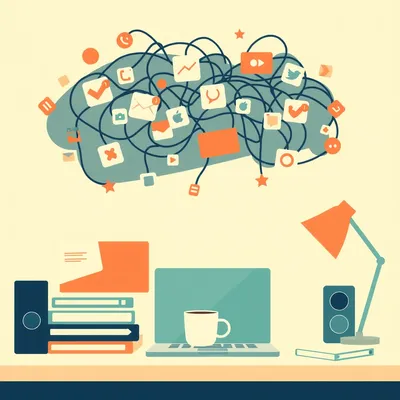
Last time we went deep on Discord specifically — today we're pulling back to the full picture. And the full picture is kind of a mess.

A beautiful, chaotic, notification-soaked mess. I had three different apps buzzing at me before I finished my first cup of coffee this morning, and one of them was a LinkedIn message I still haven't opened. From three days ago.
That's the thing — it's not that you're disorganized. It's that the infrastructure is broken. We are running a dozen parallel conversations across a dozen parallel surfaces, and the expectation from every single one of those platforms is that you live there, primarily, urgently.
Right, and it compounds. Every new tool that becomes essential adds another notification surface. GitHub issues, Hugging Face discussions, WhatsApp, WhatsApp Business as a separate app, Telegram, Slack, Discord, X DMs, LinkedIn messages, email — and I'm probably forgetting two or three. The average professional, and I've seen figures suggesting this, is juggling messages across ten or more distinct platforms. Not ten accounts.
Each with its own notification logic, its own priority system, its own expectation of response time. And none of them talk to each other.
None of them. And the cost isn't just inconvenience. There's real cognitive overhead. Switching between contexts — even just to check — burns working memory. Every time you flip from your code editor to Slack to check whether that message was important, and it wasn't, you've paid a cost you don't get back.
There's actually a name for that cost. Gloria Mark at UC Irvine has done research on this — she found it takes an average of around twenty-three minutes to fully regain deep focus after an interruption. Not twenty-three minutes of lost time. Twenty-three minutes before you're back at the same cognitive depth you were at before the ping. So if you're getting interrupted ten times a day, you're not losing ten minutes. You're potentially losing hours of productive depth.
That's for a single interruption that you actually respond to. The phantom interruptions — where you check, it's nothing, you go back — those still cost you, just slightly less. The research on this calls it "attention residue." Part of your brain stays on the checked thing even after you've returned to the original task. You're physically back at your work, but mentally you're still half-processing whether that Slack message needed a reply.
That's a phrase I'm going to be using a lot.
It should be on a warning label on every notification settings screen. "This app may cause attention residue.
Daniel sent us this one. He's been thinking about the full communication fragmentation problem — not just any one app, but the whole ecosystem. The question is essentially: what do we actually do about this? Unified inbox tools have been trying to solve it for years. AI agents are now entering the picture. And there are some behavioral protocols that probably matter more than any tool. He wants a pragmatic look at all three, with no productivity-guru hand-waving. Which, for the record, is exactly my kind of brief.
And by the way, today's script is coming from Claude Sonnet four point six, which feels appropriately on-theme given what we're about to discuss.
An AI wrote the script about AI managing your communications. We live in a time.
We really do. So let's start with the scope of the problem, because I think it's easy to describe this as annoying without quite registering how structurally broken it is. The fragmentation isn't accidental. Every platform has a business incentive to maximize your time inside their walls. Engagement metrics, DAU numbers, notification permission prompts — all of it is engineered to pull you in and keep you there.
Which means the unified inbox problem isn't just a UX problem. You're fighting against deliberate design choices from companies that actively don't want you to leave their app.
And that's before you get to the technical reality, which is that most of these platforms don't offer open APIs for their messaging functionality. WhatsApp has historically been hostile to third-party clients. iMessage is Apple-walled. Even Slack has rate limits and permission tiers that make programmatic access genuinely painful.
The tools that try to solve this are working against the grain of the platforms themselves.
Against the grain, and constantly playing catch-up. A platform pushes an update, the integration breaks, you spend forty minutes debugging why your messages aren't coming through. That's the lived experience of most unified inbox tools, and it matters a lot when we get to evaluating them.
Which is where we're headed. But I want to sit in the problem for one more minute, because I think the missed message angle is underrated. It's not just that you're stressed. It's that things actually fall through.
And this is where I'll admit some personal frustration. I've missed pull request review requests because they landed in a GitHub notification email that got buried under twelve Slack digests. I've missed a Telegram message from someone who needed a quick answer and ended up waiting four hours because I was heads-down and didn't have that tab open. The cognitive overhead is annoying. The dropped balls are costly.
The social cost is real too. People start to assume you're ignoring them. Or they develop workarounds — they'll message you on three different platforms because they know you might miss it on one. Which just adds more noise to everyone's system.
The redundancy escalation. That's a real phenomenon. Someone doesn't hear back on Slack, so they email, and then they WhatsApp, and now you have three notifications about the same thing and you still haven't responded to the first one.
And at that point the communication system is actively generating more communication to compensate for its own failures. That's a loop you don't want to be in.
And the people building tools to address this — the Beepers, the Franzes, the Ramboxes of the world — they're at least trying to interrupt that loop. Whether they succeed is a different question.
That's the next thread. Let's get into the tools.
Beeper is probably the most interesting case study here, because it's had the most turbulent history of any of these tools. It started as a paid service, went open source, got acquired by Automattic — the WordPress people — and through all of that it's been trying to solve the same core problem: one surface, all your networks. Last I checked it supports fourteen or more messaging networks, which sounds impressive until you actually try to get WhatsApp working reliably on it.
How reliably does it actually work?
And that's being charitable. The WhatsApp integration in particular has been a moving target because Meta actively pushes back on unofficial clients. They've blocked accounts, pushed API changes that break third-party access, and generally treated unified inbox tools as a terms-of-service problem rather than a user need worth accommodating.
You get the single surface, but with asterisks.
Lots of asterisks. Franz and Rambox have similar profiles — they're essentially Electron wrappers that load each platform's web interface in a tab, which means you get keyboard shortcuts and a unified window, but you're still running twelve browser sessions worth of RAM. Station got criticized pretty heavily for exactly this. People were reporting it consuming north of two gigabytes just sitting idle.
That's not a unified inbox. That's a unified memory leak.
And the desktop-only constraint is a real limitation. If your workflow is split between a laptop and a phone — which is most people's workflow — these tools solve half the problem at best. You've consolidated your desktop, but your phone is still a notification warzone.
The honest summary is: these tools exist, some of them are useful for specific setups, but none of them have cracked the fundamental problem.
The fragmentation wins, eventually. Platform updates break integrations, and you're back to square one with a slightly fancier wrapper.
What would actually cracking it look like? Because I think it's worth being precise about what "solved" even means here. Is it one app that all platforms voluntarily support? That's not happening. Is it some kind of OS-level aggregation layer? Is it a protocol shift?
I think solved would require either platform cooperation — which, as we've established, is a fantasy — or a protocol layer that platforms adopt because their users demand it. Matrix is the closest thing to that vision. It's an open standard for interoperable messaging, and bridges exist for connecting Matrix to WhatsApp, Telegram, Slack, Discord. But the bridges are where it falls apart again. Same problem, different packaging.
The bridge is load-bearing and it keeps collapsing.
And the mechanism is worth understanding, because it's not random. When WhatsApp pushes an update, they're not thinking about Beeper. They're thinking about their product roadmap, their security patches, their anti-spam systems. The breakage is a side effect, not a target — but the effect is identical either way. Third-party clients find themselves out of sync, users get logged out or stop receiving messages, and the tool that was supposed to simplify your life now requires an hour of troubleshooting.
Which is a particularly brutal failure mode for people who adopted the tool specifically because they were drowning. The last thing you need when you're already overwhelmed is a finicky setup that demands maintenance.
And setup complexity is a real barrier before you even get to the maintenance problem. Beeper's onboarding for WhatsApp, last time I walked through it, involved linking your phone number, waiting for a QR scan window, hoping the handshake completed before it timed out — and this is before you've done anything with the tool. Franz is a bit more forgiving because it's just loading web wrappers, but that's also why the RAM usage is what it is.
There's a tradeoff there that I don't think gets named clearly enough. The tools that are more stable — the web wrapper approach — are stable precisely because they're not doing anything clever. They're just running a browser tab for each service. Which means you get the single window but not the deep integration.
The integration depth and the reliability are almost inversely correlated. Beeper tries to do something architecturally interesting — it runs the messaging protocols natively rather than wrapping web interfaces — and that's why it can theoretically give you real notifications, real message history, real sync. But it also means every protocol change by every platform is a potential breakage point.
On the flip side, Station or Franz give you a stable window onto twelve apps, but what you're really getting is twelve browser sessions with a shared taskbar. The keyboard shortcut layer is useful — being able to jump between services without reaching for the mouse, having a consistent command palette — but the underlying experience is still twelve separate contexts.
The keyboard navigation is underrated, actually. If your workflow is primarily desktop, the ability to hit a shortcut and jump from Slack to Telegram without breaking your hands off the keyboard is meaningful. It's not transformative, but it removes friction. And in a day where you're making that switch forty times, removing that friction adds up.
Small gains compounding. I'll take it.
The single-surface benefit is also real for a different reason, which is visual attention. When you have twelve apps in your dock or taskbar, each with its own badge count, each visually demanding acknowledgment, the cognitive weight of that is constant. Collapsing it into one window with one notification state is less stressful, even if the underlying data is the same.
Out of sight, slightly out of mind.
It doesn't fix the volume problem, but it changes the presentation of the problem. And sometimes that's enough to make the volume manageable.
What about the privacy angle? Because Beeper's architecture — the cloud-side aggregation piece — means your messages are passing through their infrastructure at some point.
For some networks, yes. The degree varies. For networks where Beeper runs a bridge on their servers, your messages do transit their infrastructure. They've been transparent about this, it's in the documentation, but it's a real consideration. If you're aggregating WhatsApp, Signal, and your work Slack into one client, and the bridge layer is cloud-hosted, you've created a single point of access that didn't exist before.
Which for a builder or operator handling any kind of sensitive client communication is a non-trivial concern.
Non-trivial is the right word. It's not necessarily disqualifying — you're already trusting WhatsApp with your messages, after all — but it's an additional layer of trust you're adding, and you should know you're adding it.
There's also something almost counterintuitive about the security picture here. You might actually be more exposed using a unified inbox tool than running twelve separate apps, even though the twelve separate apps feel more chaotic. With twelve apps, a breach of one platform affects one stream of your communications. With a well-integrated unified client sitting on top of everything, a breach there is a breach of everything simultaneously.
That's a really important point that I don't think gets surfaced enough in the reviews of these tools. The convenience and the risk surface are growing together. You're creating a single key that opens all the doors, which is great until someone else gets the key.
The companies building these tools are not or Google in terms of their security infrastructure. They're often small teams, sometimes open-source projects, with the kind of security posture you'd expect from a startup rather than a platform that's been hardened over a decade of attacks.
Which doesn't mean don't use them. It means use them with eyes open about what you're trading.
The honest scorecard on unified inbox tools is: real benefits on the single-surface and keyboard efficiency side, real limitations on reliability, RAM, mobile parity, and for some architectures, privacy. And the fundamental adversarial relationship with platforms means the reliability problem is structural, not fixable with better engineering.
That's where I land. The tools are worth knowing about, worth experimenting with for specific setups — if you're desktop-primary and your main networks happen to be ones that Beeper handles well in a given month, it can help. But betting your communication workflow on any of them feels like building on sand.
That raises the question: does the solution even belong in that category of tools? There's a different approach gaining traction — one that doesn't try to unify the surface but instead reduces the volume before it reaches you.
The agentic angle. And this is where I think the more interesting engineering is happening right now. Instead of asking "how do we show you all your messages in one place," the question becomes "how do we make sure you only see the messages that actually need you.
Which is a fundamentally different framing. One is a display problem, the other is a filtering problem.
Filtering is something AI is good at, in a way that pixel-arranging across twelve platforms is not. The email side of this is probably the most mature. Tools like Superhuman and a newer one called Carly are doing context-aware drafting and prioritization — not just flagging high-priority threads but actually generating replies that are calibrated to the conversation history and your typical response patterns.
How context-aware are we actually talking? Because "context-aware" gets used to cover everything from "it read the subject line" to "it understood the subtext of a three-week negotiation.
Fair to probe that. The honest answer is: better than you'd expect at the subject-line end, weaker than you'd hope at the subtext end. Superhuman's AI layer, for instance, is good at recognizing reply-needed threads, summarizing long chains, and drafting a plausible first response. Where it struggles is with anything that requires institutional knowledge — knowing that this particular client has a specific sensitivity, or that this thread is connected to a contract negotiation happening in a different channel.
It handles the mechanical volume well but the high-stakes stuff still needs a human hand on the wheel.
For now, yes. And I think the honest framing for builders and operators is: these tools are useful for reducing the forty percent of your inbox that's essentially administrative. Status updates, scheduling pings, acknowledgment requests. You can automate a meaningful chunk of that without any real risk of a tone-deaf reply causing damage.
Forty percent is a number I've seen thrown around. Is there actual evidence behind it?
There's research suggesting AI email assistants can reduce inbox volume by around forty percent in corporate environments, which tracks with what people report anecdotally. The caveat is that "inbox volume" is doing some work in that statistic — it includes emails that get auto-archived or auto-responded before you ever see them, which is different from saying forty percent of your decisions are being made for you.
It's not that forty percent of the hard stuff goes away. It's that forty percent of the noise gets filtered before it reaches you, which still frees up meaningful attention.
Meaningful attention is exactly the resource at stake. And on the support-ticket side, there's a company called Forethought that's been cited for resolving sixty percent or more of support tickets autonomously across email and chat. That's a different use case — higher volume, more templated responses — but it shows where the ceiling can be when the domain is well-defined.
Sixty percent autonomous resolution. That's not a rounding error. That's the majority of the queue handled before a human touches it.
The human who does touch it is now touching something that actually requires judgment, rather than spending half their day on password reset requests.
How does that work in practice for a smaller operator, though? Because Forethought is built for enterprise support teams. If you're a solo founder or a small studio, you don't have a dedicated support queue with clean ticket categories. Your "inbox" is a mix of client work, partnership inquiries, random cold outreach, and the occasional urgent thing buried in all of it.
That's the messier version of the problem, and honestly it's where most of our listeners live. For that use case, the playbook is less about deploying a specialized tool and more about layering general-purpose AI triage on top of whatever you're already using. Something like a well-prompted GPT wrapper that reads your incoming mail, categorizes it, and surfaces a daily digest — "here are the three things that actually need a response today" — does a lot of the same work without requiring enterprise infrastructure.
The categorization accuracy at that level is good enough to be useful?
For broad categories, yes. Client versus cold outreach versus administrative is a distinction a well-prompted model handles reliably. The edge cases — the message that looks like cold outreach but is actually from someone you met at a conference six months ago — those still slip through or get miscategorized. But the edge cases are a small fraction of the volume. Getting the eighty percent right is still a huge win.
The batched check-in protocol fits into this same logic, doesn't it? Because even with AI triage, you're still making a choice about when you engage with what survives the filter.
And I think batched check-ins are underrated as a simple, low-tech intervention. The idea is straightforward: instead of treating every platform as a continuous stream you're monitoring in real time, you designate specific windows — say, three times a day — where you actually process messages. Outside those windows, notifications are off or ignored.
Which sounds obvious until you try to do it and realize how much of your setup is actively designed to prevent it.
Every platform's default notification settings are tuned for maximum interruption. Reversing that requires deliberate configuration, and most people never do it because the defaults feel like requirements rather than choices. The Mezzo Solutions piece I read recently made the point that auditing your notification permissions — actually going through app by app and disabling non-essential alerts — is one of the highest-leverage things you can do, and almost nobody does it systematically.
It's the kind of thing that takes forty minutes once and pays off indefinitely, but it never feels urgent enough to do.
That's the trap. The cost is diffuse and ongoing, the fix is concentrated and slightly tedious, so it keeps getting deferred. And the batching approach pairs naturally with what we were saying about AI triage — if the agent is handling the administrative layer, the stuff that makes it through to your attention window is worth your time, which makes the batched check-in feel productive rather than like you're just delaying the chaos.
There's also a social norm piece here that I think gets skipped over in most of these conversations. Because batched check-ins only work if the people messaging you accept that you won't respond instantly.
The slow-reply norm. And this is a cultural shift that some professional contexts have made and others haven't. The builders and operators who've made it work tend to set explicit expectations — something in their bio or their email signature that says "I check messages twice a day, response within twenty-four hours" — and that framing converts what would feel like ignoring someone into a known, respected protocol.
It's not that you're unavailable. It's that you've defined what availability means.
Once you've defined it, people stop sending the triple-platform escalation because they know you'll see it. The redundancy loop we were talking about earlier — that largely goes away when people trust the system.
I've seen a version of this that goes even further — people who put a specific response time commitment in their email signature, like "responses within 48 hours, urgent matters via phone." And the interesting thing is that the phone number almost never gets used. Just knowing there's an emergency escalation path is enough to reduce the anxiety that drives the triple-message behavior.
Because the anxiety isn't really about response time. It's about whether there's a way to reach you if something is actually on fire. Give people a fire exit and they stop trying to break down the regular door.
The AI triage piece is interesting in that context too, because an agent that can send an auto-acknowledgment — "got this, will respond in the next check-in window" — does a lot of the social work that makes slow-reply norms stick.
That's a underappreciated capability. It's not the AI making decisions. It's the AI doing the acknowledgment work that prevents people from assuming they've been ignored. The substantive reply still comes from you. But the anxiety loop on the sender's end gets interrupted.
Which is most of what the anxiety loop is actually about. People aren't usually upset that you took time to respond. They're upset because they don't know if you received it.
The latency is tolerable. The silence is not. And a well-configured auto-responder with some contextual awareness — "I see this is related to the project we discussed, I'll follow up in detail this afternoon" — does a much better job of managing that than a generic out-of-office message.
That's the difference between an agent that reads your mail and one that just forwards it with a timestamp.
Starting tomorrow — not after rebuilding their whole stack — what's the practical sequence someone should follow?
Notification audit first. Before any tool, before any agent. Go through your phone and your desktop, app by app, and ask: does this notification need to reach me in real time? For most apps, the honest answer is no. You're not a trauma surgeon. The WhatsApp message from a client can wait ninety minutes.
The ones that can't wait?
Those get to stay. But when you actually do the audit, you usually find it's two or three sources that have legitimate real-time claims on your attention, not fourteen. The rest are habit dressed up as necessity.
That's the thing that surprises people when they do it. The number of apps they've granted permanent interrupt access to, just by tapping "allow" on install and never revisiting it.
Default-allow is the original sin of notification design. And reversing it is the highest-leverage forty minutes you'll spend this month.
After that, batching.
Pick your windows, communicate them, and hold them. Three times a day is a reasonable starting point. Some people go to two. The exact cadence matters less than the consistency — once the people in your orbit internalize your rhythm, the pressure to be always-on largely evaporates.
The AI triage piece — where does that fit for someone who isn't already deep in the tooling?
Email is the lowest-friction entry point. Superhuman has the most polished implementation right now for the prioritization and drafting side. If you're not ready to pay for that, even a well-configured Gmail filter stack gets you partway there. The goal is reducing what actually lands in your attention window to things that warrant it.
Start simple, add sophistication once the basic hygiene is in place.
The tools are only as useful as the habits they're sitting on top of. There's a version of this where someone spends a weekend setting up Beeper, configuring an AI triage layer, and building a whole automated acknowledgment system — and then reverts to checking Slack every eight minutes because they never changed the underlying behavior. The tooling is downstream of the habit. Get the habit first.
The open question I keep circling back to is whether we're in an early chapter of this or close to a solved state. Because everything we've described today is still pretty manual in the configuration. You have to set it up, you have to audit it, you have to train the agent on your patterns. At some point does the system just... learn the shape of your communication life without you having to architect it?
That's where I think the next wave is interesting. The trajectory points toward agents that aren't just filtering your inbox but building a persistent model of your relationships, your priorities, your response patterns — and adapting in real time as those change. Not "here's a draft reply" but "here's why I think this message is higher priority than it appears, based on three months of context.
Which raises the privacy question again. Because that agent knowing everything about your communication patterns is an extraordinary level of access to grant anything.
It's the same tension we flagged with Beeper's cloud-side aggregation, just scaled up. The more capable the agent, the more it needs to know. And the more it knows, the more consequential a breach or a misuse becomes. I don't think that's a reason not to go there, but it's a design constraint that the field hasn't fully reckoned with yet.
There's a subtler version of that concern that isn't about breaches at all. It's about what happens when the agent's model of your priorities starts to shape your actual priorities. If the system learns that you respond quickly to messages from certain people and slowly to others, and starts routing accordingly, it's not just reflecting your behavior — it's reinforcing it. The feedback loop between what the agent thinks you care about and what you actually attend to could get tight in ways that are hard to notice.
That's a interesting edge case. The agent as a mirror that gradually becomes a lens. You think it's showing you your preferences, but it's actually nudging them.
Unlike a notification badge, which is at least visible, that kind of influence is invisible by design. The whole point is that you don't have to think about it.
Which is why transparency in how these systems make prioritization decisions is going to matter a lot as they get more capable. Not just "here's your triage" but "here's why this got ranked where it did, and here's how to override the model.
The honest summary is: the tools are real, the gains are real, the limitations are also real, and the fully seamless AI-driven communication ecosystem is still a few chapters away.
Which is fine. Imperfect solutions that actually reduce the daily friction are worth using while the field matures.
That feels like a reasonable place to land. Thanks to Hilbert Flumingtop for producing this one, and to Modal for keeping the infrastructure running. This has been My Weird Prompts. If you've got a moment, a review on Spotify goes a long way. We'll see you next time.