So, you know how some people treat their desk setup like a temporary workspace, while others treat it like a cockpit? Our housemate Daniel has been rocking the same three-monitor array for a decade now. Ten years on the same screens. Herman, I was looking at his desk the other day and I realized those monitors have survived three presidential elections, a global pandemic, and the rise and fall of at least four different social media platforms.

Herman Poppleberry at your service. And Corn, that is genuinely impressive. Ten years for a set of budget A-O-C monitors? That is basically a lifetime in the world of consumer electronics. Most people see a single dead pixel after year three and start browsing for upgrades. But those old panels, they just keep on ticking. It is like finding a nineteen ninety-nine Toyota Camry that still has a working air conditioner. It might not have the bells and whistles, but it is reliable.
It is the ultimate testament to the set it and forget it philosophy. But Daniel is finally feeling the itch to upgrade. He has been using this basic, non-articulating mount for the whole decade—one of those heavy steel bars where the monitors just slide onto a rail—and he is ready to move into the world of articulating gas levers. He actually reached out to a certain large language model for advice, and it gave him a recommendation that I found quite interesting. It suggested using three standalone single-arm mounts instead of one massive triple-arm mount for a horizontal array.
That is actually very solid advice, though it might seem counterintuitive if you are trying to save desk space. I have been diving into the ergonomics of high-end workstations lately, and the physics of mounting three separate displays on a single point of contact is actually a nightmare once you get into the details. If you go with a single pole, you are putting all your eggs in one structural basket.
Well, before we get into the mechanics, let us talk about that ten-year-old setup. He is using three twenty-one-inch monitors. In two thousand sixteen, that was a pretty standard power-user setup. But today, the weight, the bezel thickness, and the mounting standards have evolved. Daniel was asking about V-E-S-A mount configurations and what the world of high-end control center hardware looks like. You know, the stuff you see at N-A-S-A or in military command centers. He wants that Gene Kranz, Apollo thirteen mission control energy.
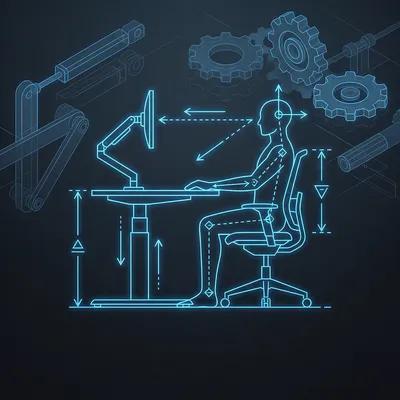
Oh, now we are talking my language. The Command Center aesthetic. It is not just about looking cool, although it definitely does. It is about the optimization of the human-machine interface. When you move from a static stand to gas-articulated arms, you are not just moving your screens; you are changing how your body interacts with information. We are talking about reducing cervical spine strain and optimizing the focal distance for the human eye.
Right, because right now, if he wants to adjust his posture, the screens stay put. He has to adjust to the screens. If he slumps, he is looking at the top of the bezel. If he sits up straight, he is looking down. The upgrade to articulating arms means the screens can finally adjust to him. But let us go back to that recommendation. Why three single arms instead of one triple arm? If I am Daniel, and I want a clean desk, one pole with three arms sounds much better than three separate poles taking up space.
It sounds better on paper, but the reality of a triple-arm mount is the struggle with the center of gravity. Think about the torque being applied to that single mounting point on the edge of your desk. You have three monitors, let us say they weigh twelve pounds each. That is thirty-six pounds of monitor, plus another fifteen to twenty pounds for the heavy-duty steel arms themselves. You are looking at over fifty pounds of leverage pulling on a small piece of particle board or wood. Over time, that single pole starts to lean. It is physics, Corn. The moment of force is working against you.
Ah, the dreaded desk sag. I have seen that. You end up with the outer monitors dipping down because the arm is slightly bending under the weight, or the desk itself is compressing. It looks like the monitors are sad.
Exactly. And the second issue is micro-adjustments. On a triple-arm mount, the arms are often linked to a central hub. If you move the left monitor to get the angle just right, it can sometimes shift the tension for the whole array. It is like trying to level a three-legged stool on an uneven floor. With three individual mounts, you have total isolation. You can position that center monitor perfectly, lock it in, and then bring the side monitors in to meet the bezels with surgical precision. If you want a slight curve, you just move the bases an inch further apart.
That makes sense. It is about granular control. If one arm has a slight manufacturing defect or the gas spring is a little tighter than the others, it does not ruin the alignment of the other two. But let us talk about those gas levers. Daniel mentioned articulating gas levers specifically. For the uninitiated, how do those actually work compared to a traditional spring-arm?
It is a fascinating bit of engineering. A traditional mechanical spring arm uses a heavy-duty coil spring. The problem with those is that the tension changes as the spring compresses or extends. A gas spring mount, however, uses a cylinder filled with high-pressure nitrogen gas. When you push the monitor down, you are compressing that gas. When you lift it up, the gas expands. The goal is to reach a state of perfect counterbalance where the weight of the monitor exactly matches the upward pressure of the gas. When you hit that sweet spot, the monitor feels weightless. You can move it with one finger, and it just stays exactly where you leave it. It is what companies like Ergotron call Constant Force technology.
It feels like magic when it is calibrated correctly. But I have noticed that if your monitor is too light, the arm just shoots up like a catapult. I once saw a guy unbox a new monitor, take the old one off the arm, and the arm nearly took his chin off because the tension was set for a twenty-pound display and he was holding nothing.
Precisely. That is why you have to check the weight range. Most high-end arms like the ones from Ergotron, Humanscale, or even the high-end Dell ones are designed for a specific weight bracket. If Daniel is still using those older twenty-one-inch A-O-C monitors, they might actually be lighter than modern high-performance displays because they lack some of the heavy heat-sinking or internal power supplies of modern high-refresh-rate panels. Or, they might be heavier because they use older, thicker plastics. He needs to make sure the gas tension can be dialed down low enough. Usually, you are looking for a range of five to twenty pounds per arm.
Let us look at the V-E-S-A standards. Daniel mentioned he was worried that the standard might change, but it seems to have stayed remarkably stable. V-E-S-A, which stands for the Video Electronics Standards Association, really did the world a favor back in the late nineties, did they not?
They really did. The Flat Display Mounting Interface, or F-D-M-I, is what we usually just call the V-E-S-A mount. For most desktop monitors, you are looking at the seventy-five by seventy-five millimeter or one hundred by one hundred millimeter square pattern. It has been the industry standard for over twenty-five years. Even as we move through two thousand twenty-six, it is not going anywhere. The only thing that changes is the weight capacity and the screw size for much larger displays, like the two hundred by two hundred patterns you see on televisions.
So Daniel does not have to worry about his new mounts becoming obsolete if he eventually replaces his monitors. That is good to know. But he also brought up this world of high-end control center hardware. He mentioned seeing setups that look like they are from a N-A-S-A control room, where they do not even use standard V-E-S-A arms. They use what looks like industrial piping. What is going on there?
Yes! That is the professional grade strata of workstation design. If you look at companies like Evans Consoles, Winsted, or S-B-F-I, they do not build desks; they build mission-critical environments. They use a rail-based system often called a Slatwall or a Slatrail. Instead of clamping an arm to the edge of the desk, you have a heavy-duty horizontal aluminum rail that runs the entire length of the workstation. This rail is often integrated into the desk's structural frame.
And the monitor arms slide along that rail?
Exactly. It provides incredible lateral flexibility. You can slide the monitors left or right without having to unclamp anything. And because the rail is often bolted directly to the steel frame of the console, there is zero wobble. It is incredibly rigid. That piping Daniel saw is likely part of a modular system like T-slot aluminum, which is often called eighty-twenty. It is used in industrial automation, but enthusiasts have started using it for sim-racing rigs and high-end workstations because it is infinitely configurable. You can bolt anything to it—cameras, lights, microphones, cup holders—you name it.
It sounds like the ultimate D-I-Y solution for someone who wants that command center feel. You could basically build a cage of monitors around yourself. But for a home office, is that overkill? Or is there a middle ground between a thirty-dollar Amazon mount and a five-thousand-dollar N-A-S-A console?
There is a very healthy middle ground. If Daniel wants to move toward that command center feel without bolting steel beams to his floor, he should look at heavy-duty pole-and-rail systems from brands like Chief or Atdec. There are manufacturers that offer a single heavy-duty pole that supports a horizontal crossbar. You mount your three monitors to that crossbar. It gives you that clean, floating look, but you lose some of the individual articulation.
See, that is where I think the three-arm recommendation wins. If you use a crossbar, your monitors are locked into a specific radius. If you want to pull just the center monitor closer to your face for some detail work or a gaming session, you cannot do it without moving the whole array. And if you are doing a lot of reading, you might want that center screen closer than the side ones.
That is a great point, Corn. Ergonomics is not just about where the screens sit; it is about how often you can change their position. Static posture is the enemy. The best thing you can do for your neck and back is to change your focal distance and your viewing angle throughout the day. With three independent gas arms, Daniel could have a productivity mode where they are all lined up in a tight arc, and then a focus mode where he pulls the center one forward and pushes the side ones back. He could even rotate one to portrait mode for coding or reading long documents without affecting the others.
I want to touch on something Daniel mentioned about his back and neck hurting when he uses a laptop. That is the classic laptop hunch. When the screen is attached to the keyboard, one of them is always at the wrong height. Either your wrists are too high or your neck is angled down. It is a geometric impossibility to have both correct on a standard laptop.
It is the ergonomic trap of the twenty-first century. The top of your monitor should generally be at or slightly below eye level so that you are looking slightly downward, which is more natural for the eyes. But with a laptop, you are looking down at a thirty or forty-degree angle. Over hours and days, that puts an incredible amount of strain on the cervical spine—the upper part of your neck. Moving to an articulating array means Daniel can finally bring the information to his eyes, rather than bringing his eyes to the information. He can sit back in his chair, head against the headrest, and pull the screens to the exact point where his eyes naturally land.
So, if we are looking at the high-end hardware, what are some of the features that distinguish a professional-grade mount from the stuff you find at a big-box store? I am thinking about things like cable management, rotation, and tilt tension. Because if you have three monitors, you have a lot of wires.
Cable management is the biggest differentiator. On a triple-monitor setup, you have at least six cables—three power and three display cables—running off your desk. Cheap arms just give you some plastic clips that eventually snap off. High-end arms, like the Ergotron L-X or the Humanscale M-eight, have integrated channels where the cables are completely hidden inside the arm itself. They use flexible gaskets so the cables can move as the arm moves. It makes the whole setup look like it is floating. No "spaghetti monster" hanging off the back of the desk.
And what about the actual movement? I have used cheap arms where the tilt is either so loose the monitor flops forward, or so tight you feel like you are going to snap the plastic trying to adjust it.
That is all about the quality of the friction joints. High-end mounts use needle bearings or high-quality washers that provide consistent resistance throughout the entire range of motion. You want what is called a constant force mechanism. Whether the monitor is at the top of its range or the bottom, the amount of effort required to move it should be the same. Also, look for "hard stops." A good mount will let you lock the rotation so you do not accidentally tilt your monitor five degrees off-axis when you are just trying to push it back.
You know, we have been talking about three monitors, but I have noticed a trend lately where people are ditching the triple array for one massive ultra-wide monitor. Sometimes a forty-nine-inch or even a fifty-seven-inch curved display. How does that change the mounting equation? Because I imagine those things are heavy.
It changes it significantly because of the weight and the curve. A fifty-seven-inch ultra-wide, like the Samsung Odyssey Neo G-nine, puts a massive amount of forward torque on a mount. Most standard gas arms will literally just fold under the weight of one of those monsters. You need specialized heavy-duty mounts, like the Ergotron H-X with the heavy-duty tilt pivot. That pivot alone costs as much as a cheap monitor because it has to handle the leverage of a screen that wide. But there is a trade-off. With one big screen, you lose the physical borders. Some people find that those borders, the bezels, actually help them mentally categorize their work.
I am one of those people. I like having my primary task in the center and my auxiliary tasks—like Slack or a terminal—on the side screens. It creates a physical boundary for my attention. If I have one giant canvas, I find myself constantly fiddling with window management software to get things lined up. There is something satisfying about "snapping" a window to a physical screen.
And that brings us back to Daniel's situation. He has been using three screens for ten years. His brain is wired for that three-sector workflow. If he sticks with three monitors but moves to articulating arms, he is getting the best of both worlds. He keeps his established workflow but gains the physical freedom to move those sectors around. He could even stack them! He could have two on the bottom and one on top, which is a very popular configuration for streamers and researchers.
Let us talk about the desk itself. If he goes with three individual mounts, he needs to think about where those clamps are going to go. If he has a desk with a backboard or a privacy screen, he might not be able to use a standard C-clamp. And three clamps take up a lot of real estate on the back edge.
That is where grommet mounting comes in. Most high-end arms give you the option to bolt the arm through a hole in the desk. Most office desks have those plastic-capped holes for cables—those are grommets. You can remove the cap and bolt the monitor arm directly through that hole. It is a much cleaner look and it is significantly more stable because the force is being applied vertically through the desk rather than pinching the edge. If Daniel is willing to drill three small holes in his desk, he can position those arms exactly where they need to be to maximize the reach and the range of motion.
What about the command center clocks and the aesthetics Daniel mentioned? He talked about the N-A-S-A control room vibe. There is a whole subculture of people who use things like V-F-D displays—Vacuum Fluorescent Displays—or Nixie tubes to complement their monitor arrays. It adds to that "mission control" feeling.
Oh, the secondary hardware! That is the secret sauce of a great workstation. In a real control center, you often have overhead displays or smaller status monitors tucked under the main array. Daniel could actually use his old A-O-C monitors as secondary status displays if he gets a mount that allows for a stacked configuration. Imagine two of his new monitors side-by-side and one of the old ones mounted vertically or stacked on top for things like system monitoring, a dedicated music player, or a weather station.
That is a great way to upcycle the old tech. But it does make the mounting even more complex. You start needing poles with different heights.
It does, but that is the beauty of the modular systems. If you go with a brand like Humanscale or Ergotron, they have a consistent ecosystem. You can buy a taller pole later and just slide your existing arm onto it. You can add a laptop tray or a tablet holder to the same pole. It is like Legos for adults who spend too much time at their desks.
I want to go back to the physics for a second. We talked about torque and desk sag. Is there a limit to how far these gas arms can reach? If Daniel has a deep desk, say thirty inches deep, can he actually bring those monitors all the way to the front edge?
Most high-end articulating arms have a reach of about twenty to twenty-four inches. But here is the trick: the further you extend the arm, the more leverage you are applying to the base. It is a simple lever arm calculation. If you have a fifteen-pound monitor extended twenty inches out, you are exerting a lot more force on that desk clamp than if it is tucked back. This is another reason why the three-separate-mounts advice is so good. By spreading the load across three different points on the desk, you are significantly reducing the risk of damaging the desk surface. If you had all three on one pole and extended them all forward, you might actually flip the desk over if it is not heavy enough!
That would be a disastrous "mission failure." Now, what about the actual monitors? If he is upgrading his mounts, should he be looking at the monitors themselves? He mentioned they have survived ten years, which is incredible, but the technology has moved on. We are in two thousand twenty-six; those old A-O-C panels are probably ten-eighty-p with sixty-hertz refresh rates.
It really has moved on. If he is used to twenty-one-inch screens, moving to twenty-seven-inch monitors with fourteen-forty-p resolution would be a massive productivity boost. He would go from about six million pixels across three screens to nearly eleven million. That is almost double the digital real estate. But that also means more weight. A modern twenty-seven-inch monitor is surprisingly light—usually around eight to ten pounds without the stand—but if he goes for something with a high refresh rate or an O-L-E-D panel, the mounting requirements stay about the same. The key is to check the V-E-S-A compatibility. Some O-L-E-D monitors have very thin backs and require a special adapter bracket.
I think there is also something to be said for the psychological impact of a clean, organized space. Daniel mentioned his back and neck, but I bet there is a level of mental fatigue that comes from a cluttered or static workspace. When you can just push your screens away at the end of the day to reclaim your desk space, it creates a nice boundary between work and life.
Absolutely. That is the "park-ability" of articulating arms. If you need to do some paperwork, build a Lego set, or just want a clean surface to eat lunch, you can just push the monitors back and they are gone. A static mount is always in your way. It is a permanent wall between you and the rest of your desk. For a home office, that flexibility is a game-changer for mental health.
So, if we were to give Daniel a roadmap for this upgrade, where does he start? He is looking at these high-end options, he has the recommendation for three single arms. What is the first move?
Step one is to measure the desk thickness and material. This is crucial. If it is a hollow-core desk, like those cheap ones with a cardboard honeycomb interior, he absolutely cannot use a clamp mount for three monitors. It will crush the desk like an eggshell. He would need a reinforcement plate—which is just a big piece of steel that spreads the load—or a different desk entirely. Solid wood or high-grade plywood is best.
Good point. A lot of people forget that the desk is the foundation of the whole system. You do not build a skyscraper on a swamp.
Step two is to decide on the layout. Does he want a flat array, or does he want that tactical command center curve? If he wants the curve, he needs to make sure the arms have enough length to allow the side monitors to angle in without hitting each other. He should look for "dual-link" arms that have two segments, giving them more "elbow" room to fold.
And step three would be the cable management. If he is going to do this, he should do it right. Get longer cables than he thinks he needs. Articulating arms require slack. If your cables are too short, you will rip the ports right out of your G-P-U when you try to move the monitor.
Oh, I have seen that happen. It is a heartbreaking sound. You need to loop the cables at the joints to ensure there is enough play for the full range of motion. I recommend ten-foot cables even if the computer is right under the desk. And honestly, I would suggest he looks into some of those high-end control center accessories he mentioned. A dedicated macro pad like an Elgato Stream Deck or a high-quality desk clock can really tie that command center aesthetic together. Maybe some bias lighting—L-E-D strips on the back of the monitors—to reduce eye strain in a dark room.
It is funny how we started with a simple question about monitor mounts and ended up in the realm of mission-critical console design. But it all comes back to that human-machine interface. We spend so much of our lives in front of these glowing rectangles; we might as well make the experience as ergonomic and comfortable as possible.
It is the most important tool in the modern world. We spend more time at our desks than we do in our cars or even in our beds sometimes. Investing in the hardware that holds your windows to the digital world is just as important as the computer itself. If you spend five hundred dollars on a G-P-U but hold your monitors up with a stack of books, your priorities are skewed.
I agree. And I think Daniel is going to love the freedom of those gas levers. Once you go articulating, you can never go back to a static stand. It is like moving from a wooden stool to a high-end ergonomic chair. You do not realize how much you were suffering until the pain stops.
Well said. And hey, if those A-O-C monitors really do last another ten years, he is going to be the most efficient user in the house. He will be the only one who can still work when the "Great Monitor Shortage of twenty-thirty" hits.
Probably. We will have to see if he actually goes for the three-mount setup. It is a bold move, but I think the logic holds up. The flexibility and the weight distribution are just too good to ignore. Plus, it looks much more "industrial" to have three separate bases.
I am looking forward to seeing the final result. Maybe we can convince him to get some of those military-grade toggle switches for his desk lamp just to complete the look. You know, the ones with the red safety covers.
That would be amazing. A full-on launch sequence just to check his email. "Toggle one, active. Toggle two, active. We are go for Outlook."
Why not? If you are going to have a command center, you might as well command something. Even if it is just a spreadsheet.
Exactly. Well, this has been a great dive into the world of V-E-S-A and gas springs. I think we have covered the bases for Daniel's upgrade path. From the physics of torque to the aesthetics of N-A-S-A, he should be well-equipped to make a decision.
It was a blast. I always enjoy geeking out over the physical side of our digital lives. It is easy to forget that all those pixels are being held up by actual metal and gas.
Before we wrap up, I just want to say to everyone listening—if you have been enjoying the show, we would really appreciate it if you could leave us a review on your favorite podcast app. It really helps other people find the show and keeps us motivated to keep digging into these weird prompts.
Yeah, it genuinely makes a huge difference for us. We love seeing the feedback and hearing what you all think about these deep dives. If you have a weird setup or a mounting nightmare story, let us know!
You can find all of our past episodes and a way to get in touch with us at our website, myweirdprompts dot com. We are also available on Spotify and pretty much everywhere else you get your podcasts.
Thanks for joining us today. This has been My Weird Prompts.
We will catch you in the next one. Goodbye!
Goodbye everyone!