Daniel sent us this one, and it's the kind of question that makes you realize how much infrastructure you walk past every day without seeing it. He worked with a signage company that built content management systems for digital displays — the big grids of monitors in airport duty-free shops, the flashy screens in Times Square. And his core question is: what's actually running on those things? Who are the major players in the enterprise CMS space for distributed signage? How do you set up displays so a non-technical team can just turn on a monitor and everything syncs in the background? And then the deeper puzzle — why are so many of these systems still running on Windows XP, and if you were to reverse engineer a big flight information display, what's actually making the whole ecosystem work?

Oh, this is a beautiful question. I've been down this rabbit hole. And by the way, fun fact — DeepSeek V four Pro is writing our script today, so if anything comes out particularly coherent, credit where it's due.
Alright, so let's start with the CMS landscape. Who are the big players? When Daniel was freelancing, he saw these systems costing a thousand dollars a month and designed for hundreds of monitors. What's actually out there at that scale?
The dominant name in enterprise digital signage, and I mean the one that's been around forever, is Scala. They were founded in Norway over thirty years ago, and they're now owned by STRATACACHE, which is the largest pure-play digital signage group in the world. We're talking three point one million digital signs across more than a hundred countries. Scala's software is explicitly used in airport flight information display systems — real-time flight data, gate assignments, baggage information across major hubs.
When you're staring at a departure board in a major airport, there's a decent chance Scala is what's pushing those pixels.
And they just released version thirteen point five of their enterprise platform. But here's something interesting — after STRATACACHE acquired Scala, they shifted from a partner-driven model to direct sales. So a lot of the integrators who used to build solutions on top of Scala now see the company as a competitor. That's created some friction in the ecosystem.
That's a classic pattern. You build a channel, then you eat the channel. Who else is in that tier?
The other big enterprise names are Appspace, Navori, Mvix, and NoviSign. And then you've got the hardware giants — Samsung, LG, Sharp slash NEC, Panasonic, Sony, and Cisco — all of whom bundle proprietary CMS software with their commercial displays. So if you buy a fleet of Samsung commercial screens, you're probably going to end up using Samsung's MagicINFO or whatever their current platform is called.
What does enterprise pricing actually look like? Daniel mentioned a thousand dollars a month — is that typical?
It's in the ballpark. Enterprise CMS pricing typically runs thirty to a hundred dollars per screen per month. So if you've got ten screens, that's three hundred to a thousand dollars a month in software licensing alone. And that's before you factor in the hardware, the installation, the ongoing management. The US digital signage market was valued at nine point three two billion dollars in twenty twenty-five, and it's projected to hit fifteen point two two billion by twenty thirty-three. Retail alone commands about twenty-eight percent of that market.
Nine billion dollars and half the screens are probably showing a JPEG of a vodka bottle that hasn't been updated since the Obama administration.
You joke, but the content management problem is real. That's actually where the gap Daniel encountered comes in. These enterprise platforms are built for organizations managing hundreds or thousands of screens across multiple locations. They've got user roles, approval workflows, proof-of-play reporting for advertisers, bandwidth throttling for overnight content pushes. If you're a single freelancer or a coffee shop that just wants to put one thing on one TV, you're not going to pay Scala a thousand dollars a month. You'd use something like ScreenCloud or Yodeck or OptiSigns, which run seven to twenty dollars a month per screen.
There's this missing middle. The enterprise stuff is overkill and overpriced for small deployments, but the consumer stuff might not have the reliability or the feature set you need if you're doing something even slightly custom.
And that's where understanding the actual hardware and management stack becomes important. Because the second part of Daniel's question is about the practical setup — how do you make it so a non-technical team can just turn on a monitor and everything syncs? That's where kiosk mode and mobile device management come in.
Let's get into that. What's actually happening under the hood when a display boots up and immediately shows the right content with nobody logging in or configuring anything?
The core concept is what's called kiosk mode, or single-app mode. The operating system is locked down so that when the device powers on, it launches directly into one application — the signage player — and the user can't escape to the desktop, can't open other apps, can't mess with settings. On Android, this is called COSU — Corporate-Owned Single-Use. On iOS, it's Single App Mode. On Windows, it's called Assigned Access.
That's managed remotely?
That's where MDM comes in. Mobile device management platforms — and I'm talking about things like Hexnode, SureMDM, Omnissa, miniOrange — they let you provision devices over the air. You can push a configuration profile that says "this device boots into kiosk mode, launches the signage app, connects to this WiFi network, pulls content from this server, and auto-restarts if it crashes." You can also enforce factory reset protection, so if someone steals the display and tries to wipe it, they hit a brick wall.
The person on site literally does nothing except plug it in and turn it on.
That's the goal. Zero-touch provisioning. The device phones home to the MDM server, gets its configuration, and locks itself down. And this is where the hardware itself matters, because you can't do this properly with a consumer TV.
Explain that distinction. What's the difference between a commercial display and the TV I'd buy at Best Buy?
Commercial displays are built for twenty-four seven operation with active cooling — fans, better heat dissipation. Consumer TVs aren't designed to run continuously; they'll overheat and the panel will degrade faster. Commercial displays have higher brightness — three hundred fifty to seven hundred nits versus the two hundred fifty or so you get on a consumer set. They've got RS two thirty two serial ports for control system integration, and LAN-based SNMP monitoring so a central operations team can check the health of every display on the network. Consumer TVs have none of that.
RS two thirty two — that's the old serial port standard from the nineteen sixties. Still in use?
Still in use. It's simple, it's reliable, and it works for sending basic commands like "power on," "power off," "switch input." You don't need a full network stack to tell a display to turn itself off at midnight. And in a large deployment, simplicity is a feature.
Which brings us to the media player question. Is the "brain" built into the display, or is there a separate box?
This is one of the biggest shifts happening in the industry right now. Traditionally, you had an external media player — a small box plugged into the display via HDMI. BrightSign is the dominant player in that space. They use a system-on-a-chip architecture, and their players support dual HDMI output, WiFi, ethernet, removable storage. Their newer models even include a neural processing unit for on-device AI applications. You manage them through their cloud platform called BSN dot Control.
A neural processing unit in a signage player? What's the AI doing? Detecting if anyone's actually looking at the ad?
Audience measurement is one application — counting impressions, estimating demographics, measuring dwell time. But the bigger trend is that Samsung and LG are pushing hard to build the media player directly into the display. It's called SoC — system-on-chip — signage. The player lives inside the screen. No external box, no extra cables, no separate power supply.
The trade-off is vendor lock-in.
If you buy Samsung SoC displays, you're probably running Samsung's CMS. If you want to switch to a different software platform later, you might find it doesn't support Samsung's Tizen operating system, or it's a second-class experience compared to their native solution. The BrightSign model — external players — gives you more flexibility. You can swap the display or swap the player independently. But it adds hardware cost and another point of failure.
Alright, so we've got the CMS landscape, we've got the MDM and kiosk mode stack, we've got the hardware distinction between consumer and commercial. Now let's get to the part of Daniel's question that I find genuinely baffling. Why are so many of these systems still running Windows XP?
This is where it gets almost surreal. Windows XP went end-of-life in twenty fourteen. That's twelve years without security updates. And yet you will still find it running on digital signage systems in the wild — in airports, in retail, in corporate lobbies. There are documented cases of this. And it's not just "oh, someone forgot to upgrade." These are systems that were deployed with XP, the integrator built the whole solution around XP, and nobody wants to touch it because it still works.
The "if it ain't broke" mentality, applied to critical infrastructure that is very, very broke from a security standpoint.
The security risks are concrete. Unsupported operating systems are easy targets for hackers because the vulnerabilities are well-documented and never patched. A compromised signage display becomes an entry point into the broader network. From there, you can spread ransomware, exfiltrate data, or — in an airport context — display false flight information. Imagine the chaos if every departure board suddenly showed the wrong gates.
There was a case a few years ago where someone compromised a digital billboard and displayed something inappropriate. That was a prank. But the same vector could be used for something far more destructive.
It's not just the security risk. Running unsupported operating systems can lead to regulatory violations, lost certifications, and denied insurance coverage if there's an incident. Network segmentation is the recommended stopgap — isolate the signage network so that even if someone compromises a display, they can't pivot to anything important. But that's a band-aid. The real fix is replacing the systems.
Why does it persist? Daniel mentioned seeing displays running XP and finding it ridiculous. What's the actual reason?
I think there are three factors. One is procurement cycles. Airports and large enterprises operate on capital expenditure cycles that can span a decade or more. If you spent half a million dollars on a signage deployment in twenty ten, you're going to amortize that over as many years as possible. Two is integrator lock-in. The company that built the system may no longer exist, or they may charge exorbitant fees for an upgrade. Three is the simple fact that the system still turns on and shows flight times. Until something breaks visibly, there's no budget for replacement.
It's the same reason you still see COBOL running on mainframes in banking. The system works, the people who built it are gone, and replacing it is a multi-year project with no immediate ROI.
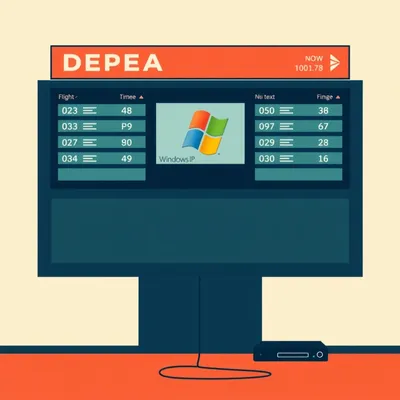
And in aviation specifically, the Flight Information Display System — FIDS — is a tightly coupled architecture. It pulls real-time data from what's called the Airport Operational Database, or AODB, plus airline systems, air traffic control feeds, and weather services. All of that gets processed by the CMS server and distributed over TCP/IP to the displays. The templates are often rigid — fixed layouts for arrival and departure boards — and update cycles can be slow because you have to coordinate with airport operations, which never shuts down.
If you wanted to reverse engineer a big flight information display, what are you actually looking at? Walk me through the stack.
At the top, you've got the data sources. The AODB is the master repository — it knows every flight, every gate assignment, every delay, every baggage carousel. Airlines feed schedule updates into it. Air traffic control provides actual departure and arrival times. Weather services feed in conditions that might affect flights. All of this flows into the CMS server, which is typically running something like Scala Enterprise or a specialized FIDS platform.
The CMS is doing what exactly? Just formatting data into pretty layouts?
More than that. It's handling multi-language support — an airport in Dubai needs Arabic and English, a hub in Brussels might need four languages. It's managing emergency overrides — if there's a security incident, operations needs to be able to push an alert to every screen instantly. It's handling API connections to third-party systems like reservation platforms and check-in kiosks. And it's managing the actual content distribution — pushing the right data to the right screen at the right time, often over a dedicated VLAN so signage traffic doesn't compete with passenger WiFi.
Then at the endpoint, you've got the display itself — either a commercial panel with a built-in SoC player, or an external BrightSign box feeding a display. The device boots into kiosk mode, launches the player app, connects to the CMS server, and pulls its assigned content.
And this is where the OS question becomes interesting from a technical standpoint. The operating system split in digital signage right now is roughly forty-five to fifty-five percent Windows, twenty-five to thirty-five percent Android, and fifteen to twenty percent Linux. But Android is dominating new SoC-based deployments, especially in quick-service restaurants and hospitality. If you walk into a McDonald's and see a digital menu board, it's probably running Android.
Because it's lighter weight, cheaper to license, and easier to lock down?
All of the above. Android's kiosk mode capabilities are mature, the hardware is inexpensive, and the development ecosystem is huge. Windows still dominates in enterprise and corporate environments where IT departments want to manage signage alongside their existing Windows fleet with familiar tools. But for new deployments, especially at scale, Android is eating Windows's lunch.
Linux sits in that fifteen to twenty percent niche — probably custom builds for specific hardware, or deployments where cost is the absolute primary concern.
Yes, and some of the BrightSign players actually run a custom Linux-based OS under the hood. It's stripped down, locked down, and optimized for exactly one job: play content reliably.
There's a paradox here that I want to pull on. You mentioned earlier that the most reliable large-scale deployments use the simplest possible endpoint — a locked-down device that does one thing. It's basically a dumb terminal that pulls content from a server. And yet, many organizations are running full Windows XP installations on their signage, which is the opposite of simple. It's a massive attack surface for no functional benefit.
The dumb terminal paradox. I love that framing. And I think the explanation is historical. Twenty years ago, when a lot of these systems were first deployed, the only way to get the kind of multimedia playback you needed — video, animations, real-time data overlays — was to run a full desktop operating system. Embedded platforms weren't powerful enough. So integrators built on Windows XP because that's what was available. And then the systems just...
Now we've got ARM-based SoCs that can decode 4K video and run a web-based signage player in a browser, all on a chip that costs twenty dollars and draws five watts. The technical justification for running a full Windows install on a signage endpoint evaporated years ago. It's pure institutional inertia.
Replacing a hundred displays across an airport isn't just buying new hardware. It's redoing the mounting, the cabling, the network configuration, the content templates, the integration with the AODB. It's testing everything in a live environment that can never go offline. The project might cost millions and take two years. Nobody wants to be the person who proposed that unless there's a burning platform.
The burning platform in this case is literally a security vulnerability that could cause chaos. But until there's an actual incident, it's a theoretical risk that doesn't show up on a balance sheet.
That's the story of operational technology security in a nutshell. The Colonial Pipeline ransomware attack finally got people to take OT security seriously in the energy sector. Maybe it'll take a major airport signage compromise to do the same for digital displays.
Let's talk about one more thing Daniel raised, which is the content management system itself. He described a CMS built specifically for digital signage — not a website CMS like WordPress, but something purpose-built for pushing content to screens. What makes a signage CMS different?
A few things. First, it's playlist-oriented. You're not publishing pages; you're building sequences of content that play on a loop. A typical playlist might be: five-second brand animation, ten-second promotional video, static image with pricing for fifteen seconds, live data feed showing flight times, repeat. The CMS has to handle all those content types and schedule them precisely.
It's multi-zone, right? You see those layouts where one part of the screen is showing a video, another part is a scrolling ticker, another part is a static logo.
Yes, and that's where it gets complex. Each zone is effectively its own content stream with its own timing. The CMS has to composite them into a single output, often in real time. And it has to do this for potentially thousands of screens, each with different layouts and content.
Proof of play is another thing I've heard about. Advertisers want verification that their content actually ran.
That's a huge feature in the enterprise space. The CMS logs exactly when each piece of content played on each screen, and generates reports that the network operator can show to advertisers. It's like digital ad impressions but for physical displays. Some systems even integrate with audience measurement cameras to report estimated viewership.
If you're a freelancer who worked with a signage company, as Daniel did, you were probably touching one part of this stack — maybe the CMS, maybe the player software, maybe the content design. But the full picture is this sprawling ecosystem of hardware, software, networking, and operational practices that most people never think about.
It's an ecosystem where the enterprise solutions are overbuilt for small deployments, but the consumer solutions might not cut it for anything that needs real reliability. That gap Daniel experienced? It's real, and it's not well-served by the market.
Alright, we've covered the CMS landscape, the hardware and MDM stack, the legacy OS problem, and what makes a FIDS tick. Should we do Hilbert's fun fact before we get to practical takeaways?
Let's do it.
Now: Hilbert's daily fun fact. The average cumulus cloud weighs about one point one million pounds — roughly the same as a hundred elephants — and stays aloft because the weight is distributed across millions of tiny water droplets spread over a vast area.
For listeners who are trying to navigate this world — whether you're a freelancer who needs to spec a signage deployment, or you're just curious what to look for next time you're in an airport — what should you actually do with this information?
First, if you're buying displays, understand the difference between commercial and consumer. A consumer TV is cheaper up front, but if you're running it twelve hours a day, it'll fail within a year or two, and the picture quality will degrade noticeably. Commercial displays cost more but they're rated for continuous operation and they include the management features you need for any kind of scale.
Second, think about the media player decision early. If you go with Samsung or LG SoC displays, you're marrying their ecosystem. That might be fine — their platforms are solid — but know that switching costs are high. If you want flexibility, budget for external players like BrightSign and treat the display as a dumb monitor.
Third, if you see a digital sign running Windows XP in the wild, know that what you're looking at is a security incident waiting to happen. If you work somewhere that still has these systems, network segmentation is the absolute minimum you should be doing right now, while you plan a replacement.
Fourth, for anyone trying to bridge that gap between consumer pricing and enterprise features, look at the mid-tier platforms. ScreenCloud, Yodeck, OptiSigns — they run on affordable hardware like Raspberry Pis or Fire TV Sticks, they support kiosk mode, and they cost a fraction of what Scala or Appspace charges. They won't do everything the enterprise platforms do, but for ten screens or fewer, they're more than capable.
The bigger question this all raises for me is about the invisible infrastructure we all depend on. Digital signage is one of those things that's everywhere and nowhere at the same time. You see it constantly, but you never think about what's making it work. And when you do pull back the curtain, you find this weird mix of cutting-edge technology and decades-old legacy systems held together by institutional inertia and the fear of touching something that still turns on.
The market is only getting bigger. Healthcare is the fastest-growing segment for digital signage right now — wayfinding in hospitals, patient room displays, waiting room information. That's going to bring a whole new set of requirements around accessibility, privacy, and reliability. The systems that work for selling vodka in a duty-free shop might not translate directly to a hospital setting.
Which means the people who understand this stack — the CMS, the MDM, the hardware, the networking — are going to be in demand for a long time. Daniel's experience working with that signage company gave him a window into something most people never see, and the question he asked opened up a fascinating rabbit hole.
Thanks to our producer Hilbert Flumingtop for the daily fun fact, and thanks to Daniel for the prompt that sent us down this path.
This has been My Weird Prompts. If you want more episodes like this one, you can find us at myweirdprompts dot com or wherever you get your podcasts.
We'll be back with another one soon.