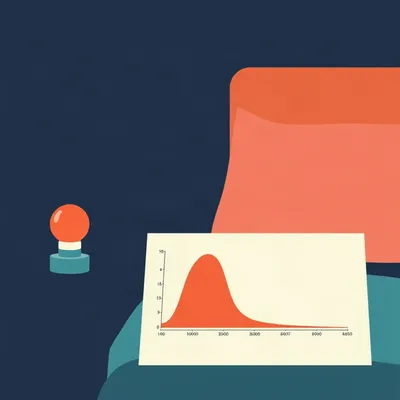
Daniel sent us this one, and it's got layers. He and Hannah have been tinkering with circadian lighting in their home, using Home Assistant. The basic idea: lights that shift color temperature and brightness across the day. They tried a red-light-only nighttime mode — turn on any light after ten thirty, it's red, then it releases at seven a.Problem was, it was too rigid. Hannah had a smarter idea. Instead of a hard cutoff, you'd have a gradient that starts ramping down after sunset, getting progressively warmer and dimmer toward midnight, with the really sleep-friendly settings only kicking in around eleven or so. Daniel wants to know: how do you automate that gradient without making it absurdly complex, without defining every single light individually, and how do you handle overrides — like, say, a red alert at three a.that needs all lights at full blast immediately?

Oh, this is a great prompt. And Hannah's gradient intuition is exactly where the science points. Before we get into the automation mechanics, there's something worth flagging. Most people think the goal is just "warmer light at night," but the actual biological mechanism is more specific. The intrinsically photosensitive retinal ganglion cells — I promise I won't say that phrase again — the cells in your eye that drive circadian rhythm, they peak in sensitivity around four hundred eighty nanometers. That's the blue-green boundary. So it's not just about color temperature. A warm white LED can still have enough energy in that band to suppress melatonin.
You're telling me those "night mode" settings on phones that just tint everything orange might not be doing what people think.
There was a study out of the University of Manchester a few years back that found warm-yellow light suppressed melatonin more than cool-white light of equal brightness in mice. The variable that mattered more was brightness. Melanopic lux — that's the metric that maps directly to circadian impact. So the gradient Daniel and Hannah want isn't just a color temperature ramp. It needs to manage intensity too.
Which actually lines up with what Hannah proposed — she said "maximum minimal intensity" for the before-bed setting, and that's exactly the right instinct. Warmth plus dimness. So let's talk about how you actually build this. And by the way, today's episode is powered by DeepSeek V four Pro.
Ooh, fresh model.
Let's get into the weeds. Daniel's core problem: he doesn't want to define every single light. He wants a system where, if he turns on any light in the house, it automatically picks up the right color temperature and brightness for that time of day, and if he adds a new light, it just works. That's a Home Assistant architecture question, not a lighting question.
It is, and there's an integration that solves almost exactly this. It's called Adaptive Lighting. It was originally a custom component through HACS — Home Assistant Community Store — but it's been so widely adopted that it's practically a standard at this point. The GitHub repository has over three thousand stars, and it's actively maintained. The core idea is that you define a profile — minimum and maximum color temperature, minimum and maximum brightness — and then you set a sunrise time and a sunset time, or you let it pull from the sun integration. It then interpolates between those values across the day.
That's the key word. It's doing the gradient math for you.
You tell it: at sunrise, I want lights at five thousand Kelvin and a hundred percent brightness. At sunset, I want three thousand Kelvin and sixty percent brightness. At midnight, I want two thousand Kelvin and one percent brightness. And it calculates a smooth curve between those points. Every light in the group you've defined, or every light in the house if you want, follows that curve. When you turn on a light, Adaptive Lighting checks the current time, looks up where you should be on the curve, and applies it.
This handles the "new light" problem? If Daniel buys another smart bulb and plugs it in?
If he sets it up correctly, yes. Adaptive Lighting works on groups. You can create a group called "adaptive lights" and add every light you want to follow the circadian schedule. When you add a new light, you pop it into the group. Or you can use a wildcard approach — create an automation that applies the profile to any light entity matching a pattern, like all lights in the "light" domain that aren't explicitly excluded. That's a bit more advanced, but it's the truly hands-off approach.
The override problem? Daniel mentioned red alerts. In Israel, when there's an incoming rocket, the Home Front Command pushes alerts through an app, and Home Assistant can tap into those. He had an automation where a red alert at three a.would blast all the lights to full brightness to wake them up. But with a circadian system running, there's a conflict.
This is where Home Assistant's priority modes come in, and I'll be honest — this is the part where a lot of people get tangled up. Adaptive Lighting has a built-in mechanism for this. It's called "sleep mode." You can define a sleep entity — a boolean switch, an input boolean in Home Assistant terms — and when that switch is on, Adaptive Lighting stops adjusting lights. But that's not quite what Daniel wants. He doesn't want to stop the adjustment. He wants a different automation to temporarily override it, do its thing, and then let the circadian system resume.
Right, because in a red alert, you need instant, unconditional full brightness. Then when the alert clears, you want to go back to whatever the circadian state should be for three a.— which is probably very dim and very warm.
There are a few ways to build this. The cleanest is to use Home Assistant's trigger-based automation with mode set to "single" or "restart." Here's the logic. You create a trigger: when the red alert sensor changes to "alert." The action is: turn on all specified lights to full brightness, five thousand Kelvin. You set the automation mode to "single" so it doesn't queue up multiple runs. The critical piece is a second automation — or a second trigger in the same automation — that fires when the alert clears. That trigger calls the Adaptive Lighting service to reapply the circadian profile to all lights. Adaptive Lighting has a service called "adaptive_lighting.apply" that forces an immediate recalculation and update. So the flow is: alert fires, lights go to emergency mode, alert clears, Adaptive Lighting recalculates, lights return to circadian state.
If Adaptive Lighting was already in the middle of a transition, does "apply" handle that gracefully?
The "apply" service is essentially a reset. It reads the current time, checks the sun position, looks at the profile you've defined, and sets the lights accordingly. It doesn't care what state the lights were in before. It's stateless in that sense. So even if the red alert interrupted a slow fade from sunset to midnight, the "apply" call just jumps to the correct state for right now.
That's elegant. One service call, no complex tracking of previous states. Let's talk about what's actually in that gradient though, because I think the default assumptions people bring to this are wrong.
Daniel mentioned something interesting. He said sunset never gets as late in Israel as it does in Ireland, where he grew up. Israel's at about thirty-two degrees north. Dublin's at fifty-three. In midsummer, sunset in Dublin can be after ten p.In Jerusalem, the latest sunset is around seven forty-five. That's a huge difference in how you design the gradient. If sunset is at seven forty-five and you go to bed at eleven, you've got over three hours of post-sunset waking time. If sunset is at ten p.and you go to bed at eleven, you've got one hour. The gradient needs to compress or expand accordingly.
And it's a dimension most circadian lighting discussions miss. They talk about "after sunset" as if sunset is a fixed biological event. It's not. It's a geographical variable. The Adaptive Lighting integration handles this implicitly because it uses your actual sun position — it calls the Home Assistant sun integration, which calculates sunrise and sunset based on your latitude and longitude. So the gradient automatically stretches and compresses across the year. But the profile parameters — the color temperatures and brightness levels you assign to each sun event — those are fixed. And if you live in Jerusalem, your "midnight" target might be reached over a much longer fade than someone in Stockholm.
Daniel and Hannah would need to tune those parameters for their latitude and their sleep schedule. If they're going to bed at eleven, they might want the really dim, really warm settings to kick in around ten thirty, regardless of when sunset was. Which means the gradient isn't actually sunset-to-midnight. It's more like "sunset starts the wind-down, but the steep part of the curve is in the last hour before bed.
Adaptive Lighting supports exactly that. You can define multiple time points in the profile. It's not just sunrise and sunset. You can add a "sleep" time. You set the color temperature and brightness you want at that time, and the integration interpolates between all the points. So you could have: sunrise — five thousand Kelvin, hundred percent. Sunset — thirty-five hundred Kelvin, seventy percent. Ten thirty p.— twenty-two hundred Kelvin, ten percent. Midnight — two thousand Kelvin, one percent. The curve does the rest.
I want to zoom out for a second, because Daniel's prompt also touches on something deeper. He said "when Home Assistant doesn't drive me crazy." And his red-light-only automation was "too inflexible, so we got rid of it." There's a pattern here that I think a lot of people hit. You start with a simple rule. It works sometimes, fails other times, and the fix is always more complexity. More conditions, more exceptions, more edge cases. Eventually the automation becomes a brittle mess and you delete it.
The automation entropy problem. I've been there. I once built an event-scheduling app that stored timestamps without time zones. Every fix created two new bugs. The lesson I took from that is: the complexity has to live in the right place. If your automation logic is a tangle of if-then conditions in YAML, it's going to break. The complexity should be in a well-designed component that handles the general case, and your automations should be thin wrappers that just say "do this when that happens.
Which is exactly what Adaptive Lighting plus a simple override automation gives you. The circadian logic is in the integration. The override logic is a separate, simple trigger. They don't step on each other because they communicate through a clean interface — the "apply" service call.
Let's get concrete about the override architecture, because I think this is where Daniel was most unsure. He said "I'm never sure how to build that in Home Assistant." There are three common approaches, and two of them are wrong. Approach one: you add conditions to every single automation. If the light is turned on, check if there's a red alert. If yes, ignore the circadian setting. This is terrible because you have to remember to add that condition everywhere, and when you forget, you get a conflict.
Approach two: you create a global variable, like an input boolean called "emergency_mode," and every lighting automation checks it. This is better, but still fragile. You have to remember to check it in every automation, and you have to make sure every automation that sets lights also resets the emergency mode properly. It's centralized but not decoupled.
Approach three is?
Approach three is event-driven with a dedicated priority layer. You don't modify your circadian automations at all. They run normally, always. You create a separate automation — let's call it "emergency lighting override" — that triggers on the red alert sensor. It does two things. First, it immediately sets all lights to emergency mode — full brightness, full cool white. Second, it disables the Adaptive Lighting integration temporarily. In Home Assistant, you can call a service to turn off an integration's automation. Adaptive Lighting creates a switch entity for each profile. You can toggle it off. When the alert clears, a second automation re-enables Adaptive Lighting and calls the "apply" service. The circadian system never knew it was overridden. It just wakes up and does its job.
That's the cleanest separation. And it handles the edge case Daniel is worried about — what if the red alert happens during a circadian transition? If Adaptive Lighting was mid-fade from sunset to midnight when the alert hit, and you just force-set the lights to emergency mode, the fade might still be running in the background and could reassert itself. But if you toggle the Adaptive Lighting switch off, the transition stops. When you toggle it back on and call "apply," it jumps to the correct state for the current time. No ghost transitions.
And this pattern generalizes. You can use the same approach for any high-priority override. Movie mode — you want the lights off, not dimmed to circadian levels. Party mode — you want them bright and colorful at midnight. Medical emergency — you want everything at full brightness. Each override is a separate, self-contained automation that disables the circadian system, does its thing, and re-enables with an "apply" when done.
Let's talk about the red light specifically. Daniel mentioned they like red lighting at nighttime, even though it looks a bit strange. There's actually science behind this that goes beyond the usual "blue light bad" advice.
The melanopsin in those retinal cells I mentioned — it's almost completely insensitive to red light above about six hundred fifty nanometers. So a true red LED, peaking at say six hundred sixty nanometers, has essentially zero circadian impact. You can have it reasonably bright and it won't suppress melatonin. That's why astronomers use red flashlights — it preserves night vision, but it also preserves sleep drive.
Hannah and Daniel's instinct to use red at night is biologically sound. But the implementation — "every light turns red after ten thirty" — failed because it was too inflexible. If you're still reading at ten forty-five, red light makes that harder. If you're cleaning up after a late dinner, red light is disorienting.
This is where the gradient approach fixes it. At ten thirty, you're not at full red. You're at maybe twenty-two hundred Kelvin — a very warm amber. Still readable, still functional. By eleven thirty, you're at two thousand Kelvin with a red tint. By midnight, if you're still awake, you're at deep red and one percent brightness. The transition is gradual, so it never feels like a switch being thrown.
There's also a practical consideration Daniel didn't mention but that I think matters: not all smart bulbs can do red. If he's using Philips Hue, the color bulbs can do full red. But if he's got a mix of color and white-ambiance bulbs — the ones that only do warm-to-cool white — the gradient needs to handle that heterogeneity. You don't want half the house turning red and the other half stuck at warm white.
Adaptive Lighting handles this too. You can define separate profiles for different types of bulbs, or you can set the minimum color temperature to the lowest value your white-ambiance bulbs support — usually around two thousand Kelvin. They won't go red, but they'll go as warm as they can. The color bulbs can go further into red if you want. Or you can group them and apply different profiles. The key is that you're not writing per-bulb automation logic. You're defining per-type profiles and letting the integration apply them.
I want to go back to something Daniel said about the Home Assistant plugin he tried. He mentioned "Circadian Lighting" by name. That's actually a different integration from Adaptive Lighting, right?
Yes, and this is a common point of confusion. Circadian Lighting was one of the earlier custom components for this. It's still around, but it's less actively maintained. The last commit to its GitHub repository was a while ago. Adaptive Lighting is the spiritual successor — it does everything Circadian Lighting did, plus more configuration options, plus the sleep mode and switch entity features I mentioned. If Daniel was using Circadian Lighting before, switching to Adaptive Lighting would likely solve some of his inflexibility problems right out of the gate.
It's available through HACS?
HACS, or you can install it manually. The GitHub repository is basnijholt/adaptive-lighting. Bas Nijholt is the main developer, and he's been very responsive. The documentation is thorough. There's even a blueprint for common setups, which is exactly what Daniel was asking about — a template that handles the boilerplate so you don't have to write everything from scratch.
Let's pivot to the hotel project Daniel mentioned at the top. Hannah's working on a commercial hotel that's attuned to lighting and sensory elements. That's a fascinating scale problem. In a home, you've got maybe twenty lights and two to four people with aligned schedules. In a hotel, you've got hundreds of lights across dozens of rooms, and guests with wildly different schedules. A business traveler from New York lands in Jerusalem and wants to work until two a.A family with young kids wants lights out at eight p.The circadian system can't be building-wide.
Right, and this is where the problem inverts. In a home, you want centralized circadian control because everyone's roughly on the same schedule. In a hotel, you want per-room circadian control that's either guest-adjustable or guest-agnostic. The best hotel implementations I've seen don't try to impose a circadian schedule on the guest. Instead, they offer preset scenes — "energize," "relax," "sleep" — that map to different points on the circadian curve. The guest picks what they want. The system doesn't assume.
There's still a circadian layer behind the scenes. In the hallway, in the lobby, in the restaurant. Those public spaces follow the building's circadian schedule, which is location-aware. And the guest room resets to a default circadian state between stays.
The override problem is even more critical in a hotel. Fire alarm goes off at four a., every light in the building needs to go to full brightness, cool white, regardless of what any individual room's circadian state is. That's a building-wide priority override that has to be bulletproof. The architecture I described — event-driven overrides with a service call to reset — scales to that. You have a fire alarm trigger that fires an automation. That automation iterates over every light entity in the building and sets it to emergency mode. When the alarm clears, it calls the "apply" service on every room's Adaptive Lighting profile.
The iteration is the part that could get slow at hotel scale, though. If you've got three hundred rooms with ten lights each, that's three thousand service calls.
Home Assistant isn't the right tool for hotel-scale automation. At that scale, you're looking at commercial systems — Lutron, Crestron, KNX. But the architectural principles are the same. And for what it's worth, KNX has a circadian lighting module that works on exactly the same interpolation logic as Adaptive Lighting. The concepts translate.
Daniel and Hannah are dealing with Home Assistant at home, but Hannah's hotel project is a different beast. The thinking carries over even if the tools change.
Let me add one more thing about the science, because I think it connects back to Daniel's personal struggle. He mentioned circadian health and his "struggles with it." There's a meta-point here that doesn't get discussed enough. Circadian lighting is helpful, but it's not a cure for circadian disruption. The biggest levers are still light exposure during the day — bright light, ideally outdoor light — and darkness at night. A 2024 paper in Nature Reviews Neuroscience emphasized that daytime light exposure is the primary synchronizer of the circadian clock. Evening light management is secondary. If you're not getting enough bright light during the day, no amount of red light at night is going to fix your sleep.
The gradient is important, but it's the second half of a two-part equation. Morning and midday bright light sets the clock. Evening dimming protects it.
And that's actually something a smart home can help with on the other end. You can automate morning lights to be bright and cool, even before sunrise, to help anchor the circadian rhythm. Adaptive Lighting does this by default — it starts ramping up color temperature and brightness at sunrise. But you can also create a morning routine that's more aggressive. Five thousand Kelvin, full brightness, in the bedroom and bathroom, triggered by your alarm or a fixed time.
Daniel mentioned he's into Home Assistant and circadian health, and he's "trying to get better at that." I wonder if part of the frustration with the red-light-only automation was that it was solving the evening problem while ignoring the morning problem. A system that only dims and warms at night but doesn't brighten and cool in the morning is only doing half the job.
Adaptive Lighting does both by default, because the curve is symmetric around the sun cycle. But you can bias it. You can set a more aggressive morning ramp — faster transition to cool, bright light — and a gentler evening ramp. The profile configuration gives you that control.
Let's get back to Daniel's specific question about the gradient definition. He said "defining a gradient without it being enormously complex." What's the minimum viable configuration that gives you eighty percent of the benefit?
Three data points. Sunrise, sunset, and sleep time. That's it. You define the color temperature and brightness you want at each of those three times, and Adaptive Lighting does the rest. For most people, something like: sunrise — four thousand Kelvin, a hundred percent. Sunset — three thousand Kelvin, sixty percent. Sleep time — two thousand Kelvin, one percent. That alone will give you a smooth, natural-feeling transition across the day. You can refine from there, but that's the starting point.
The sleep time — Daniel and Hannah would set that to something like eleven p.
Or even ten thirty, if they want the really dim settings to kick in thirty minutes before they actually get into bed. The point is, it's configurable per household. It's not tied to sunset or any astronomical event. It's tied to their actual sleep schedule.
Which brings us back to the override question. If they set sleep time to ten thirty, and a red alert comes at eleven p., the lights are already in deep circadian mode — very dim, very warm. The emergency override needs to yank them out of that state instantly.
The "disable Adaptive Lighting switch plus apply" pattern handles that perfectly. But there's one more layer to the override story that Daniel hinted at. He said "if you want to turn on a light, it's automatically going to pick up the right value without you needing to define every single light." That's the adaptive part. But there's also the "I turned on this light manually" part. What happens when someone physically flips a switch? In a smart home, that's a state change that Adaptive Lighting can respond to. You can configure it to adjust lights when they're turned on — that's the default behavior. But you can also configure it to continuously adjust lights that are already on. So if you have a light on at sunset, it will gradually shift color temperature and brightness as the evening progresses.
That continuous adjustment is where a lot of people get spooked. They're sitting in the living room and the lights are slowly changing. It can feel like a ghost in the machine.
The transition speed is configurable. You can set it to be so slow — over hours — that it's imperceptible. The default transition in Adaptive Lighting is typically set to something like forty-five minutes for a full shift. That's slow enough that you don't notice it moment to moment. But over the course of an evening, you look up and realize the room feels different.
That's actually the ideal. The best automation is the one you don't notice. And that's the opposite of Daniel's red-light cutoff, which was jarring precisely because it was a hard switch.
The red-light automation failed because it was a state machine with two states — normal and red — and a hard transition between them. The gradient approach is a continuous function. No edges, no surprises.
I want to touch on one more thing Daniel mentioned. He said the red-light automation was "released" at seven a.That's a fixed time. But if sunrise varies across the year — in Jerusalem, from about five thirty a.in June to six forty a.in January — a fixed seven a.release is going to be jarring in summer when the sun's been up for ninety minutes, and possibly too late in winter when sunrise is after seven. Tying the release to sunrise, or to a time relative to sunrise, is more natural.
Adaptive Lighting does exactly that. The profile is anchored to sun events, not clock times, except for the optional sleep time override. So in summer, the morning brightening starts earlier. In winter, it starts later. Your lights track the actual day length.
Let's address the Home Assistant frustration directly. Daniel said "when Home Assistant doesn't drive me crazy" and "Home Assistant automations go from being practical to being infuriating." There's a real usability cliff in Home Assistant. The basic stuff is approachable. The moment you need conditional logic, error handling, or multi-step sequences, you're writing YAML, and YAML is not a programming language — it's a configuration format that's been stretched into a programming language.
The YAML automations can get unwieldy fast. But the Home Assistant team has been moving toward a more visual automation editor. The trigger-condition-action model is now fully graphical for most common use cases. And for the override pattern we've been describing, it's actually not that complex in YAML. The emergency override automation is maybe twenty lines. The re-enable automation is maybe ten. The complexity is in the integration, not in your automations.
There are blueprints now, right? Pre-built automation templates that you can import and configure without writing YAML from scratch.
The Home Assistant community has a blueprint exchange. You can find blueprints for "circadian lighting override" or "emergency lighting" that implement exactly the pattern we've been describing. You import the blueprint, fill in a few parameters — which lights, which trigger, which override state — and it works. Daniel mentioned he hasn't looked into this carefully enough yet. I'd say: start with Adaptive Lighting, install it through HACS, configure a basic three-point profile, and then import a blueprint for the red alert override. That's an afternoon's work, and it gets him ninety percent of the way to what Hannah described.
The remaining ten percent is tuning. Tweaking the color temperatures, adjusting the transition speed, maybe adding a manual override button in the Home Assistant dashboard for times when they want to deviate from the schedule.
The manual override is important, and it's another feature Adaptive Lighting supports natively. You can add a "disable until next sunrise" button, or a "disable for one hour" button. So if you're having a late dinner party and you want the lights to stay bright past the normal wind-down time, you tap a button and the circadian system pauses temporarily. It resumes automatically at the next sun event.
That's the kind of flexibility the hard-cutoff automation lacked. No wonder they deleted it.
I want to circle back to something Daniel said about the Iran situation. He mentioned the red alert automations were "super useful." That's a real-world stress test for home automation. When a system works during an actual emergency, when it's three a.and there's no time to fiddle with an app, that's when you know the architecture is solid. The fact that his alert automation worked gives me confidence that he can build the override layer correctly. He's already done the hard part — integrating real-time alert data into Home Assistant. The circadian override is just a different action on the same trigger.
The emotional dimension matters too. During a red alert, you don't want to be thinking about lighting. You want the lights to just work, to help you get to safety. The circadian system should be invisible in that moment. It should get out of the way completely, and then quietly resume when the danger passes.
That's the design principle in a nutshell. The circadian system is the default. Overrides are exceptions. Exceptions should be handled by a separate layer that temporarily suspends the default, does its job, and then hands control back. Don't mix the two. Don't add conditions to the circadian automations. Keep them separate, communicate through well-defined interfaces — the switch entity and the "apply" service — and the whole thing stays maintainable.
Daniel's homework, if we're being prescriptive: one, install Adaptive Lighting through HACS. Two, create a profile with three time points — sunrise, sunset, and their target sleep time. Three, assign all their color-capable lights to a group and apply the profile. Four, create a red alert automation that toggles the Adaptive Lighting switch off, sets all lights to emergency mode, and on alert clear, toggles the switch back on and calls "apply." Five, add a manual override button for non-emergency exceptions. And six, don't neglect the morning — make sure the system is also providing bright, cool light during the day to anchor the circadian rhythm.
That's the checklist. And if any of the YAML gets frustrating, there's a blueprint for almost every step. The Home Assistant community has already solved this problem multiple times over. Daniel doesn't need to invent anything. He just needs to assemble the pieces.
One last thought on the hotel project. Hannah's working on lighting and sensory elements at commercial scale. The principles we've been discussing — gradient interpolation, priority overrides, decoupled automation layers — those scale from a one-bedroom apartment to a three-hundred-room hotel. The tools change, but the architecture doesn't. And the fact that she's thinking about this at the design stage, not as a retrofit, is huge. Retrofitting circadian lighting into an existing building is a nightmare of incompatible fixtures and missing control wiring. Designing it in from the start means you can specify fixtures that support the full color temperature range, you can run the control wiring you need, and you can build the automation infrastructure alongside the electrical infrastructure.
Hotels are starting to take this seriously. There's a growing body of research on circadian lighting in hospitality. Guests report better sleep quality, higher satisfaction scores, and even reduced jet lag symptoms when hotel rooms have dynamic circadian lighting. For a new build, it's becoming a competitive differentiator. Hannah's ahead of the curve.
We've covered the science, the integration, the override architecture, the scale considerations, and the practical implementation path. Daniel, you've got a solid foundation to build on. And Hannah's gradient intuition was spot-on.
Now: Hilbert's daily fun fact.
Hilbert: The Greenland shark can live for over four hundred years, making it the longest-living vertebrate known to science.
...right.
If there's one thing I'd leave listeners with, it's this. Circadian lighting isn't about making your house look like a spa. It's about aligning your artificial light environment with the biological machinery that evolved under the sun. Get the morning bright, get the evening dim and warm, and keep your overrides clean and separate. Your sleep will thank you.
Thanks to our producer Hilbert Flumingtop. This has been My Weird Prompts. Find us at myweirdprompts dot com.
Catch you next time.