Hey everyone, welcome back to My Weird Prompts. I am Corn, and I am sitting here in our living room in Jerusalem with my brother.

Herman Poppleberry, at your service. It is a beautiful day, though I have been cooped up inside reading documentation for far too many hours.
Well, that is perfect for today because our housemate Daniel sent us a prompt that is right up your alley. He has been experimenting with something that feels like a fundamental shift in how we interact with computers.
Oh, I know exactly what he is talking about. I have seen him huddled over his terminal for the last three days. He is using agentic command line interfaces, specifically tools that let him use Claude and other large language models directly from the terminal.
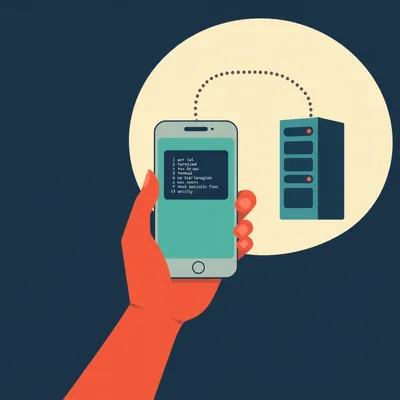
Right, and he is using them for what he calls systems administration, but in a very personal, everyday way. Like organizing messy folders or using FFmpeg to normalize audio without actually having to remember the complex flags and syntax.
It is fascinating because it is this middle ground between a traditional graphical user interface and a raw terminal. He is asking what we should call this workflow, whether it works on Windows and Mac as well as it does on Linux, and how to do it locally without spending a fortune on cloud tokens or needing a massive server.
I think that is the core of it. We are moving away from clicking icons and toward just telling the computer what we want it to do in plain English, and then having an agent execute the programmatic commands. So, Herman, where do we even start with this? What do we call this new way of living in the terminal?
That is a great question. Daniel mentioned that most of these tools are marketed to developers, but he is using it for general tasks. I have been thinking about a few names. Some people call it the agentic shell, but I think semantic systems administration or maybe just semantic computing fits better.
Semantic computing. I like that. It implies that the computer finally understands the intent behind the command, not just the literal string of characters you typed.
Exactly. Think about the history here. We talked about this a bit back in episode two hundred fifty-eight when we looked at the seventy-year history of AI. For decades, the terminal was this gatekeeper. You had to speak the machine's language perfectly. If you missed a semicolon or a dash, the whole thing fell apart.
And then we got graphical user interfaces, which were great for accessibility but actually limited what we could do. You were restricted to whatever buttons the developer decided to put in the window.
Right. If you wanted to batch-process a thousand audio files to specific loudness standards using FFmpeg, you either had to find a very specific app for that or learn the command line. What Daniel is doing with these agentic tools is bypassing that choice. He is telling the agent, normalize these files to minus fourteen LUFS, and the agent knows how to write the FFmpeg command for him.
It is like having a junior sysadmin sitting next to you who has memorized every manual page ever written. But Daniel brought up a good point about the current state of these tools. Most of the focus right now is on computer use agents that use vision. You know, those models that take screenshots and try to click buttons like a human would.
Yes, and honestly, those are often slow and prone to errors. If a window moves three pixels to the left, the vision agent might get confused. But what Daniel is talking about is working at the programmatic level. The agent is interacting directly with the operating system's API or the shell. It is much more robust because it is not guessing where a button is. It is looking at the actual file system.
So, it is more like the agent is a translator between human intent and system execution. But let's talk about the platform side of his question. Daniel is a big Linux user, as are you, Herman. But is this actually viable for someone on a Mac or a Windows machine?
It absolutely is, though the implementation details differ. On a Mac, it is quite seamless because macOS is built on a Unix foundation. Most of these tools, whether it is Claude's command-line interface or open-source alternatives like Open Interpreter, they run beautifully in the Mac terminal.
What about Windows? Windows has always been the odd one out with its file paths and the way it handles permissions.
Windows has actually caught up significantly thanks to the Windows Subsystem for Linux, or WSL. If you are running WSL two, you can essentially run these agentic tools in a Linux environment that has access to your Windows files. But even natively in PowerShell, we are starting to see these agents handle the translation. The agent knows that on Windows, the command might be different than on Linux, and it adjusts accordingly.
That is the beauty of the LLM, right? It knows the syntax for PowerShell just as well as it knows Bash. So the user does not have to care. You just say, find all my screenshots from last Tuesday and move them to a folder named Tuesday, and the agent handles the specific commands for your operating system.
Exactly. It abstracts away the operating system entirely. In a way, it makes the specific OS you use less relevant to your productivity, which is a massive shift. We have spent decades being Windows people or Mac people or Linux people because of the workflows. If the workflow is just natural language, that wall starts to crumble.
I wonder if this is why it feels so new. We are finally getting the power of the command line without the steep learning curve. But it is not without its hurdles. Daniel mentioned the cost and the latency of using cloud models like Claude or other large language models in early twenty-six.
That is the big bottleneck. If you are asking a model in a data center in Virginia to help you organize files on your desk in Jerusalem, you are sending a lot of metadata back and forth. It feels sluggish. You type a command, and you wait three or four seconds for the model to think, then it sends back a command, then you have to approve it. It breaks the flow.
Not to mention the privacy aspect. If I am using an agent to look through my personal documents or my financial spreadsheets to organize them, I am not sure I want every file name and directory structure being streamed to a third-party server.
That is why the local model question is so critical. Daniel mentioned he hasn't found a local model with a large enough context window or enough reasoning power to handle these tasks. And he's right to be skeptical. To do this well, the model needs to hold the entire directory structure and the task requirements in its head at once.
So, let's solve this for him. If someone wants to run these agents locally in twenty-six, without a massive server rack in their basement, what is the realistic path forward?
Well, first we have to look at the hardware. You don't need a data-center-grade GPU, but you do need VRAM, or video random access memory. That is the currency of local AI. If you are on a PC, something like an NVIDIA RTX forty-ninety with twenty-four gigabytes of VRAM is still the gold standard for consumer-grade performance.
Twenty-four gigabytes is a lot, but it is still a consumer part. What can you actually run on that?
You can comfortably run a seventy-billion parameter model if you use quantization. For listeners who might not know, quantization is essentially a way of compressing the model's weights so it takes up less memory without losing too much intelligence. A seventy-billion parameter model at four-bit quantization fits into about forty gigabytes of memory, so you'd actually need two forty-nineties or a high-end Mac.
Ah, the Mac. This is where Apple's unified memory architecture actually shines, right?
Precisely. If you have a Mac Studio with one hundred twenty-eight or one hundred ninety-two gigabytes of unified memory, the GPU can access all of it. You can run massive models that would require four or five expensive NVIDIA cards on a PC. For agentic tasks, you really want that seventy-billion parameter class of model. The smaller ones, like the eight-billion parameter models, are great for chatting, but they often fail at complex multi-step reasoning.
That makes sense. An agent isn't just answering a question; it is planning a sequence of actions. It has to think, okay, first I need to list the files, then I need to filter them by date, then I need to check if the destination folder exists, and if not, create it. If it loses the thread halfway through, it can cause a mess.
I have seen it happen! I once asked a small local model to clean up a directory, and it decided the best way to clean it was to delete everything. It was technically correct, I suppose. The directory was very clean afterward.
That sounds like a nightmare. So, for Daniel's specific use case—systems administration and file manipulation—he needs that reasoning. What are the specific models he should look at right now?
As of early twenty-six, models like Llama with seventy-billion parameters are still incredibly reliable for this. There are also some newer versions of DeepSeek that have shown incredible performance in coding and reasoning tasks while being very efficient with memory.
I have heard the DeepSeek models are particularly good at following complex system instructions.
They are. And what is interesting is that we are seeing specialized fine-tunes of these models specifically for tool use. Instead of being good at writing poetry, they are trained specifically on how to interact with a terminal, how to handle error messages, and how to use tools like FFmpeg or grep.
So, if Daniel sets up a local model like that, how does he actually connect it to his terminal? Is he writing his own scripts, or are there existing frameworks that make this easy?
There are a few great open-source frameworks. Open Interpreter is probably the most famous one. It provides a natural language interface to your computer's shell. You can point it at a local server running your model—using something like Ollama or LM Studio—and it will use that local brain to execute commands.
I imagine the latency is much better when it's all happening on the same machine.
It is night and day. When the model is running on your local GPU, the "thought" process happens almost instantly. There is no network overhead. You see the commands appearing in real-time. It feels much more like a natural extension of your own hands.
Let's go back to the naming for a second. We talked about semantic computing. But there is another aspect to this that Daniel touched on. He said it is radically shifting how he uses a computer. It is becoming his first port of call. That suggests it is not just a tool, but a new layer of the operating system.
I think we are moving toward what I'd call the Intent-Based Interface. For forty years, we have lived in the Command-Based Interface or the Graphic-Based Interface. You had to know the command or know where the button was. Now, you only need to know your intent.
The Intent-Based Interface. I like that. IBI. It sounds very official. But does it take the fun out of it, Herman? You love the terminal. You love knowing the obscure flags for obscure programs. Do you feel like something is lost when an agent does it for you?
That is a fair question. There is a certain satisfaction in being a power user, right? Knowing that you can pipe three different commands together to get exactly the result you want. But honestly, even for me, there is a cognitive load to remembering all of that. If I can spend my mental energy on the goal rather than the syntax, I think I am more productive.
It is like moving from assembly language to a high-level language like Python. You are still "coding" your computer's behavior, but at a higher level of abstraction.
Exactly. And the agentic CLI is just the next step in that abstraction. It allows us to treat the entire operating system as a single programmable entity. Think about the audio normalization example Daniel gave. To do that manually, you have to know how to install FFmpeg, how to navigate the file system, how to write a loop in Bash to process multiple files, and the specific audio engineering parameters for normalization.
And if you get one part of that wrong, you might ruin the audio or crash the script.
Right. But with an intent-based interface, you are just the architect. You say, here is the result I want, make it happen. The agent handles the plumbing. I think this actually opens up systems administration to a whole group of people who were previously intimidated by the terminal.
That is a huge point. It democratizes the power of the command line. But I want to push back a little on the local model side. Even with a forty-ninety or a high-end Mac, those seventy-billion parameter models can still be a bit slow compared to the massive clusters Anthropic or OpenAI are running. Is there a middle ground?
There is. We are starting to see a lot of interest in speculative decoding and more advanced quantization techniques. There's this method called Quantization-Aware Training that allows models to run at even lower bit rates—like two-bit or three-bit—with very little loss in logic. This means you could potentially fit a much smarter model into a smaller GPU.
That would be a game changer for people with mid-range hardware. If you could run a high-reasoning model on a card with only twelve or sixteen gigabytes of VRAM, this workflow would explode.
It is already happening. We are seeing models like Mistral Small or other variants that are specifically optimized for these kinds of tasks. They might not be able to write a novel, but they are excellent at following a sequence of system commands.
So, what is the practical takeaway for Daniel and for our listeners who want to try this? If they want to move away from the cloud and go local with their agentic CLI, what is the first step?
Step one is checking your hardware. If you have an NVIDIA card with at least twelve gigabytes of VRAM, or a Mac with sixteen gigabytes of unified memory or more, you can start today. Download a tool like Ollama. It is the easiest way to get local models running.
And then once you have the model running, you need the interface.
Right. I would suggest looking at Open Interpreter. It is open-source, it is very mature, and it is designed for exactly what Daniel is talking about. You can tell it to use your local Ollama instance as its brain. Then, you just open your terminal and start talking to your computer.
I can see the potential for some really interesting "aha" moments here. Like, imagine you have a folder with five hundred photos from a trip, and they are all named something like D-S-C zero zero one. You could just tell the agent, look at the metadata for these photos, find out where they were taken, and rename them to the city name and the date.
And it will do it! It will write a Python script or a series of shell commands to extract the EXIF data and rename the files. That is a task that would take a human an hour of tedious work, or twenty minutes of writing a custom script. The agent does it in thirty seconds.
That is the power of semantic computing. It is about reclaiming our time from the mundane tasks of digital housekeeping.
It really is. And to Daniel's question about the name, I think we should lean into that. Maybe we call it the Semantic Shell. It sounds like something from a sci-fi novel, but it describes exactly what is happening. The shell is no longer just a place for commands; it is a place for meaning.
The Semantic Shell. I like that. It has a nice ring to it. And I think it fits the "My Weird Prompts" vibe perfectly. It is a bit obscure, a bit technical, but ultimately about making our relationship with technology more human.
Exactly. We are finally moving past the era where we had to act like machines to talk to machines. We are letting the machines act a bit more like us so we can just be humans.
Well, I think we have covered a lot of ground here. We have talked about the transition from GUI to the Semantic Shell, the platform availability on Windows and Mac via WSL and native tools, and the hardware path for going local.
It is an exciting time to be a nerd, Corn. Every week it feels like the barrier between "I wish my computer could do this" and "my computer is doing this" gets thinner.
It really does. And hey, if you are listening to this and you have been experimenting with your own agentic workflows, we want to hear about it. Daniel always sends us the best stuff, but we know there are thousands of you out there finding weird and wonderful ways to use these tools.
Absolutely. Go to myweirdprompts.com and use the contact form to let us know what you are working on. Or if you have a question that is keeping you up at night, send it our way.
And before we wrap up, if you are enjoying the show, please leave us a review on your podcast app or on Spotify. It genuinely helps other people find us, and we love reading your feedback.
It really does make a difference. We are a small, independent team—just two brothers, a housemate, and some very hardworking AI models—so every review counts.
Thanks again to Daniel for this prompt. It has definitely inspired me to go home and try to organize my own disastrous downloads folder.
Good luck with that, Corn. Even the best AI might struggle with the chaos you have going on in there.
Hey, I have a system! It's just... a very complex one.
Sure it is. Anyway, this has been My Weird Prompts. I'm Herman Poppleberry.
And I'm Corn. We'll see you next time. You can find us on Spotify and at our website, myweirdprompts.com.
Stay curious, everyone. Goodbye!
Bye!