Hey everyone, welcome back to My Weird Prompts. I am Corn, and I am joined as always by my brother.

Herman Poppleberry, at your service. And man, Corn, do we have a great one today. Our housemate Daniel just finished this marathon eight-hour computer build. He was actually struggling with whether he needed an M-two or an M-three-point-five screw for his drive, and it sounded like a whole ordeal.
I saw him in the kitchen earlier just staring into space with a beer, looking like he had just come back from a long journey. But he sent us a really interesting prompt about the cooling side of things. He was looking at his C-P-U cooler and wondering why we have these massive metal blocks and fans on top of this tiny little chip.
It is one of those things where, once you see the scale of it, the engineering looks almost absurd. You have this tiny sliver of silicon, maybe the size of a postage stamp, and then you have this tower of copper and aluminum that weighs two pounds sitting on top of it. It is a massive physical solution for a microscopic problem.
That's it. And Daniel wanted to know why that is. Why does that tiny chip generate so much heat compared to, say, the motherboard itself? And do we actually need those massive fans, or is liquid cooling the way to go? So, Herman, let us start with the heat itself. Why is the C-P-U the sun at the center of the computer solar system?
It really comes down to power density. If you look at a modern motherboard, it is huge. It has a lot of surface area. The electrical traces are spread out. But the C-P-U is where billions of transistors—we are talking over eighty billion on some high-end chips now—are packed into a tiny area. These are switches flipping on and off billions of times per second. Every time one of those switches flips, it encounters resistance, and that resistance creates heat.
Right, and because it is all happening in such a small space, that heat has nowhere to go. It is not like the motherboard where the heat can just radiate off into the air. If you did not have a cooling system, a modern C-P-U would literally melt itself or at least trigger a thermal shutdown within seconds of being turned on.
Oh, definitely. In fact, if you ran a modern high-end processor like a Core Ultra nine or a Ryzen nine without a heat sink, you could probably fry an egg on it in less time than it takes to boot into the B-I-O-S. The power density of a high-end C-P-U can actually exceed three hundred watts per square centimeter. To put that in perspective, that is significantly higher than the heat flux of a nuclear reactor core. That is the part that usually blows people's minds. It is not just that it is hot; it is that the heat is concentrated in such a ridiculously small volume.
That is an incredible mental image. A nuclear reactor on your desk. So, let us talk about the standard solution Daniel saw, which is the heat sink and the fan. Why do you need both? Why can you not just have a really big piece of metal that soaks up the heat?
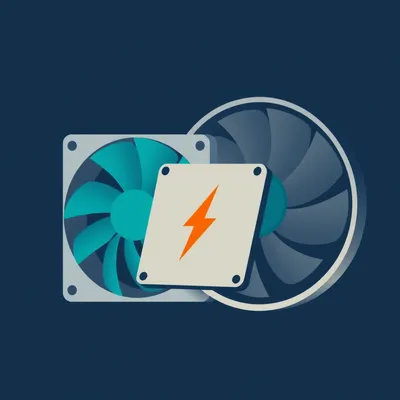
That is a good question, and it gets into the difference between conduction and convection. The heat sink itself handles the conduction. It is usually made of copper or aluminum because those metals have high thermal conductivity. The heat moves from the C-P-U die, through a thin layer of thermal paste, and into the metal fins of the heat sink. The goal there is to spread that heat out over as much surface area as possible. That is why you see all those thin metal fins. They are designed to maximize the contact with the air.
But air is actually a pretty terrible conductor of heat, right?
It is. Air is an insulator. If you just had the heat sink sitting there with no fan, what we call passive cooling, the air immediately touching the fins would get hot and stay there. Once that air reaches the same temperature as the metal, the heat stops moving. You get a pocket of stagnant, hot air, and the whole system saturates. The fan is there to provide forced convection. It pushes that hot air away and replaces it with cooler air from the rest of the case. You need that constant exchange to keep the temperature gradient high enough for the heat to keep moving out of the metal.
So the heat sink is the bridge, and the fan is the traffic controller moving the heat off the bridge. I like that. But then you have liquid cooling. Daniel was wondering if that is actually useful or if it is just because people like the way the glowing tubes look in their glass cases.
Well, it is definitely both. There is no denying that a custom water loop with R-G-B lighting looks like something out of a sci-fi movie. But from a physics perspective, liquid cooling is objectively superior to air cooling for a few reasons. The main one is the specific heat capacity of water. Water can absorb about four times more heat than air can before its own temperature starts to rise.
Right, it is like how a swimming pool stays cool even on a hot day, while the air around it is scorching.
That's it. And water also has much higher thermal conductivity than air. In a liquid cooling system, you have a water block on the C-P-U. The water flows through that block, picks up the heat, and carries it to a radiator. The radiator is basically just a heat sink, but instead of the heat moving through solid metal to the fins, it is being carried by the water to the radiator where fans then blow the heat away. The big advantage is that you can move the heat away from the cramped space around the C-P-U and exhaust it directly out of the case. With a traditional air cooler, you are often just dumping the C-P-U heat into the case, which then heats up your graphics card and everything else.
So it is more efficient at moving the heat to a place where it can be dealt with easily. But for most people, for someone like Daniel building a home server or a standard gaming rig, is it necessary? Or are we at a point where air coolers are so good that liquid cooling is mostly for enthusiasts?
For the vast majority of users, a high-quality air cooler is more than enough. If you look at something like the Noctua D-H-fifteen or some of the big Be Quiet coolers, they can actually outperform many entry-level liquid coolers. They are also more reliable because the only moving part is a fan. In a liquid cooler, you have a pump that can fail, and you have the tiny, tiny risk of a leak. But, if you are running a top-tier chip and you are doing heavy video editing or three-D rendering, liquid cooling can give you that extra thermal headroom to keep the clock speeds higher for longer.
That makes sense. It is about the ceiling of performance. Now, Daniel also mentioned his home server. And that brings up an interesting point about the difference between desktop cooling and server cooling. If you have ever walked into a data center, the first thing you notice is the noise. It sounds like a hundred jet engines taking off. Why is that?
It is a completely different philosophy. In a desktop, we care about noise. We want big fans that spin slowly because big, slow fans move a lot of air quietly. But in a server rack, you are dealing with very thin, flat cases. We call them one-U or two-U servers. You cannot fit a big twelve-centimeter fan in a case that is only four centimeters tall.
So they use those tiny, high-speed fans instead.
That's right. They use these small, forty-millimeter fans that spin at fifteen thousand or even twenty thousand rotations per minute. They are incredibly loud, but they create a huge amount of static pressure. They basically brute force the air through the server. If you look inside a server, the components are often shrouded in plastic air ducts to make sure every bit of that high-speed air goes exactly where it is needed.
And the environment is different too, right? In a data center, they are not just cooling one computer; they are cooling the whole room.
Yes. They use what we call hot aisle and cold aisle containment. The front of the server racks all face each other in the cold aisle, where cold air is pumped up through the floor. The servers suck that cold air in, blow it across the components, and then exhaust the hot air into the hot aisle behind the racks. That hot air is then sucked up by the air conditioning units, cooled down, and sent back under the floor. It is a massive, industrial-scale heat exchange system.
It is amazing how much of the cost of running a data center is just the electricity for the cooling, not even the computing itself.
It is huge. They use a metric called Power Usage Effectiveness, or P-U-E. A P-U-E of one point zero would be perfect, meaning all the power goes to the computers. Most modern data centers are around one point two or one point one, which means for every watt used for computing, another zero point one or zero point two watts are used for cooling and power distribution. In the old days, it was common to see P-U-E-s of two point zero or higher. We have gotten much, much better at it.
That is a massive improvement. I want to go back to something Daniel asked about the C-P-U versus the motherboard. He noticed that the motherboard does not have much dedicated cooling. We see some heat sinks on the V-R-M-s, the voltage regulator modules, but that is about it. Why does the rest of the board stay cool?
It is mostly about the concentration of the work. The motherboard is essentially the highway system. It carries signals and power from point A to point B. While there is some resistance in the copper traces, it is spread out over a large area. The C-P-U is the factory where all the work is actually happening. However, the V-R-M-s you mentioned are actually really important. They take the twelve volts from the power supply and step it down to the one point two or one point three volts that the C-P-U needs. That process is not one hundred percent efficient, and because modern C-P-U-s can pull three hundred watts, those V-R-M-s have to handle a lot of current. That is why on high-end motherboards, you see those chunky heat sinks surrounding the C-P-U socket.
I have noticed that on some of the newer boards, they even have tiny fans on the V-R-M heat sinks or the chipset. Is that a sign that things are getting too hot even for the highways?
It is a sign that we are pushing more and more data through smaller spaces. When we moved to P-C-I-e generation five and now generation six, the chipsets that handle all that high-speed data started generating more heat. And the N-V-M-e S-S-D-s, the drives like the one Daniel was installing, those are getting incredibly hot now too. Some of the latest Gen five drives can reach over eighty degrees Celsius and actually come with their own dedicated active coolers with tiny fans because they will throttle their speed to a crawl if they get too hot.
That is wild. Your hard drive needing a fan would have been unthinkable ten years ago. It feels like we are in this constant arms race between processing power and thermal management.
It really is. We are hitting what engineers call the heat wall. We can keep making transistors smaller, but as they get smaller, they leak more current, and they generate more heat per unit of area. We are getting to the point where the bottleneck for performance is not how fast we can make the transistors flip, but how fast we can get the heat away from them.
So what is the next step? If fans and water are hitting their limits, where does cooling go from here?
Well, we are already seeing some pretty exotic stuff in the enterprise space. One of the coolest is immersion cooling. You literally submerge the entire server in a tank of specially engineered dielectric fluid. It looks like mineral oil, but it is non-conductive. The fluid is in direct contact with every component, so the heat transfer is incredibly efficient. Then you just pump the fluid through a heat exchanger.
That sounds terrifying for anyone who has ever accidentally spilled a drink on their laptop.
It definitely feels wrong the first time you see it. You see these servers sitting in what looks like a giant deep fryer, and they are humming along perfectly. There are no fans, so it is silent. And because the fluid is so much better at carrying heat than air, you can pack the servers much closer together.
What about phase change cooling? I remember seeing people use liquid nitrogen for extreme overclocking, but is there a practical version of that?
Liquid nitrogen is great for setting world records, but it is not practical for twenty-four-seven use because it evaporates. But we do use phase change in a very common way that most people do not realize: heat pipes. If you look at a modern air cooler, those copper pipes that go from the base up into the fins are not solid copper. They are hollow and contain a small amount of liquid, usually water or ethanol, under a vacuum.
Oh, really? I always thought they were just solid copper rods.
No, they are much smarter than that. When the bottom of the pipe gets hot, the liquid inside boils and turns into vapor. That vapor travels to the cooler top of the pipe, where it condenses back into a liquid, releasing all that latent heat into the fins. Then the liquid wicks back down to the bottom through a porous structure inside the pipe. It is essentially a miniature, self-contained, pumpless refrigeration cycle. It moves heat hundreds of times faster than a solid copper rod could.
That is brilliant. It is a tiny steam engine that just moves heat. I love that. So, for Daniel and our listeners who might be inspired by his building marathon, what are some practical takeaways for keeping a system cool? Besides just buying the biggest cooler you can find.
The first thing is airflow. It does not matter how good your C-P-U cooler is if your case is a sealed box. You need a clear path for air to enter the front of the case and exit the back or the top. Cable management is not just for looks; it is to keep the air paths clear. Also, do not underestimate the importance of thermal paste. You only need a tiny amount, about the size of a pea, to fill the microscopic gaps between the C-P-U and the cooler. Too much can actually act as an insulator, and too little leaves air pockets.
And what about maintenance? I know my old P-C used to get pretty dusty.
Dust is the silent killer of computers. It settles on the fins of the heat sink and acts like a cozy little blanket, trapping the heat. Cleaning out your P-C with some compressed air every six months can make a huge difference in your temperatures and the lifespan of your components. And for the love of all that is holy, if you are using a liquid cooler, check your pump speeds and temperatures occasionally. Pumps do eventually wear out, and unlike a fan, you cannot always hear when they are failing until your computer starts shutting down.
That is a good tip. I think the home server context is interesting too, because those often run twenty-four-seven in a closet or a corner.
That's a good point. If you put a server in a small closet, it will eventually turn that closet into an oven. Even if the server has great internal cooling, if it is sucking in forty-degree air, it is going to struggle. Ambient temperature matters.
Well, Herman, this has been fascinating. I think Daniel has a lot to think about while he recovers from his build. It is amazing how much engineering goes into just keeping these things from catching fire while we check our emails or play games.
It really is. Every time you click a button, there is a whole world of thermodynamics working behind the scenes to make sure that click happens.
If you have been enjoying the show, we would really appreciate it if you could leave us a review on your favorite podcast app or on Spotify. It genuinely helps other people find us and keeps the show growing.
It really does. And if you want to get in touch or check out our back catalog, head over to my weird prompts dot com. We have all five hundred forty-nine episodes there, and a contact form if you want to send us a prompt of your own.
Thanks for listening to My Weird Prompts. We will be back next time with another deep dive into whatever is on your minds.
Until then, keep it cool.
Goodbye everyone.
Bye.